
You're probably surrounded by natural language processing already and not calling it that. It shows up when your phone turns speech into text, when email suggests the end of a sentence, when a support system sends a customer message to the right team, and when a long meeting transcript gets condensed into a short summary. Users often encounter NLP as a feature, not as a field.
That's also why the usual explanations can feel unsatisfying. They list chatbots, translation, and sentiment analysis, but they don't answer the practical question professionals prioritize. What is natural language processing used for in real work, and where does it assist people versus automate a task outright? That distinction matters if you draft reports, answer customers, manage documents, or spend half your day dealing with text and voice.
If speech-to-text is part of your workflow, it also helps to explore Whisper AI transcription insights as a concrete example of how spoken language becomes usable text inside modern tools.
Table of Contents
- What Is Natural Language Processing Anyway
- How Computers Learn to Understand Language
- Speech comes in as sound, not meaning
- Text gets broken into manageable pieces
- Embeddings are a map of meaning
- Real World NLP Use Cases You Use Every Day
- Where NLP shows up in ordinary work
- Common NLP use cases and their practical benefits
- Advanced NLP Applications Transforming Work
- Assistance means the human stays in the loop
- Automation means the system handles the handoff
- Putting NLP into Practice Your Options
- Off the shelf tools
- Cloud APIs and managed services
- Custom and local deployments
- Common Challenges in Natural Language Processing
- Language is messy
- Privacy and bias need active management
- Bringing NLP to Your Desktop with Voice Control Pro
- A practical example of NLP at work
- Why local processing changes the conversation
What Is Natural Language Processing Anyway
Natural language processing, usually shortened to NLP, is the part of AI that helps computers work with human language. That includes written language, like emails and reports, and spoken language, like meetings, voice notes, and support calls.
A simple way to think about it is this. Traditional software likes neat boxes and strict fields. Human language isn't like that. We use slang, shortcuts, incomplete sentences, jokes, and context. NLP is the layer that helps software deal with that mess and still produce something useful.
One helpful analogy is a front-desk clerk sorting incoming mail. Some envelopes go to finance, some to legal, some need urgent attention, and some are just junk. The clerk doesn't need to understand every sentence thoroughly to do valuable work. They need to recognize patterns, topics, names, urgency, and destination. NLP often works the same way.
According to IBM, natural language processing became a distinct research field in the 1950s, when early machine translation and rule-based language systems showed that computers could interpret human language rather than only calculate numbers. IBM also notes that current core uses include translation, sentiment analysis, information extraction, chatbots, and speech-to-text, which is why NLP now sits inside products that classify documents, summarize text, answer questions, and route customer messages (IBM on natural language processing).
Practical rule: If a tool touches text or speech and then helps you search, sort, summarize, answer, tag, or route it, NLP is probably involved.
For non-technical professionals, that's the key idea. NLP is not one single app. It's a set of language-handling capabilities that make other tools more useful.
How Computers Learn to Understand Language
Computers don't read the way people do. They don't glance at a sentence and absorb tone, context, and intent in one smooth motion. They turn language into smaller parts, patterns, and representations that software can work with.
Speech comes in as sound, not meaning
When you speak to a device, the system first deals with audio. That process is often called automatic speech recognition, or ASR. Its job is straightforward: convert spoken words into text.
That sounds simple until you consider real life. People mumble. Background noise leaks in. Someone says “quarterly forecast” while walking through an airport. Before a computer can summarize, search, or classify language, it usually needs a usable text version first.
Once the spoken words become text, other NLP steps can begin.
Text gets broken into manageable pieces
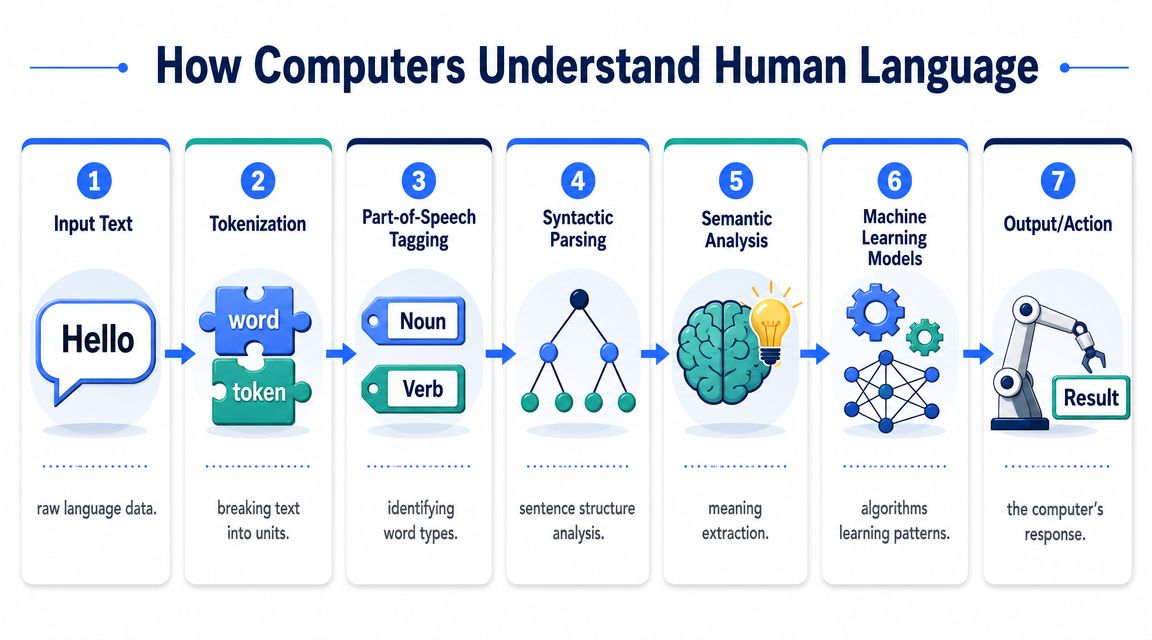
A computer can't do much with a paragraph until it breaks it apart. One of the first steps is tokenization, which means splitting text into smaller units such as words, punctuation marks, or sentence chunks.
Think of tokenization like chopping vegetables before cooking. A whole onion is hard to work with. Once it's diced, you can sauté it, measure it, or combine it with other ingredients. Language works the same way. A sentence has to be broken into manageable pieces before software can label, compare, or transform it.
After that, systems often apply part-of-speech tagging. This labels words by role, such as noun, verb, or adjective. Why does that matter? Because “book” means something different in “book a meeting” versus “read the book.” The surrounding grammar helps a system avoid obvious mistakes.
Then comes parsing, which looks at structure. Parsing helps software see which words belong together and how ideas connect. In a sentence like “Send the updated contract to the client after legal review,” the phrase “after legal review” modifies the sending action, not the client. That distinction affects workflow.
Embeddings are a map of meaning
This is the point where many readers get stuck, so let's make it concrete. Computers don't “understand” words directly. They turn language into numbers. One useful way to do that is with embeddings.
An embedding is like giving each word, phrase, or document a place on a giant map of meaning. On that map, terms with related meanings sit closer together. “Invoice” might end up near “payment,” “billing,” and “receipt.” “Dog” lands far from “spreadsheet.” The model doesn't need a dictionary entry in the human sense. It learns relationships from patterns in language.
Here's the everyday analogy. Think about a supermarket. Coffee, tea, and sugar are usually in related aisles because shoppers often connect them. Paint thinner and cereal are not. Embeddings create that kind of neighborhood structure for language.
That's how semantic search works better than basic keyword search. A keyword system looks for the exact term you typed. An embedding-based system can often find material that means something similar, even when the wording differs.
When people ask what natural language processing is used for, this is often the hidden answer. It turns messy language into structures that software can sort, compare, and act on.
A typical flow looks like this:
- Input arrives: A person speaks, types, or uploads a document.
- Preprocessing starts: The system cleans and segments the content.
- Language gets labeled: Words and phrases are tagged or parsed.
- Meaning gets represented: Embeddings help the model compare related ideas.
- A task runs: The system summarizes, classifies, extracts, answers, or routes.
- An output appears: A summary, transcript, recommendation, tag, or next action.
- A human or system uses it: Someone reviews it, or another workflow continues automatically.
That chain matters because it shows why NLP is less like magic and more like a language assembly line.
Real World NLP Use Cases You Use Every Day
If you're asking what natural language processing is used for, the clearest answer is this: it helps people and systems do something useful with unstructured language. That includes the text and voice data that pile up in email, support platforms, CRMs, meeting tools, chat apps, and document repositories.
Sigma Computing notes that NLP is widely used because unstructured language data dominates business communication, including emails, call transcripts, social posts, reviews, and documents. It is applied to process and archive large documents, analyze customer feedback and call-center recordings, run chatbots, perform real-time sentiment analysis, detect phishing and misinformation, and improve semantic search and recommendation systems (Sigma Computing on NLP uses in business).
Where NLP shows up in ordinary work
A sales rep may not say, “I'm using NLP.” They may say, “I searched our call notes and found every prospect asking about pricing objections.”
A support lead may not say, “We use information extraction.” They may say, “The system picks out the account number and issue type before the agent even opens the case.”
That's the practical lens worth using. NLP isn't interesting because it understands language in theory. It matters because it reduces manual handling in day-to-day tasks.
Here are common places it appears:
- Customer support: Chatbots answer common questions, classify incoming requests, and help route tickets.
- Sales and CRM work: Call transcripts, notes, and emails can be searched by meaning rather than exact wording.
- Research and study: Long articles, lecture transcripts, and reports can be summarized or queried.
- Operations: Forms, contracts, invoices, and internal documents can be tagged, archived, or mined for key fields.
- Security and trust teams: Suspicious wording patterns can help flag phishing or misinformation.
If you want a narrower look at one major branch of this, learn how speech-to-text works in practice and where voice input fits into a broader NLP workflow.
Common NLP use cases and their practical benefits
| Use Case | Description | Industry Example |
|---|---|---|
| Chatbots | Systems that interpret user questions and respond in natural language | A support team answers routine order or account questions in chat |
| Sentiment analysis | Tools that detect emotional tone or attitude in text | A customer experience team reviews product feedback for frustration or praise |
| Semantic search | Search based on meaning, not only exact keywords | A legal or operations team finds relevant clauses across many documents |
| Summarization | Condensing long text into a shorter version with the main points | A manager reviews a meeting transcript or report quickly |
| Translation | Converting text between languages | A global team reads customer messages from different regions |
| Transcription | Turning speech into text for later use | A student, recruiter, or sales rep converts recordings into searchable notes |
| Information extraction | Pulling fields like names, dates, or topics from documents | An operations team logs details from forms or incoming requests |
| Document classification | Assigning labels or categories to incoming text | A shared inbox separates billing, technical, and partnership requests |
A useful way to read that table is to ask two questions for each row:
First, does this help a person do better work? Summarization usually does. It gives someone a shorter version to review.
Second, does this remove a repetitive step completely? Routing and classification often do. If the system can reliably tag and forward a message, a human doesn't need to do that first pass.
Tools often create value before they create autonomy. A good summary that saves reading time may be more useful than a fully automated decision you don't trust.
That's why mature teams often start with assistance use cases. Search, summarization, transcription, and draft generation are easier to adopt because a person can quickly verify the result. Full automation usually comes later, once the workflow is narrow enough and the stakes are clear.
Advanced NLP Applications Transforming Work
The most interesting NLP applications don't just handle language. They reshape how work gets divided between people and software.
ISO's overview highlights a useful gap in how this topic is usually explained. Many summaries list classic use cases, but they rarely answer the practical question of which parts of work are being automated today versus merely assisted. The strongest neutral descriptions emphasize classification, extraction, summarization, archiving, customer feedback analysis, and question-answering. The business value often comes from reducing manual handling in workflows such as support triage, document processing, and retrieval, rather than from abstract “understanding” alone (ISO on natural language processing and practical workflow value).
Assistance means the human stays in the loop
Assistance tools support judgment rather than replace it.
Take content generation. A marketer might use an NLP system to draft subject lines, rewrite a paragraph, or turn rough notes into a cleaner outline. The tool speeds up the first pass, but the marketer still decides what to send. The same is true for a consultant polishing a proposal or a manager summarizing meeting notes before sharing them.
Another example is question answering over documents. Instead of manually scanning a long PDF, someone can chat with your PDF documents to pull out terms, clauses, or key points faster. The tool assists retrieval and comprehension, but a person still validates the answer before acting on it.
Assistance is often the best fit when:
- Judgment matters: Brand voice, legal nuance, or interpersonal tone still need review.
- The task is open-ended: Drafting and brainstorming rarely have one perfect answer.
- Error cost is uneven: A rough first draft is acceptable. A wrong final decision isn't.
Automation means the system handles the handoff
Automation happens when NLP output directly triggers the next step.
A clear example is intent detection in customer service. If a message says, “I was billed twice and need a refund,” the system can identify the request type and route it to the billing queue. The employee doesn't need to read every incoming message just to decide where it belongs.
Another example is information extraction. Suppose an accounts team receives receipts, invoices, or forms. An NLP system can pull out names, dates, categories, and other fields, then place them into the right record. In a narrow workflow with consistent document types, that can move from “helpful assistant” to real automation.
If you want a practical angle on how voice interfaces and assistant-style systems fit into this shift, see how voice dictation and AI chatbots intersect.
Here's a simple comparison:
| Work pattern | What NLP does | Human role |
|---|---|---|
| Drafting an email | Suggests wording, tone, or structure | Reviews and edits |
| Summarizing a meeting | Produces a shorter recap | Checks accuracy and shares |
| Searching a knowledge base | Finds meaning-based matches | Chooses what applies |
| Routing a support ticket | Detects issue type and assigns queue | Intervenes on exceptions |
| Extracting fields from forms | Pulls key data into structured fields | Audits edge cases |
The mistake many teams make is trying to jump straight to end-to-end automation. A better question is narrower: which language-heavy step keeps slowing people down, and does it need support or replacement?
Putting NLP into Practice Your Options
Once NLP starts sounding useful, the next question is usually about implementation. Three realistic paths present themselves. Each comes with trade-offs around setup effort, flexibility, privacy, and control.
Off the shelf tools
This is the easiest starting point. You use a ready-made product that already includes transcription, summarization, search, chatbot features, or document analysis.
The upside is speed. You can often test the workflow immediately and judge whether it helps. The limitation is fit. Off-the-shelf products solve common problems well, but they may not match your exact terminology, workflow, or compliance needs.
This path works best when you want value quickly and your process is fairly standard.
Cloud APIs and managed services
This option sits in the middle. Instead of buying one full application, you connect language capabilities from major providers into your own tools and workflows. That might mean adding speech recognition to an internal app, using document classification in a support system, or building a search layer over company knowledge.
The benefit is flexibility without building everything from scratch. The trade-off is that data usually travels to an external service for processing, which raises governance and privacy questions for some teams.
If that trade-off is central to your decision, compare cloud vs local speech recognition before choosing an architecture.
Custom and local deployments
This path gives you the most control. Teams can build workflows around open-source models, fine-tune prompts or pipelines, and keep more processing on local machines or internal infrastructure.
That's attractive when privacy matters, when documents include sensitive material, or when a workflow depends on domain-specific language. The cost is complexity. Someone has to maintain the setup, evaluate outputs, and manage updates over time.
A quick decision guide helps:
- Choose off-the-shelf tools if you want fast adoption and minimal setup.
- Choose cloud APIs if you need customization and can work within external processing rules.
- Choose local or custom systems if privacy, control, or domain specificity outweigh convenience.
For many organizations, the right answer isn't one option forever. They start with a packaged tool, learn which tasks matter, and only then build more specialized workflows.
Common Challenges in Natural Language Processing
NLP is useful, but it isn't tidy. Human language is full of ambiguity, shortcuts, and context that people infer without thinking. Software doesn't.
Language is messy
The same word can mean different things in different settings. “Close the ticket,” “close the deal,” and “close the door” all use the same term differently. Add sarcasm, regional phrasing, half-finished sentences, and industry jargon, and you can see why even strong systems still need constraints and review.
Data quality also matters. If incoming transcripts are messy, if documents are inconsistent, or if labels in a training set are sloppy, the system inherits that confusion.
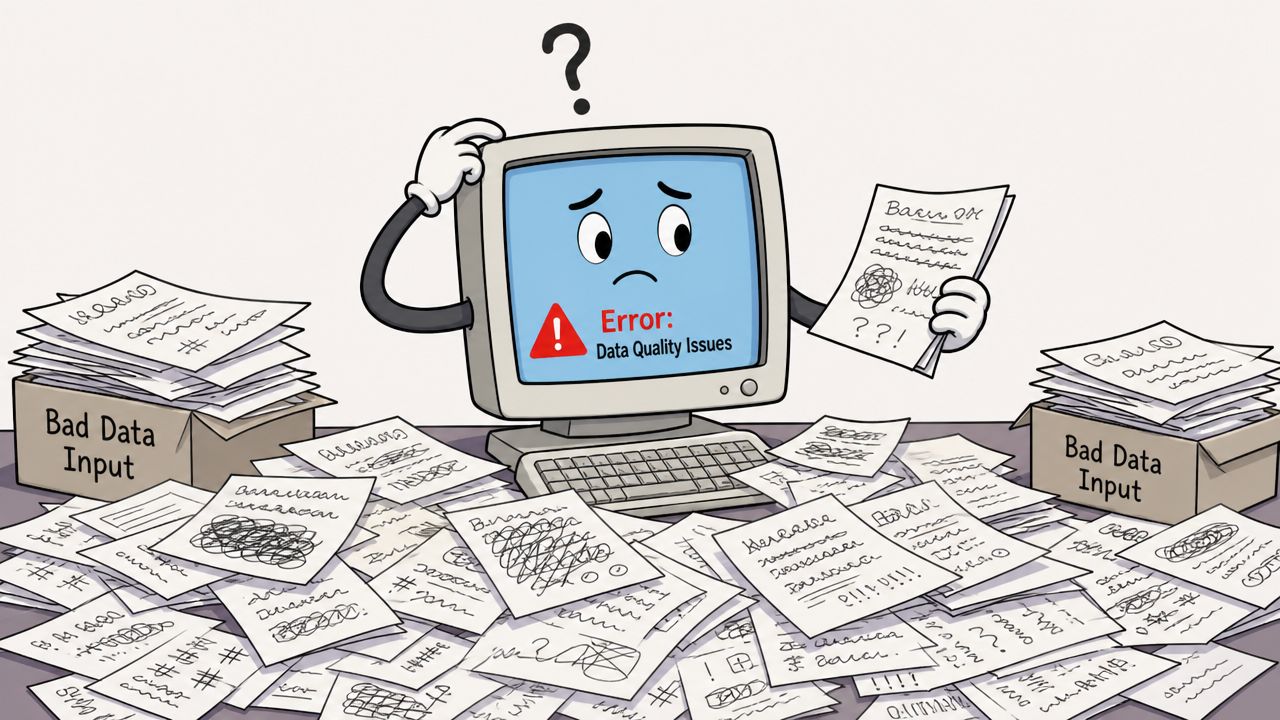
A practical rule is to test NLP on the language people really use, not the clean examples you wish they used.
Privacy and bias need active management
Language data often contains sensitive material. Emails, transcripts, customer complaints, contracts, and medical or financial details can all raise privacy concerns. That's why implementation choices matter, especially when teams are deciding between cloud processing and local options.
Bias is another issue. If the training data reflects unfair patterns or incomplete coverage, the outputs can carry those problems forward. That doesn't mean NLP is unusable. It means teams should review results, monitor failures, and avoid assuming that polished language equals reliable judgment.
Better NLP systems don't come from blind trust. They come from clear scope, human review, and careful handling of data.
Bringing NLP to Your Desktop with Voice Control Pro
A practical example of NLP at work
One concrete way to understand NLP is to see it inside a desktop tool people use all day. Voice Control Pro is a useful example because it combines several language tasks in one workflow.
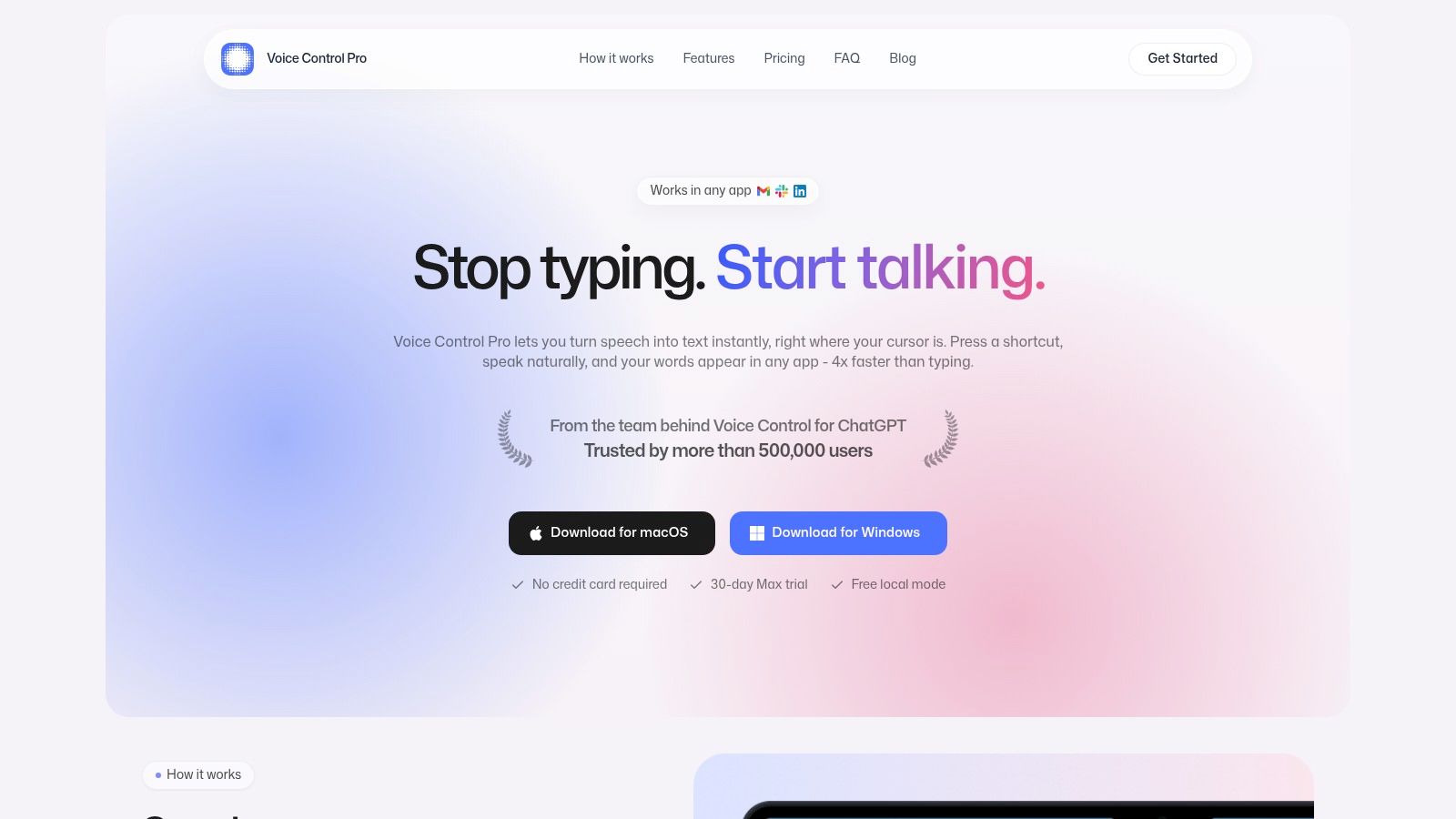
Its dictation feature uses speech recognition to turn spoken words into text directly where your cursor is. That's a classic NLP use: converting voice into structured, editable writing inside any app. The built-in assistant also helps rewrite selected text, answer contextual questions, analyze what's on screen, and launch apps by voice. Those features map neatly to intent detection, question answering, and language generation.
This kind of tool also makes the assist-versus-automate distinction easier to see. Dictation and rewriting assist knowledge work. They help you draft faster and clean up language without taking over the final decision. Voice commands for launching apps or triggering actions move closer to automation, because the system interprets language and completes a task.
Why local processing changes the conversation
Privacy concerns often become more concrete at the desktop level, because people use these tools with client notes, internal memos, and sensitive drafts. That's where local processing matters.
Voice Control Pro's Fly Mode runs processing locally on the computer and pauses cloud features. If you're evaluating why that matters more broadly, this overview of LocalChat for private AI gives useful context on running AI locally instead of sending everything outward.
Here's a closer look at the workflow in action:
For professionals, that combination matters more than any single feature. You speak instead of type. You revise without switching windows. You keep more control over sensitive input. And you use NLP as a practical layer in everyday work rather than as an abstract concept.
If you want a hands-on way to apply speech recognition, rewriting, and private AI workflows in everyday writing, Voice Control Pro is worth trying. It gives you fast dictation across apps, AI-assisted editing, and local processing options that fit real professional work.