
You're reviewing two error messages for the same failed upload. One says: *Upload failed. The file may exceed the limit on your current plan.* The other announces several reasons for the failure, then lists guesses as facts. The first message is more useful because it separates what's known from what's possible.
That distinction is the foundation of technical writing voice. A reliable voice isn't a polished style you apply at the end. It's a set of decisions about language, responsibility, and certainty that you preserve through every rewrite.
Table of Contents
- What Technical Writing Voice Means
- Consistency Is More Than Sounding Alike
- The Four Parts of a Technical Writing Voice
- Components of a Technical Writing Voice
- Diagnose Before You Rewrite
- Choosing Active or Passive Voice on Purpose
- When Passive Voice Is Clearer
- Dos and Don'ts for Technical Prose
- Apply Rules Without Creating New Problems
- Before and After Rewrites of Technical Sentences
- Before and After Rewrites for Technical Voice
- Check the Apparently Better Sentence
- Build a Style Sheet and Check Every Draft
- A Fill-In Style Sheet
- The Publication Checklist
- Keeping Your Voice When You Dictate or Use AI
- Separate Cleanup From Revision
- Set Your Voice Standard Before Your Next Draft
- Put the Standard to Work This Week
What Technical Writing Voice Means
Consider the upload message again. *Upload failed* states an observed result. *The file may exceed the limit* offers a possible explanation without pretending the system has confirmed it. The wording stays calm because the writer doesn't exaggerate either the failure or the diagnosis.
Technical writing voice is the consistent way you choose words, shape sentences, express certainty, and address readers so they can understand and act. Think of voice as a car's steering: it should respond predictably across every trip. Tone is closer to the driver's mood, which changes with the road.
Your documentation might maintain a direct, precise voice everywhere while adopting a more considerate tone in a support apology. A setup guide can say *Select the file*. A support reply can acknowledge the interruption before giving the same instruction. Neither needs to adopt a different vocabulary or invent certainty.
Voice tells the reader who is speaking and how far to trust what they say.
Consistency Is More Than Sounding Alike
A team doesn't need every writer to produce identical sentences. It needs writers to make compatible decisions about the same subjects.
For example, if the interface calls something a *workspace*, the troubleshooting guide shouldn't call it an *account* unless those are clearly different things. If the cause of a failure is unconfirmed, an editor shouldn't remove *may* to make the message sound confident.
Readers use those distinctions to decide what to do next. An unexplained terminology change can make them wonder whether they're in the wrong place. An unsupported diagnosis can send them toward the wrong fix.
A useful voice standard therefore describes more than personality:
- Language choices: Which terms identify each feature or process?
- Sentence decisions: Who performs the action, and where does that information belong?
- Claim boundaries: What's certain, conditional, possible, or still unknown?
The standard should help a writer improve a sentence without changing what it means.
The Four Parts of a Technical Writing Voice
*You can restart the worker after the queue drains.*
That short instruction contains several independent decisions. *Worker* names a specific component. *You* identifies the reader. *Can* expresses permission or possibility rather than obligation. The condition limits when the action applies.
For practical editing, group voice into diction, sentence structure, stance, and address. Then check consistency across all four. Consistency isn't a separate personality trait, but it deserves its own audit row because a sentence can work alone and still conflict with the surrounding documentation.
Components of a Technical Writing Voice
| Component | What It Controls | Example |
|---|---|---|
| Diction | Word choice and fixed terms | Use *cache* every time; don't switch to *buffer* for the same thing. |
| Sentence structure | Sentence length and where the actor and verb sit | Put the actor before the action: *The service loads the configuration.* |
| Stance | How certain the writer sounds and which hedges stay | Keep *may reduce latency* rather than writing *reduces latency*. |
| Address | How the reader is spoken to | *Run the script* in steps; *the system runs the script* in descriptions. |
| Consistency | Repeated terms, formats, and capitalization across pages | Use one feature name, one date format, and one capitalization rule across the set. |
Change only the address in the opening example and you get *The operator can restart the worker after the queue drains*. That might suit an operational description, but it creates distance in instructions aimed directly at the operator.
Change the stance instead, from *can* to *must*, and you've changed the requirement. That's no longer a stylistic adjustment.
Diagnose Before You Rewrite
When a paragraph feels wrong, identify the component that needs attention. Don't replace every sentence merely because the prose sounds uneven.
- For diction problems, compare component names against the interface or glossary.
- For structure problems, locate the action and its actor before shortening anything.
- For stance problems, check whether the wording matches the evidence and requirements.
- For address problems, decide whether the passage instructs a reader or describes behavior.
These choices also matter in code reviews, comments, and prompts. The guide to voice dictation for developers working on reviews, docs, and prompts provides a related workflow context for drafting those different kinds of text.
Audit one component at a time. A confident sentence with inconsistent terminology still leaves the reader unsure what it describes.
Choosing Active or Passive Voice on Purpose
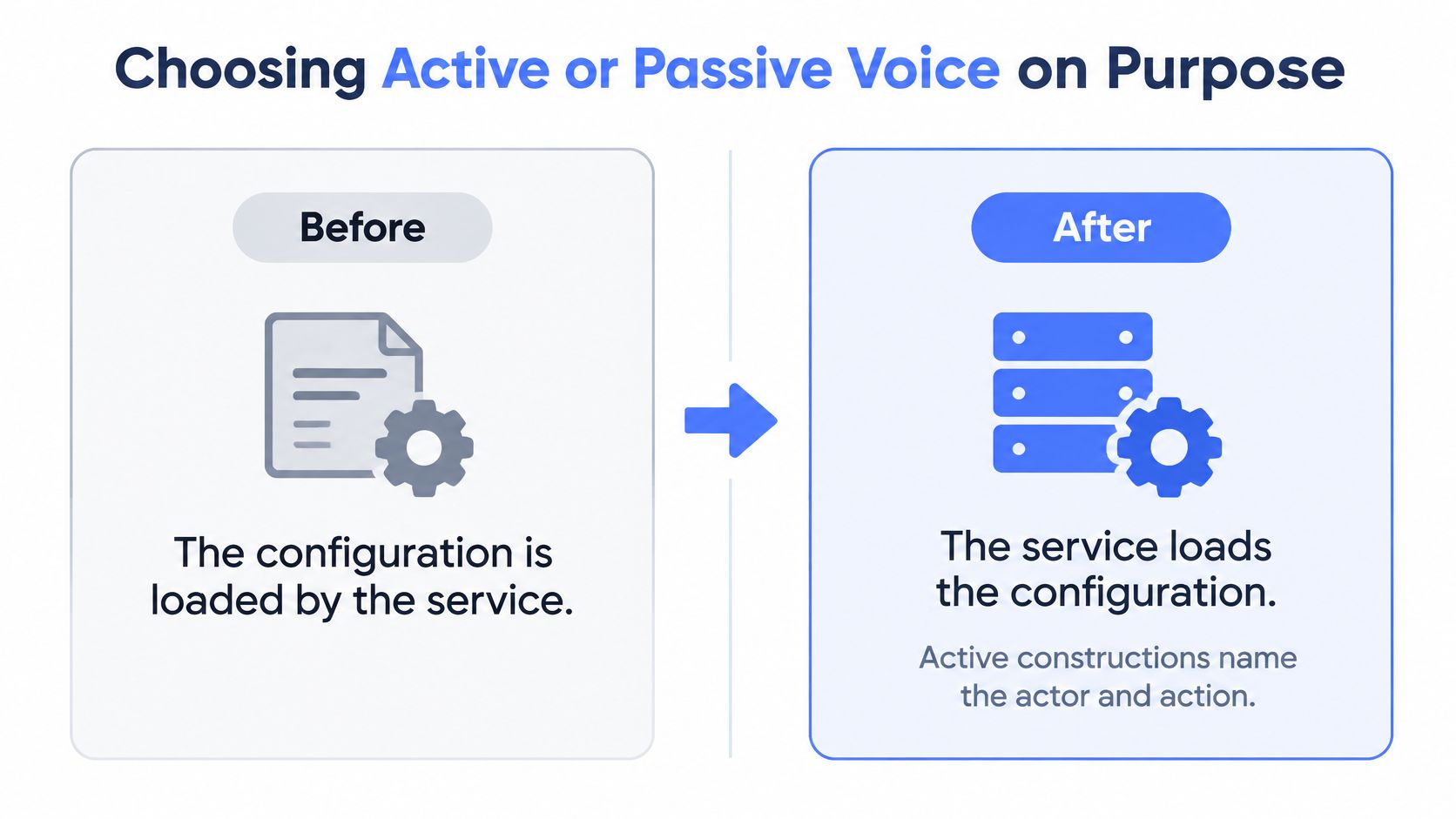
*The configuration is loaded by the service.*
*The service loads the configuration.*
Both sentences describe the same event. The second puts the actor and action together, so readers don't have to wait to discover what performs the work. Google's technical-writing guidance recommends active voice as generally clearer, more direct, and shorter.
This comparison shows the structural change:
Active voice is a useful default when readers need ownership or execution details. In troubleshooting, *The administrator restarts the worker* distinguishes a human action from an automatic recovery. In a customer reply, *We disabled the integration* names responsibility instead of hiding it behind *The integration was disabled*.
When Passive Voice Is Clearer
Passive voice isn't always evasive. A method description such as *The sample was collected at 25 °C* can appropriately emphasize the sample and collection conditions rather than the person collecting it.
The evidence doesn't justify treating active voice as universally easier to understand. An IJMEMS paper examining active and passive constructions discusses inconsistent findings and the importance of matching construction to purpose and information structure.
Test a passive sentence with these questions:
- Who performs the action? If you can't answer and the reader needs to know, investigate rather than inventing an actor.
- Would naming the actor improve accountability or execution? If so, make that responsibility explicit.
- Is the result the intended focus? If the agent is irrelevant, obvious, or unknown, passive voice may be the better choice.
For an additional sentence-level comparison, Pure Write's guide can help you choose the right sentence voice while considering what the reader needs to notice.
Use a predictable default within each type of passage. Procedures generally work well with direct actions; method descriptions may reasonably emphasize objects and results. Don't alternate constructions just to create variety.
Decision rule: Name the actor when the reader needs responsibility or action. Keep the passive when the result deserves the emphasis and no important responsibility disappears.
Dos and Don'ts for Technical Prose
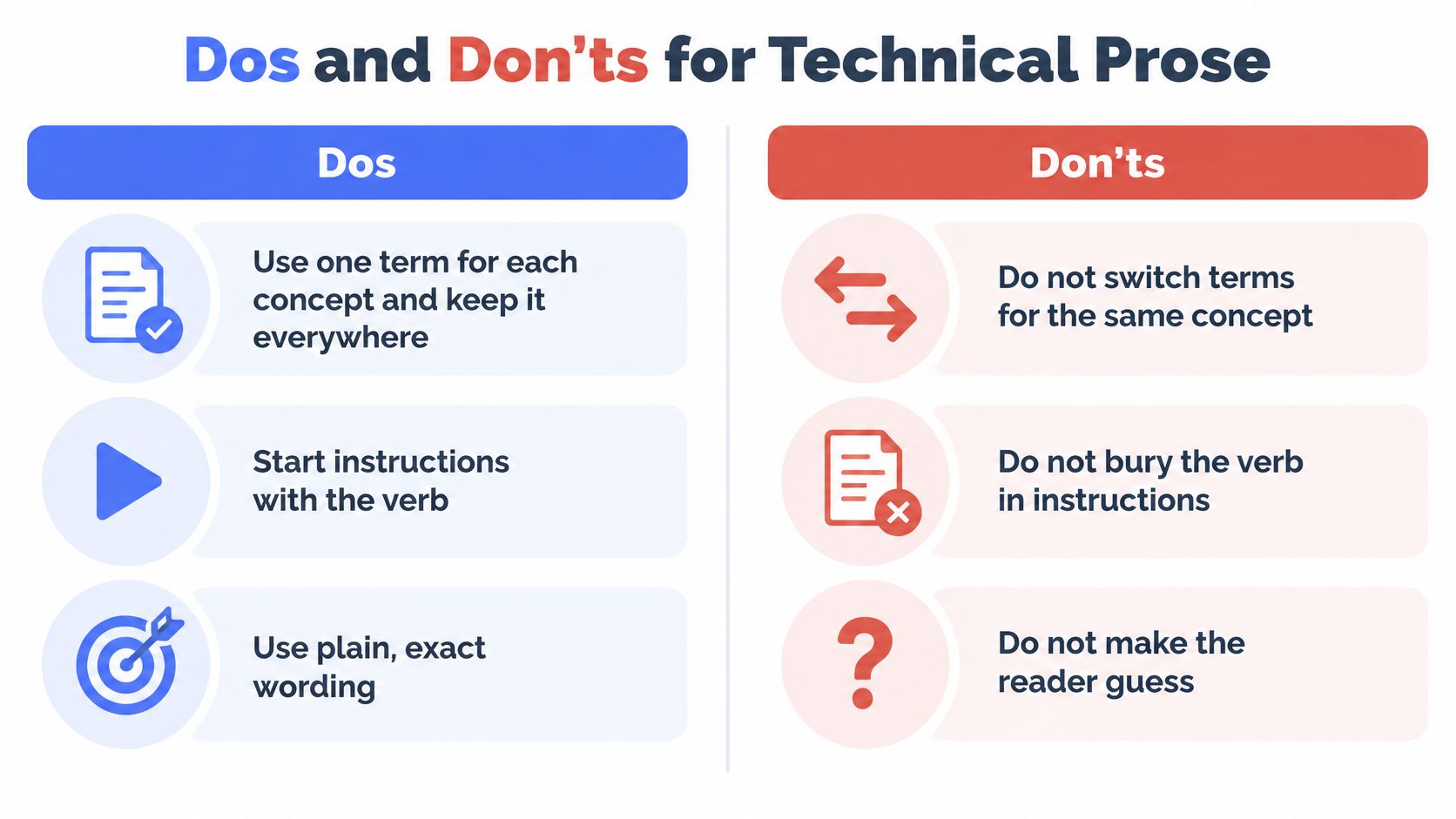
*Select the file* gives the reader an action. *File selection should be performed* makes the reader translate a description into an instruction. That's the kind of friction a voice standard should remove.
Use these paired lists as editing decisions, not as reasons to flatten every sentence into the same pattern.
| Dos | Don'ts |
|---|---|
| 1. Use one term for each concept. A new word can imply a different feature, object, or state. | 1. Don't use filler verbs. Prefer *use* to *utilize*, and name the actual action instead of relying on *leverage*. |
| 2. Start instructions with the verb. *Select the file* puts the required action where readers can find it immediately. | 2. Don't stack nouns. Replace *configuration file loading service error handling* with a sentence that explains the relationships. |
| 3. Put conditions before consequences. *If the port is closed, the connection fails* establishes the relevant situation first. | 3. Don't delete necessary hedges. Removing *may* can turn a possible outcome into a promised one. |
| 4. Preserve meaningful qualifiers. Keep *usually* when the behavior has exceptions that matter to the reader. | 4. Don't use jokes or idioms in warnings. Readers need the consequence and recovery action, not an expression they must interpret. |
| 5. Address readers directly in steps. Use *you* when needed; name the system when describing its behavior. | 5. Don't shift perspective without a reason. Switching among *we*, *I*, and *the user* can obscure who acts. |
| 6. Expand acronyms on first use. Give readers the full term before expecting them to recognize its abbreviation. | 6. Don't mix interaction verbs casually. Use *click* and *tap* according to the documented interface, not as stylistic synonyms. |
Apply Rules Without Creating New Problems
A condition can precede an imperative without breaking the action-first principle: *If the upload stops, select Retry*. The reader still gets a clear action, but only after learning when to take it.
Likewise, spelling out an acronym doesn't mean replacing established interface labels. Keep the label exact and explain it nearby.
The visual summary highlights the main editing habits:
List formatting deserves the same care as sentence wording. Use the guide to punctuating lists in sentences to make grouped requirements and options readable without changing their relationships.
Before and After Rewrites of Technical Sentences
Before editing, identify the proposition: what happens, to what, under which conditions, and with what certainty. Then change the wording while holding those details steady.
Before and After Rewrites for Technical Voice
| Before | After | What Changed |
|---|---|---|
| The configuration is loaded by the service. | The service loads the configuration. | Actor named, passive removed. |
| Utilize the tool to facilitate setup. | Use the tool to set up. | Plain verbs replace filler. |
| Errors might possibly occur if the port is not open. | Connection errors may occur if the port is closed. | Stacked hedges replaced by one hedge and one exact condition, provided the technical context confirms both. |
| This change may reduce latency. | Keep as written. | Removing *may* would overstate the result. |
| The sample was collected at 25 °C. | Keep as written. | Actor is irrelevant, so the passive stays. |
The first rewrite changes the order, not the event. The service remains the actor, the configuration remains the object, and the loading behavior remains unchanged. The second replaces inflated wording with familiar verbs without introducing a new instruction.
The third row requires more judgment. Removing *might possibly* in favor of *may* is a straightforward cleanup. Changing *errors* to *connection errors* is safe only if the surrounding technical context establishes that narrower category.
Check the Apparently Better Sentence
The same caution applies to *not open* and *closed*. In a particular system, those might not cover identical states. If you haven't confirmed equivalence, the safer rewrite is *Errors may occur if the port is not open*.
That distinction matters because an editor can accidentally make a vague sentence more specific than the evidence allows. Precision must come from technical knowledge, not from a preference for confident wording.
The final rows demonstrate a different skill: leaving an adequate sentence alone. *May reduce latency* preserves uncertainty. The sample sentence preserves the intended focus and its stated collection condition.
A rewrite succeeds when it removes reading effort without adding, removing, or strengthening a claim.
For drafting efficiency, the faster writing tips from Kohru offer a useful companion to this deliberate editing approach. Keep speed in the drafting stage separate from approval of technical claims.
Apply the method to a short passage from your own work. Mark the facts and conditions first, revise the structure, then compare the versions for meaning rather than elegance.
Build a Style Sheet and Check Every Draft
A readability score won't tell you whether an editor changed a possibility into a requirement. Warren and colleagues' paper on writing and understanding found that concrete language, common words, examples, and active voice were more informative predictors of understanding and citation than conventional readability metrics.
Build your standard around conceptual clarity and meaning preservation, not a target score.
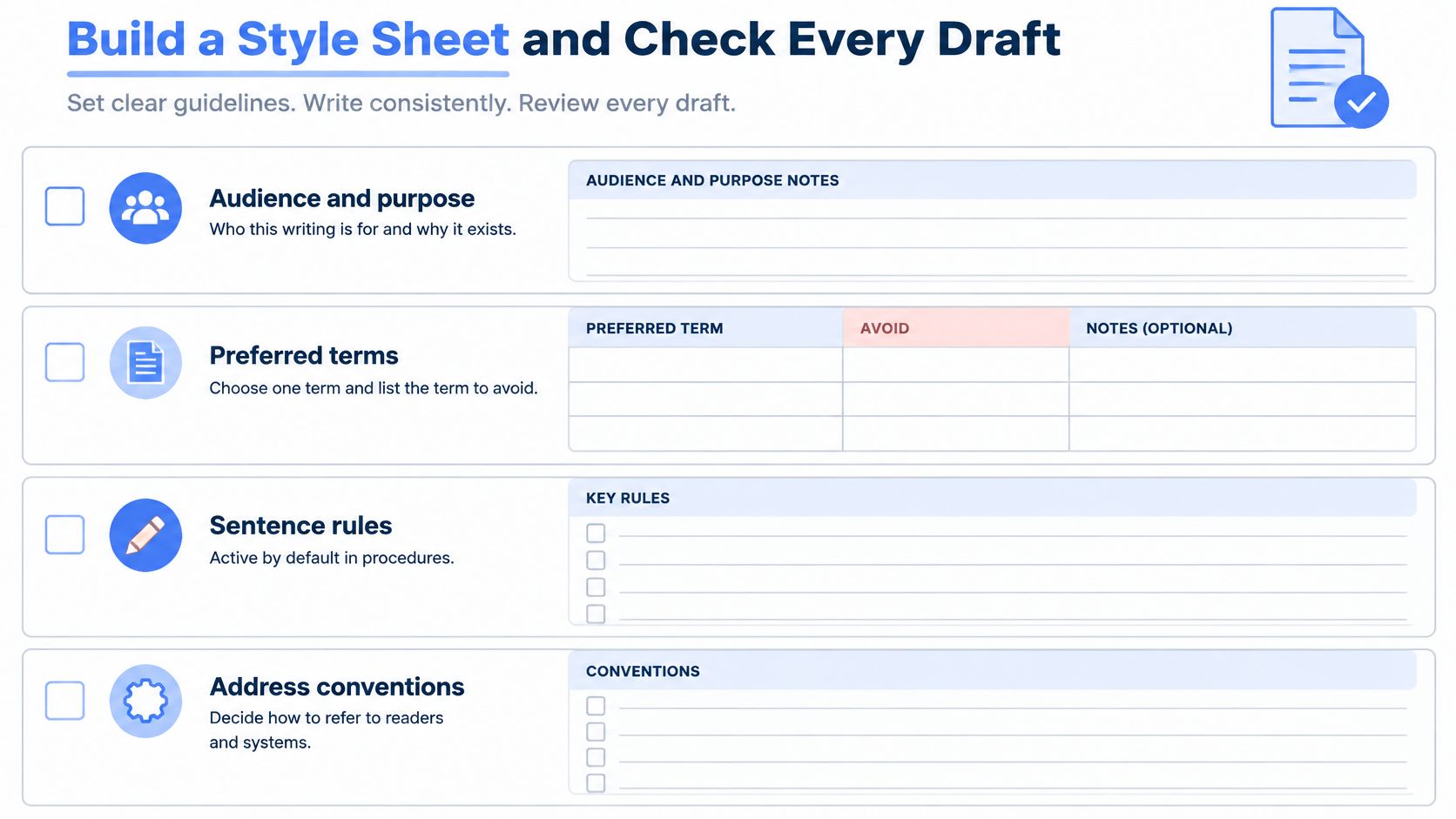
A Fill-In Style Sheet
- Audience and purpose: Identify who reads the document, what they already know, and what they need to accomplish.
- Preferred terms: Add a preferred-term column and an avoid column. Include interface labels and domain vocabulary.
- Sentence rules: Specify active voice by default in procedures and intentional exceptions for descriptions.
- Address rules: Define when to use *you*, a named role, the system name, or *we*.
- Hedging rules: List qualifiers that express real uncertainty, conditions, or exceptions.
- Formatting rules: Choose numbered steps for sequences, bold UI labels, and consistent capitalization.
- Approved samples: Include five sentences representing an instruction, description, warning, conditional claim, and support reply.
Use the worksheet structure to keep those decisions easy to find:
The Publication Checklist
Run the checklist after completing the draft. Trying to enforce every rule while composing can interrupt the work of explaining the subject.
- Match terminology. Check every feature and component name against the style sheet.
- Inspect instructions. Give each action step a clear verb, with any necessary condition placed first.
- Test passive sentences. Confirm that omitted actors don't hide needed responsibility.
- Preserve qualifications. Check that meaningful hedges and exceptions survived editing.
- Review paragraph continuity. Remove unexplained shifts in address, emphasis, or construction.
- Define acronyms. Expand unfamiliar abbreviations when first introduced.
- Compare approved samples. Check that the draft follows the same language decisions, not merely the same rhythm.
- Verify semantic preservation. Compare entities, quantities, units, conditions, modality, and causal direction before and after rewriting.
In the last check, modality means distinctions such as *may*, *can*, *must*, and *should*. Causal direction means keeping the cause and effect straight: a failed connection causing a retry isn't the same as a retry causing a failed connection.
If an edit changes any of those elements, treat it as a technical revision requiring confirmation, not routine cleanup.
Keeping Your Voice When You Dictate or Use AI
Spoken drafts contain fillers, abandoned phrases, and clauses that keep extending while you think. Cleanup is useful, but the spoken version may also contain qualifications you deliberately chose.
Keep a visible boundary between capturing your thoughts and approving revised claims:
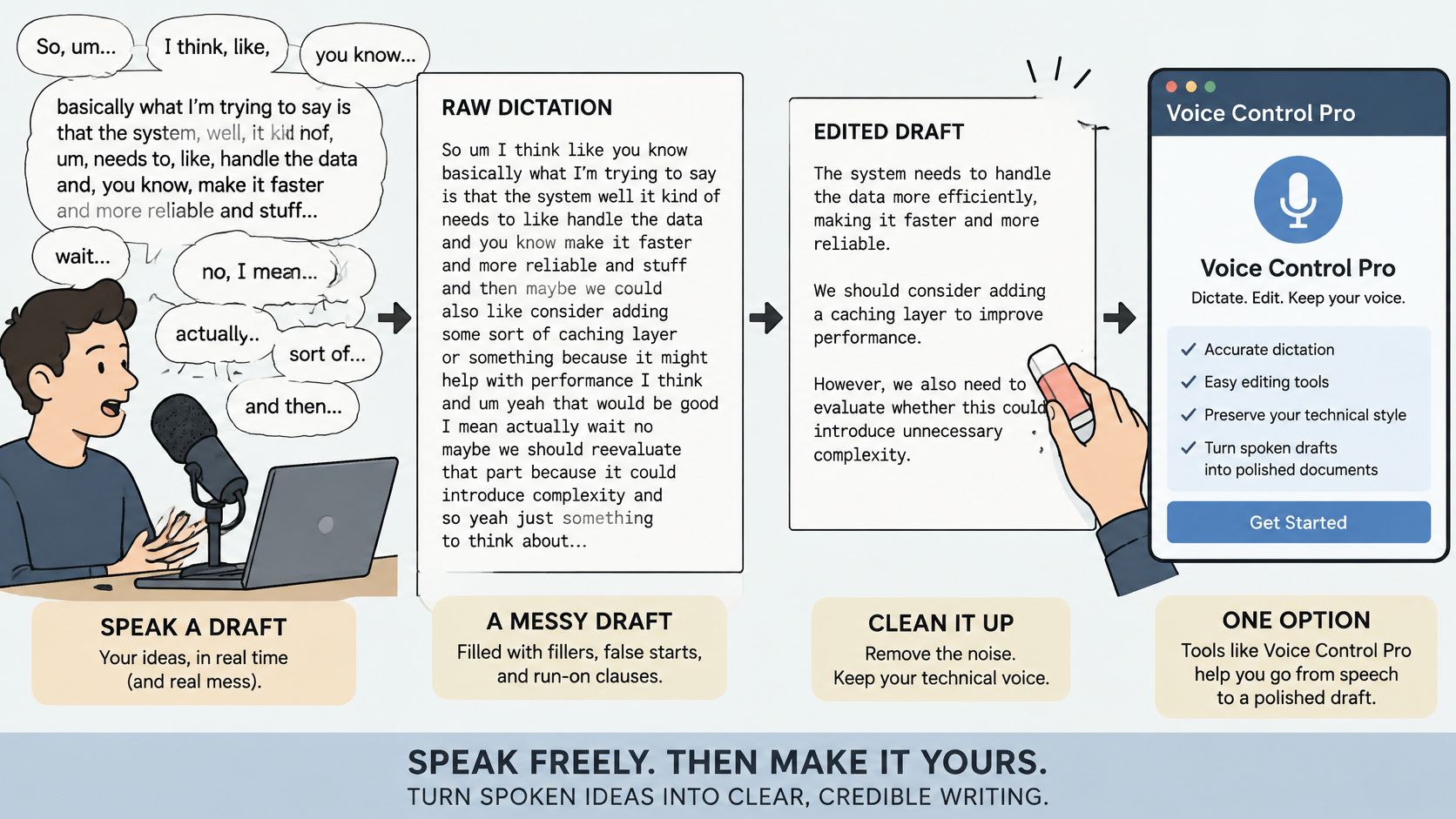
Voice Control Pro is one option for capturing the raw draft. Press and hold your global shortcut from any app; it listens only while you're dictating. When you release the shortcut, it transcribes your speech and inserts the text where your cursor is.
- Dictate in your own words. Finish the explanation without stopping to perfect every clause.
- Request mechanical cleanup. Correct punctuation and remove nonmeaningful fillers while retaining your terms and qualifications.
- Review before use. Apply the publication checklist and verify important outputs, especially numbers, names, and technical vocabulary.
Speech recognition and AI-assisted text tools can make mistakes. A sentence that reads smoothly still needs checking before anyone relies on it.
Separate Cleanup From Revision
Jackson and colleagues' paper on the voice of artificial intelligence warns that grammatical and structural fluency can coexist with a loss of authentic judgment, qualifications, and personal expression.
For example, *I suspect the timeout occurs during authentication* isn't equivalent to *The timeout occurs during authentication*. The first records a hypothesis and its owner. The second presents a diagnosis.
A practical instruction for an AI cleanup pass is:
Editing boundary: Correct punctuation and remove verbal fillers. Preserve technical terms, uncertainty, responsibility, and all claims. Flag meaning-changing suggestions separately.
Keep a personal glossary alongside the team style sheet, including preferred terms and sentence patterns. Use the guide to rewriting text with AI when setting up a bounded revision workflow.
The demonstration provides a view of the dictation interaction:
Treat changes to a hedge, claim, or assignment of responsibility as revisions that need approval. Removing an *um* is cleanup; removing an expression of uncertainty may not be.
Set Your Voice Standard Before Your Next Draft
Don't start by trying to make your entire documentation set sound different. Start with a small standard you can test against actual work. A useful standard should resolve editing decisions, not just describe an appealing personality.
Put the Standard to Work This Week
- Write the style sheet. Record preferred terms, sentence rules, address conventions, and hedging rules. Choose approved examples from passages whose technical meaning you've already confirmed.
- Audit a recent document. Use the publication checklist and mark recurring problems by component. Fix the two most frequent problem areas first, then check how those changes affect the rest.
- Rewrite a passage deliberately. Keep the original beside the revision. Verify the actor, object, conditions, certainty, and consequences before accepting the cleaner wording.
- Use the standard on your next draft. Compose or dictate freely, run a bounded cleanup pass, and review the result before sending it.
If you add dictation, begin with a low-stakes document rather than a release-critical procedure. Verify important output every time, and use any correction to improve your glossary or editing instructions.
Don't judge the standard solely by whether every sentence sounds alike. Judge it by whether another writer can apply it without guessing, and whether a reviewer can explain why an edit is safe.
A dependable technical writing voice lets readers recognize the same care across instructions, reports, and replies. Each sentence should say what you meant, with the right responsibility and degree of certainty, and no more.
Voice Control Pro offers desktop dictation for macOS and Windows to help you capture a draft where you're already writing. Visit Voice Control Pro, download the app, follow the guided setup, and try your shortcut on a low-stakes passage before reviewing it against your voice standard.