
Tired of staring at a calendar that's already full before lunch? That's the daily reality for a lot of professionals. Meetings stack up, email never stops, chat pings break your train of thought, and the actual work gets pushed into the margins. The problem usually isn't a lack of effort. It's a lack of resources for time management that fit how work really happens.
The best systems don't ask you to become a different person. They help you capture tasks faster, decide what matters, and protect enough uninterrupted time to finish the work that moves things forward. That's especially relevant when many workers still don't use a formal system, knowledge workers spend 88% of their workweek on email, meetings, and team chat, and the average American works 1,976 hours per year (Clockify time management statistics). The practical answer is a stack of methods, not a single magic app. If you want a broader playbook for owning your day, this companion guide on strategies for owning your time is a useful follow-up.
Table of Contents
- 1. Getting Things Done
- Where GTD works and where it breaks
- 2. Pomodoro Technique
- How to use it without making it rigid
- 3. Time Blocking / Calendar Blocking
- Make time blocks survive a real workday
- 4. Eisenhower Matrix
- What to actually do with each quadrant
- 5. Deep Work Methodology
- Protect the conditions, not just the calendar slot
- 7. Time Tracking and Audit
- What good tracking looks like in practice
- 8. Batch Processing and Context Batching
- Batch the work that keeps interrupting you
- 8. Batch Processing and Context Batching
- Batch the work that keeps interrupting you
- 10. The 2-Minute Rule and Quick Wins Strategy
- Use it as a filter, not a reflex
- 10. The 2-Minute Rule and Quick Wins Strategy
- Use it as a filter, not an excuse
- Top 10 Time-Management Strategies Compared
- Build Your Personalized Time Management System
1. Getting Things Done
GTD still earns a place on any serious list of resources for time management because it solves a basic professional problem, you can't think clearly when your head is acting like a storage cabinet. David Allen's method pushes every task, idea, and follow-up out of working memory and into an external system, then sorts it into something you can act on. That fits knowledge work especially well, since interrupted days make “I'll remember it later” a bad strategy.
The five steps, Capture, Clarify, Organize, Reflect, Engage, are simple on paper and hard to fake in real life. The method works best when you make capture frictionless, which is why voice input is such a strong pairing. Use a tool like Voice Control Pro's faster note-taking workflow to dump ideas into an inbox while you're coding, writing, or on a call, then process those notes later when you're not in the middle of work.
Where GTD works and where it breaks
GTD shines in roles with lots of small obligations, like sales, recruiting, research, and project management. A rep can capture follow-up tasks during a client call, a researcher can log reference ideas without stopping a paper draft, and a manager can collect loose ends in one place instead of chasing them across sticky notes and chat threads.
It breaks when people treat capture as the whole system. If tasks go in but never get clarified, GTD becomes a junk drawer with a nicer label.
Practical rule: Capture fast, clarify on a schedule, and review weekly. That's what keeps GTD from turning into task hoarding.
Use the two-minute rule for tiny items that show up in your inbox, and group your contexts by communication method, such as email, phone, or in-person. If you already use OmniFocus or Things, GTD becomes more usable because the structure lives where you do the work, not in a separate notebook you forget to open.
2. Pomodoro Technique
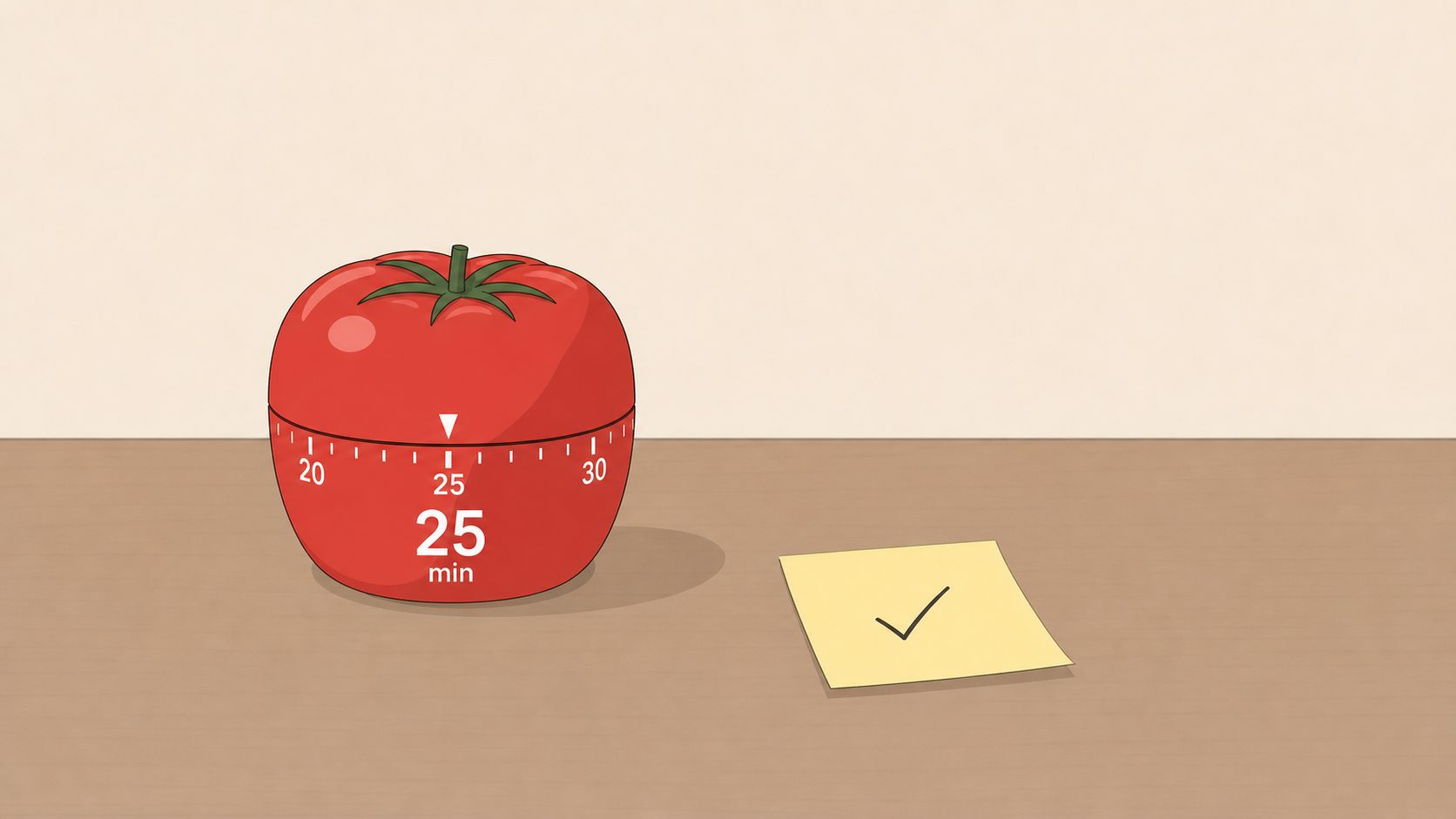
Pomodoro works because it accepts a simple reality, attention runs out even when motivation still feels high. Short work sprints make it easier to begin, and the break gives your brain a reset before focus fades. For people who juggle messages, tickets, drafts, and calls, that structure is usually more workable than waiting for a long focus block that never arrives.
The method is straightforward. Set a timer, work during a focused interval, then step away for a short break. I've seen it help customer support reps batch replies, developers isolate a prompt-iteration session, and students stop drifting from one tab to another. It works better when notifications are silenced and quick capture happens through voice notes instead of opening another app every time an idea comes up.
How to use it without making it rigid
Pomodoro fails when people treat it like a rulebook. Some work needs a longer stretch, some tasks only need a short burst, and administrative cleanup often fits shorter intervals better than deep writing or analysis.
Use breaks with intention. Stand up, rest your eyes, or take a short walk so the reset changes how you feel. Keep capture lightweight, especially if you do not want to lose momentum while an idea appears. Match the interval to the task. A 25-minute focus block can suit deep work, while a shorter block may fit admin cleanup. Review your pattern weekly so the intervals reveal your real work rhythm instead of your guess about how busy you were.
If you're prone to procrastination, the internal guide on how to stop procrastinating with ADHD-friendly workflow ideas pairs well with Pomodoro because it reduces startup friction. That matters in practice. Starting gets easier, and stopping does not feel like failure.
For a practical timer reference, the article on improve focus with Pomodoro is a useful complement.
3. Time Blocking / Calendar Blocking
Time blocking works best on a day that keeps getting broken apart by meetings, messages, and half-finished tasks. The method forces the calendar to match the work that has to happen, so the plan is visible before the day starts slipping away. A long to-do list can hide that gap between intention and capacity. A blocked calendar makes it obvious.
The trade-off is simple. If every hour is booked, the plan looks tidy but falls apart the first time something runs long. If the blocks are too loose, they do not protect anything. I've found that the most reliable setup reserves the best hours for high-value work, leaves room for admin, and keeps enough space for surprises without turning the schedule into a guess.
Different roles need different blocks. Executives often do better with a morning planning block and a later email window, since checking messages all day breaks focus. Developers usually get more done with a protected coding block than by trying to build features in fragments between standups and pings. The point is not perfect adherence. It is giving other people a clear signal about when you are reachable, so every question does not become an interruption.
Voice input helps because calendar maintenance is repetitive work. Using voice-based planning on desktop can make it faster to move blocks, add notes, and record changes after meetings without stopping to type everything out.
Make time blocks survive a real workday
A block that looks sensible in the morning can disappear once a meeting overruns. The fix is not more discipline alone, it is better layout. Leave breathing room between commitments, and be honest about how much attention each task needs.
- Block your highest-value work first: give strategic work the best hours before the calendar fills up.
- Add buffer between meetings: even a short gap helps you reset, check notes, and avoid running late all day.
- Create recurring blocks: email, reporting, one-on-ones, and focused work are easier to maintain when they repeat.
- Review blocks weekly: if something keeps slipping, the block is too small, placed badly, or competing with the wrong work.
The UGA extension also recommends limiting scheduled time to about three-fourths of the day so there is room for creative thinking and spillover tasks (PDF resources on time management). That is a useful reality check for anyone tempted to fill every open slot. Time blocking works better when the schedule still has some air in it.
4. Eisenhower Matrix
The Eisenhower Matrix works because it forces a choice instead of a reaction. A task can feel loud without being important, and it can be important without needing immediate attention. That distinction shows up fast in support, sales, operations, and project work, where urgent items can take over the day if nobody separates signal from noise.
The grid is simple, Do First, Schedule, Delegate, and Eliminate. Its value comes from using it before action starts. In a fragmented workday, the newest request often feels like the most important one, which is exactly how priorities slip.
A practical workflow is to capture every task by voice first, then place it in the matrix during a planning pass. That keeps rushed decisions out of the middle of a notification storm. It also makes delegation more concrete, because you can see which tasks are urgent but not worth your direct attention.
Use the matrix weekly, not only when you feel overloaded. If you wait until the day is already breaking down, it turns into emergency triage instead of prioritization.
What to actually do with each quadrant
The value here is operational. Teams that use this framework well do not just sort tasks, they change how they work based on the quadrant.
- Do First: handle deadlines, escalations, and items with real consequences.
- Schedule: protect strategic work, planning, and important tasks that are not on fire.
- Delegate: hand off work that needs action but not your involvement.
- Eliminate: remove low-value items that keep returning without meaningfully moving work forward.
There is a real trade-off. The matrix helps you make sharper choices, but it can still be overused as a sorting exercise if nobody acts on the result. The practical test is simple, if a task keeps landing in Schedule or Eliminate and never moves, the workflow is telling you something about the work itself.
Modern time-management systems use the same logic in different forms. monday.com on why time management matters emphasizes aligning daily work with broader goals and protecting focus time through time blocking and visual workflows. The point is the same, prioritize before you react, then make the structure visible enough that people can follow it.
5. Deep Work Methodology
Deep work fits the work that depends on original thinking, not just turning over tasks. Writing, analysis, engineering, research, and strategy all improve when attention stays in one place instead of bouncing between Slack, email, and context switching. In practice, this method works best once people treat deep work as a protected resource, not a mood that shows up on demand.
The routine matters because it removes decision fatigue. Same place, same time, same setup, same startup sequence. Once that pattern becomes automatic, the session starts with less negotiation and less wasted attention.
The trade-off is real. Deep work cannot fill every hour in roles that require responsiveness, client contact, or rapid coordination. The useful skill is deciding which work deserves uninterrupted focus and which work belongs in batches.
Protect the conditions, not just the calendar slot
A blocked hour on the calendar does not guarantee focused output. The room matters. The phone matters. The browser matters. So does the way stray thoughts get captured before they break concentration.
- Remove distractions before the session starts: silence alerts, close tabs, and put the phone away.
- Use voice dictation for quick notes: that keeps ideas from interrupting the work itself.
- Batch shallow tasks later: email, status updates, and quick replies belong outside the focus window.
- Tell colleagues when you're unavailable: expectations prevent avoidable interruptions.
Small setup choices often decide whether the block pays off. If the workspace makes it easy to check messages, the session turns into half-focus and recovery work. If quick capture is simple, including via voice, ideas stop competing with the task in front of you.
The strongest version of deep work is quiet and repeatable. Protect a block, do one hard thing, and stop treating constant availability as the same thing as productivity.
7. Time Tracking and Audit
A week of honest time tracking often exposes a gap that people would rather not see. The work that feels small can consume more time than expected, and the “quick” email checks that seem harmless can add up across the day. That discomfort is useful. It gives you a real baseline instead of a guess.
Start by recording time for one to two weeks and sorting it into clear buckets, such as deep work, meetings, email, admin, and interruptions. Keep the labels consistent so you can compare patterns instead of staring at a pile of vague notes. Once the baseline is visible, the next decision gets much easier, because you can see where time is going rather than relying on memory.
The earlier review already pointed to the scale of communication overhead and the low adoption of formal systems, so the case for time audits is not theoretical. The practical value is that a time audit turns overload into something you can inspect, question, and change. It also pairs well with automation, including AI business process automation, because the audit shows which repeatable tasks are worth streamlining and which ones still need human judgment.
What good tracking looks like in practice
Good tracking is not about logging every minute with military precision. It is about finding the biggest leaks, then fixing those first. If the method takes too much effort to maintain, it will fail before it produces anything useful.
Track long enough to see patterns, but not so long that tracking becomes the job.
A workable routine usually starts small:
- Track for a baseline period: enough time to reveal real patterns, not a single messy day.
- Categorize consistently: use the same labels each time so the comparison is meaningful.
- Review the results weekly: look for repeated drains, not isolated exceptions.
- Act on the biggest friction points: reduce recurring interruptions, shorten low-value meetings, or batch work that keeps splintering the day.
Voice input helps here because it reduces the friction of recording work in the moment. A quick dictated note is often enough to capture what you are doing before attention drifts. For people who move between meetings, calls, and task work, that small habit can make the difference between reliable data and incomplete logs.
The goal is not perfect self-surveillance. It is a clearer picture of where effort goes, so you can spend less time guessing and more time adjusting the system that is already in front of you.
8. Batch Processing and Context Batching
A support inbox that gets answered one message at a time feels busy all day. The same inbox handled in blocks is calmer, faster, and easier to keep consistent. Batch processing works because the brain loses less energy when it stays in one mode long enough to finish useful work.
Context batching extends that idea beyond email. It groups similar work by mental state, so you stay in the same frame of reference instead of paying a switching cost every few minutes. For teams that live in communication-heavy roles, that difference shows up quickly in both speed and quality.
The trade-off is responsiveness. If you batch too hard, people wait longer than they should, and the backlog becomes its own problem. Set clear response windows so teammates, clients, and customers know when to expect a reply, then protect those windows instead of drifting in and out of them.
This method works best when the work is predictable. Support teams can process tickets in blocks, social media managers can schedule posts together, and developers can review comments in a single sitting rather than scattering them across the day. The work feels lighter because you stop restarting the same mental task over and over.
Voice control can reduce the friction further. A dictated note, a quick spoken task title, or a voice-created reminder is often enough to capture work before attention slips away. If your stack also includes AI business process automation, repetitive steps can be routed away from manual attention so the batches stay focused on judgment-heavy work.
Batch the work that keeps interrupting you
Start with the repetitive items that keep pulling you out of focus. Email, approval replies, status updates, file labeling, and routine admin are all easier to handle in blocks than as constant interruptions. The point is not to batch everything. It is to group the work that keeps fragmenting the day.
A practical setup usually looks like this:
- Choose a few batch windows: decide when you will handle communication and other repetitive work.
- Group similar tasks together: keep one mental mode active until the block is done.
- Protect response expectations: make it clear which messages wait for the next window.
- Use voice when stopping feels costly: dictation helps you capture small tasks without breaking flow.
The best batching systems are boring in the right way. They reduce context switching, they keep communication predictable, and they make it easier to reserve focused time for work that needs attention.
8. Batch Processing and Context Batching
Batch processing works because the brain resists constant switching. Answering ten similar emails in one block is usually easier than answering one email, then jumping to a report, then a meeting, then another email. Context batching keeps the same mental mode active long enough to reduce the drag from repeated starts and stops.
The effect shows up quickly in roles that live inside communication streams. Support teams can handle tickets in blocks, social media managers can schedule posts together, and developers can review comments in one sitting instead of scattered throughout the day. The work feels lighter because the switching cost drops each time you avoid resetting your attention.
The trade-off is responsiveness. Batch too aggressively and people may wait longer than they should, which can create friction with teammates, customers, or anyone expecting a quick answer.
Set response windows and protect them. Handle email at a few fixed points in the day, then give other message types their own blocks. If your stack includes AI business process automation, use it to move repetitive steps off your plate so the batches stay reserved for work that needs judgment.
Batch the work that keeps interrupting you
Start with the repetitive items that break concentration most often. Emails and chat replies fit well into scheduled windows. Code reviews and feedback are easier in focused blocks than between every task. Content posting works better when you prepare and publish in sets. Routine admin, such as filing, confirming, routing, and closing similar items, also belongs in this category.
A clean setup usually comes down to four habits.
- Choose fixed batch windows: decide when communication and repetitive work will be handled.
- Group similar tasks together: stay in one mental mode until the block ends.
- Make response timing clear: let teammates and customers know which messages wait.
- Use voice when stopping is costly: dictation helps you capture small tasks without breaking flow.
Batching is one of the easiest ways to make fragmented work manageable. It does not remove interruptions, but it keeps them from setting the rhythm of the day.
10. The 2-Minute Rule and Quick Wins Strategy
A small task can stall an entire workday if it keeps sitting on your list. The 2-minute rule solves that by forcing a simple decision. If the task really takes less than two minutes, do it now. If it will take longer, set it aside and give it a proper place on your schedule.
The hard part is being honest about the estimate. Tasks that look tiny often turn into five-minute interruptions once you count context switching, opening the right file, or finding the right person. That trade-off matters, because the rule works best for small actions, not for anything that merely feels annoying.
In practice, this is most useful in roles where small requests pile up all day. Sending a confirmation, fixing a typo, filing a document, or answering a direct question can all be handled quickly when they are isolated. Clearing those items creates visible progress, and that momentum often makes it easier to start a larger task right after.
Use it as a filter, not a reflex
The point is to reduce clutter, not to keep bouncing between tasks every few minutes. Used carelessly, the rule creates more switching than it saves.
A cleaner approach is to reserve it for the right moment. Quick actions can be handled immediately when they are short, but a cluster of small items often works better inside a dedicated cleanup block. That keeps the day from turning into a series of tiny starts and stops.
- Do tiny tasks immediately: confirmations, brief replies, quick filing.
- Don't stretch the estimate: if it is probably not under two minutes, schedule it.
- Pair it with batching: process small items during a dedicated block.
- Use voice capture for speed: dictation lets you finish quick replies without unnecessary typing.
The best quick-win strategy is selective. Handle the small items that would otherwise become noise, and leave the rest in a system that gives them real time instead of stealing attention in pieces.
10. The 2-Minute Rule and Quick Wins Strategy
The 2-minute rule is one of the simplest resources for time management because it cuts through indecision. If a task really takes less than two minutes, do it now instead of saving it for later. That keeps your list from filling up with tiny items that weigh more than they should.
The catch is honesty. A task that sounds like two minutes is often closer to five once you include context switching, so you have to judge carefully. This rule works best for very small items, not for every task that feels annoying.
It's especially useful in communication-heavy roles where small actions pile up, like sending confirmations, fixing a typo, filing a document, or answering a straightforward question. The momentum from clearing those items can make the next larger task easier to start.
Use it as a filter, not an excuse
The rule should reduce clutter, not create a habit of random task jumping. If you use it continuously all day, you'll lose more time to switching than you gain from quick wins.
- Do tiny tasks immediately: confirmations, brief replies, quick filing.
- Don't stretch the estimate: if it's probably not under two minutes, schedule it.
- Pair it with batching: process small items during a dedicated block.
- Use voice capture for speed: dictation lets you finish quick replies without unnecessary typing.
The best quick-win strategy is selective. Handle the tiny things that would otherwise become noise, then move back to the more important work that deserves protected attention. That keeps your task list cleaner and your day less fractured.
Top 10 Time-Management Strategies Compared
| Method | Core Features | Effectiveness ★ | Value with Voice Control Pro 💰/✨ | Best For 👥 | Unique Advantage 🏆 |
|---|---|---|---|---|---|
| Getting Things Done (GTD) | Capture → Clarify → Organize → Reflect → Engage; contexts; weekly review | ★★★★★ | 💰 Fast hands‑free capture; ✨ fills inbox & speeds processing | 👥 Knowledge workers, PMs, researchers | 🏆 Complete capture-to-action system |
| Pomodoro Technique | 25‑min work / 5‑min breaks; progress tracking; cadence | ★★★★☆ | 💰 Dictate notes without pausing timer; ✨ quick checkpoints between pomodoros | 👥 Students, devs, procrastinators | 🏆 Measurable short-focus bursts |
| Time Blocking / Calendar Blocking | Calendar slots; protected focus; buffers; batching | ★★★★☆ | 💰 Voice-capture meeting notes in-block; ✨ keep context in calendar view | 👥 Executives, managers, project leads | 🏆 Proactive schedule that prevents overload |
| Eisenhower Matrix | Urgent vs. Important 2x2; delegate/eliminate; visual prioritization | ★★★★☆ | 💰 Rapid voice capture for triage; ✨ quick sorting into quadrants | 👥 Managers, support, sales teams | 🏆 Simple decision tool for priority focus |
| Deep Work Methodology | Distraction elimination; flow rituals; deep time blocking | ★★★★★ | 💰 Hands-free documentation preserves flow; ✨ prevents context switches | 👥 Developers, researchers, writers | 🏆 Highest-value focused output |
| Inbox Zero Methodology | Regular processing; archive & filters; action-oriented replies | ★★★★☆ | 💰 Dictate quick replies to clear inbox faster; ✨ integrate 2‑minute actions | 👥 Support, sales, busy execs | 🏆 Reduces email cognitive load |
| Time Tracking & Audit | Time logging; analytics; pattern visualization; reporting | ★★★★☆ | 💰 Voice-based time entries; ✨ low-friction audits & timestamps | 👥 Consultants, billable pros, PMs | 🏆 Data-driven schedule optimization |
| Batch Processing & Context Batching | Group similar tasks; scheduled processing blocks; templates | ★★★★★ | 💰 Rapid sequential dictation for batches; ✨ higher throughput | 👥 Support teams, social managers, email pros | 🏆 Minimizes context-switching cost |
| Attention Residue Minimization | Reduce switches; transition routines; extended focus periods | ★★★★★ | 💰 Quick voice-capture to avoid full task-switch; ✨ smoother transitions | 👥 Deep-workers, knowledge professionals | 🏆 Improves focus depth and recovery |
| 2‑Minute Rule & Quick Wins | Do <2min tasks immediately; prevent list bloat; momentum building | ★★★★☆ | 💰 Voice makes more tasks genuinely <2min; ✨ accelerates quick wins | 👥 Anyone handling many small tasks, ops, support | 🏆 Fast momentum & clutter reduction |
Build Your Personalized Time Management System
The strongest time management systems are not single methods, they're combinations that fit the way you work. A knowledge worker with constant interruptions may need GTD for capture, Inbox Zero for communication, and Time Blocking for protecting the day. A researcher may rely more on Deep Work, Attention Residue Minimization, and a simple Time Audit to see where focus is leaking. A support lead may get the most value from Batch Processing, Pomodoro, and the Eisenhower Matrix.
The practical move is to start small. Pick one framework and one execution technique, then run them for two weeks before changing anything. If you're overloaded by capture, start with GTD. If your calendar keeps getting crushed by meetings, start with time blocking. If you can't stay focused long enough to finish anything, start with Pomodoro or deep work blocks. If you keep losing tasks between apps, a voice-to-text layer like Voice Control Pro can reduce friction by letting you capture notes, tasks, and planning thoughts wherever your cursor is without breaking flow.
The best systems also stay honest. Track what's working, notice what keeps failing, and adjust the stack instead of blaming yourself for needing a different approach. Good resources for time management don't just make you more efficient. They make your day more survivable, and eventually, more deliberate.
If you want to capture tasks, notes, and planning thoughts faster without switching apps, try Voice Control Pro. It fits naturally into time blocking, GTD, and quick-capture workflows because it lets you speak where you work, then keeps you moving instead of breaking your focus.