
You open a blank document to write a client update. Then Slack pings. Email pulls you into a thread. You find the old brief, paste notes into a draft, fix one sentence, second-guess the opening, and somehow spend half an hour producing almost nothing.
That's the modern version of writer's block for knowledge workers. It usually isn't a lack of ideas. It's fractured attention.
Writing in flow is the opposite of that state. It's the stretch where the next sentence arrives before you can overthink it, the structure becomes visible, and the work feels lighter because your brain is focused on one job at a time. For professionals, that matters far beyond creative writing. It affects reports, proposals, CRM notes, executive summaries, emails, documentation, and even the prompts you write for AI tools.
The problem is that most advice about flow assumes a quiet room, one open document, and a writer with nowhere else to be. Real work doesn't look like that. Real work happens across tabs, apps, chats, meetings, and half-finished drafts.
Table of Contents
- What Writing in Flow Feels Like and Why It Matters
- How to Prepare for a Flow State Session
- Clear the target before you start
- Build a workspace that removes friction
- Use batching when your week is crowded
- Simple Warm-Ups to Kickstart Your Writing
- Start with low-stakes language
- Use voice when typing makes you self-conscious
- Drafting Techniques to Maintain Momentum
- Choose the right method for the kind of draft
- Use a progress chart instead of mental juggling
- Leave yourself an easy re-entry point
- Leveraging Tools for Uninterrupted Writing
- Modern work breaks flow in predictable ways
- What useful tools actually do
- Use AI without turning writing into tab management
- Making Flow a Habit and When to Break It
- A simple repeatable rhythm
- Flow is powerful, but incubation matters too
What Writing in Flow Feels Like and Why It Matters
Flow isn't mystical. It's a working condition.
Writing guidance based on Csikszentmihalyi's model says flow is most likely when the task is challenging but still within your ability, goals are clear, feedback is immediate, and interruptions are minimized, as explained in this overview of flow conditions for writers. That description fits professional writing almost perfectly when the process is set up well.
When people say they “write better under pressure,” they often mean something narrower. Pressure forced them to stop dabbling and commit to one objective. They finally knew what had to be written, for whom, and by when. Clarity helped more than stress.
The main enemy of flow at work is trying to draft and edit at the same time. Drafting needs forward motion. Editing needs judgment. Those are different mental modes, and when you force them to share the same minute, your pace collapses.
Practical rule: Draft with your generator on. Edit with your evaluator on. Don't ask one sentence to survive both jobs at once.
For knowledge workers, writing in flow matters because writing is rarely just writing. It's decision-making, positioning, summarizing, and explaining. If your attention keeps resetting, every small piece takes longer than it should.
A familiar pattern looks like this:
- You open too many inputs: notes, chats, source docs, and the draft all compete for attention.
- You chase polish too early: the first paragraph gets rewritten before the argument exists.
- You let interruptions define the pace: each notification restarts the task in your head.
The upside is that flow isn't reserved for novelists. Professionals can create it on purpose by narrowing the task, removing interruptions, and separating generation from refinement. That's where speed and clarity usually come from.
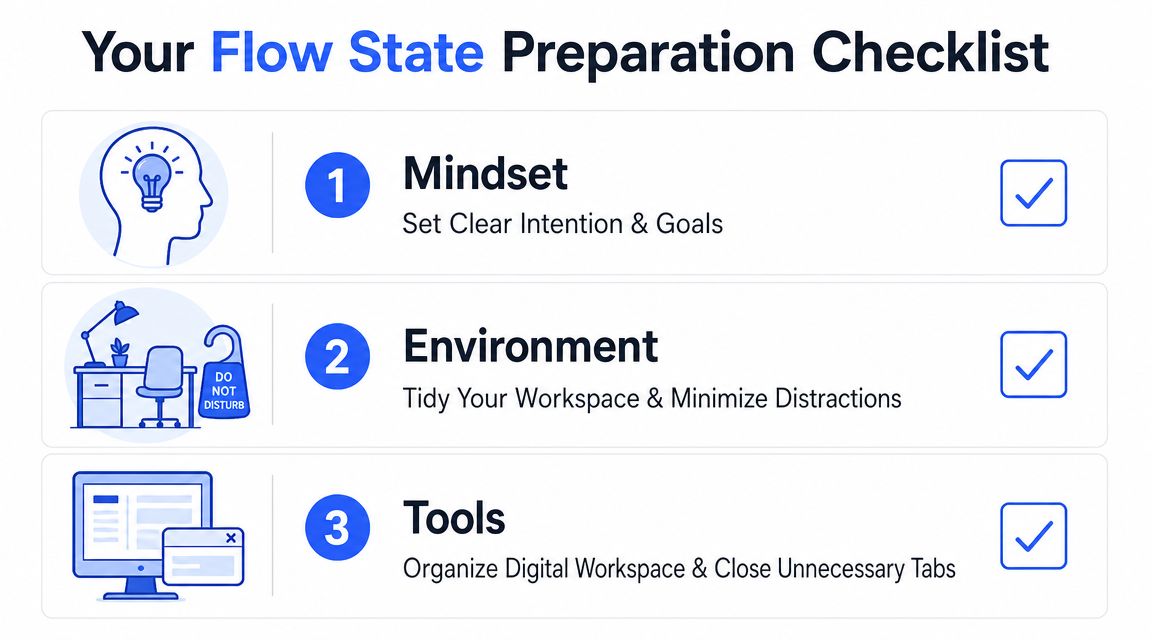
How to Prepare for a Flow State Session
Preparation does more than make writing feel tidy. It reduces the number of decisions your brain has to make before the actual work begins.
Steven Kotler says the brain focuses best in 90 to 120-minute blocks, and that writing sessions should last at least 90 minutes to preserve concentration and reach flow more reliably. He also says the challenge-skill sweet spot is when the task is about 4% to 5% more difficult than your current skill level, which is a useful way to set writing goals that are engaging without becoming overwhelming, as described in this talk on flow and focus blocks.
Clear the target before you start
A session fails early when the task is vague. “Work on report” is too broad. “Draft the findings summary and list the open questions” is usable.
Before you begin, decide three things:
- What output must exist by the end
- Which part of the document deserves the block
- What good enough looks like for this round
That last point matters. Flow depends on a visible target. If the standard keeps moving while you work, you won't settle into rhythm.
A practical way to tighten your aim is to talk the outline out loud first, especially if you're still circling the structure. This guide on brainstorming and outlining by voice on desktop shows a useful approach for turning spoken ideas into a workable sequence before drafting starts.
Build a workspace that removes friction
The best writing setup is not the prettiest one. It's the one that asks the fewest questions.
Try this pre-session reset:
- Close decision-heavy tabs: leave only the materials you need for the current block.
- Silence the obvious interruptions: notifications, chat badges, and phone alerts break continuity faster than commonly recognized.
- Put source material in one place: one note, one reference file, or one side-by-side view is easier to manage than scavenging as you draft.
- Keep capture nearby: if a stray thought appears, park it somewhere simple instead of switching tasks to deal with it.
Writing gets easier when the next action is obvious and the wrong action is inconvenient.
This is also where challenge-skill balance becomes practical. Don't choose a task so easy that you drift, and don't choose one so murky that you freeze. For many professionals, the sweet spot is a concrete section with some thinking required, but not a high-stakes piece that still needs full research.
Use batching when your week is crowded
A lot of professionals won't get ideal mornings of uninterrupted deep work. That doesn't mean flow is out of reach. It means you need fewer starts and stops.
One helpful approach is batching for content creation, not just for marketers but for anyone who writes repeatedly. Batch outlines together. Batch response drafts together. Batch revisions together. Grouping similar writing tasks reduces context switching and helps your brain stay in one mode longer.
When I coach busy teams, I don't push elaborate rituals. I push reliable setup. A defined target, a protected block, and a workspace that removes friction do more for writing in flow than waiting to feel inspired.
Simple Warm-Ups to Kickstart Your Writing
Starting is often the hardest minute of the whole session. Not because the work is impossible, but because your brain is still carrying noise from whatever came before it.
That's why warm-ups matter. Susan K. Perry's work on writing in flow identifies five master keys for entering the state: having a reason to write, freeing yourself from fear, loosening up, focusing in, and balancing opposites. That framework, discussed in this summary of Perry's writing-in-flow ideas, is useful because it treats flow as a set of repeatable triggers rather than luck.
Start with low-stakes language
Most professionals stall because they believe the first sentences need to count. They don't. The first sentences need to move.
A few warm-ups work especially well in office writing:
- Write about the assignment: Start with “What this document needs to do is…” and keep going until the purpose becomes plain.
- Draft the middle first: Skip the opening and explain the clearest point, finding, or recommendation.
- Use a rough audience note: Write one paragraph beginning with “What my reader cares about is…” This pulls the draft out of your head and into the reader's world.
These exercises lower the social pressure of formal writing. You're no longer trying to produce a polished artifact. You're trying to make the job visible.
Here's what that looks like in practice. A sales manager needs to send a renewal summary. Instead of opening with a perfect email intro, she writes: “The client wants reassurance on timeline, pricing logic, and support coverage.” That sentence isn't final copy, but it creates direction. The main draft usually starts a few lines later.
Use voice when typing makes you self-conscious
Typing invites micro-editing. Speaking often doesn't.
That's why dictation is such a strong warm-up tool for knowledge workers. If the cursor makes you tense, say the argument out loud as if you were explaining it to a colleague after a meeting. You'll often hear the structure before you can type it.
A few spoken prompts work well:
- “Here's the point I need to make.”
- “The problem with the current version is…”
- “If I had to explain this in plain English, I'd say…”
Some of the fastest starts come from saying clumsy sentences out loud and letting the clean version arrive later.
This is especially useful for reports, internal updates, and technical explanations, where clarity matters more than literary style. Spoken language tends to expose whether your idea is formed. If you can't say it plainly, you probably need another minute of thinking before you draft.
Warm-ups don't need to be elegant. They need to remove fear, create motion, and shift your attention from self-monitoring into forward movement. That's enough to get the session started.
Drafting Techniques to Maintain Momentum
Once the draft starts moving, the job changes. Starting was about lowering resistance. Sustaining momentum is about protecting it.
The most useful methods for professionals are not identical. Some are better for messy first drafts. Others work better when you already know the structure and need output on demand.
Choose the right method for the kind of draft
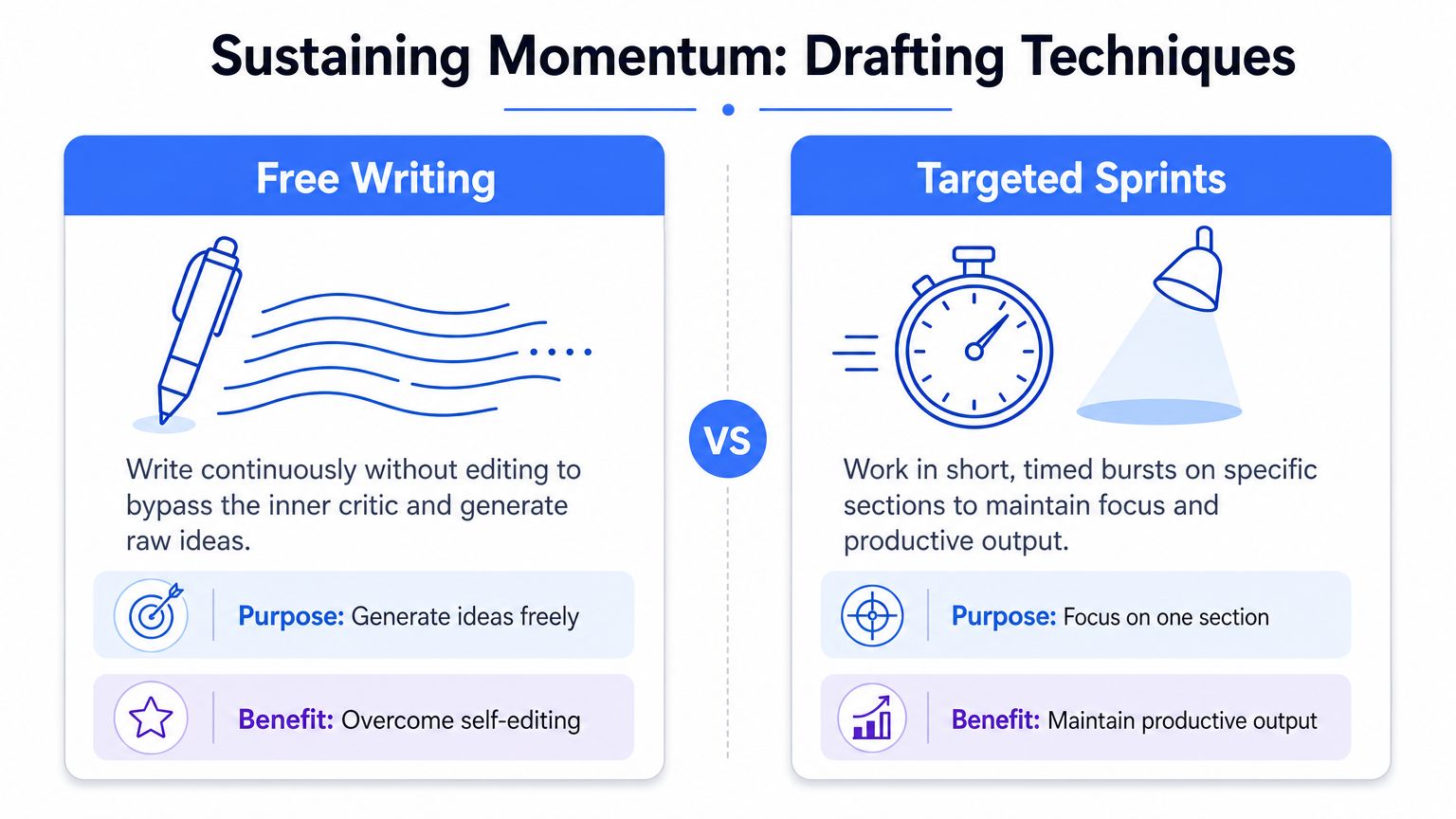
Here's a practical comparison.
| Method | Best use | Strength | Risk |
|---|---|---|---|
| Free writing | Early exploration | Surfaces ideas quickly | Can sprawl if the target is vague |
| Targeted sprints | Section-by-section drafting | Keeps attention narrow | Can feel rigid if you still need discovery |
| Voice dictation | Explaining, summarizing, outlining | Reduces self-editing and typing friction | Needs cleanup if you ramble |
Free writing works when you know the topic but not yet the shape. You pick a section and keep moving without fixing anything. That's ideal for rough thinking on a proposal, narrative summary, or recommendation memo.
Targeted sprints work better when the skeleton already exists. You set a short burst for one subsection and keep all effort on that unit. This suits busy professionals who write in windows between meetings and need visible progress quickly.
Voice dictation is different. It's strongest when the idea is easier to say than to type. Many people can explain a recommendation smoothly out loud, then freeze when trying to keyboard the same point. If that sounds familiar, this walkthrough on writing faster with voice dictation is a useful reference for building a spoken drafting workflow.
Use a progress chart instead of mental juggling
One practical method from legal-writing guidance is to separate drafting into bounded stages and define a benchmark for each stage before starting. That guidance recommends a progress chart with columns for stage, completion benchmark, and time allotted, then using the chart to identify bottlenecks and write around them instead of trying to hold the whole project in working memory, as described in this piece on writing techniques for focus and flow.
That advice is excellent for professionals because modern documents are rarely linear. You may know the conclusion before the background. You may have the customer response ready before the subject line. A chart gives you permission to move where energy is available.
Try a lightweight version:
- Stage: Findings summary
Benchmark: rough paragraph for each finding Time allotted: current writing block
- Stage: Recommendations
Benchmark: list of actions with one-line rationale Time allotted: next block
- Stage: Introduction
Benchmark: opening that reflects the finished body Time allotted: final drafting pass
Don't force sequence when sequence is slowing you down. Draft the parts you can see clearly, then connect them.
This approach also reduces the panic that comes from staring at an incomplete whole. Your brain no longer has to remember every unresolved piece at once.
Leave yourself an easy re-entry point
A lot of writing sessions fail the next day, not the same day. You ended tired, closed the document, and left future-you a cold start.
The same legal-writing guidance advises leaving a prompt at the end of each session so re-entry is faster and cognitive load is lower on the next block. In practice, that can be as simple as stopping with one note:
- Next sentence: explain why the delay changed the client recommendation
- Missing piece: confirm whether legal approved the revised language
- Open question: is this document for decision or discussion
I like prompts more than neat endings. An unfinished thought creates pull. A neatly wrapped session often creates distance.
Momentum is less about intensity than continuity. If you can resume fast, you protect flow across days instead of treating each session like a fresh mountain.
Leveraging Tools for Uninterrupted Writing
Most advice on writing in flow still assumes one document, one task, and one uninterrupted session. That's not how many professionals work.
Established guidance says flow is easier when research is finished ahead of time, but it offers little practical help for people writing inside email, chat, CRM, or AI-assisted workflows where context switching is unavoidable, as noted in this discussion of writing flow in fragmented digital work.

Modern work breaks flow in predictable ways
You lose momentum when the writing process spills across too many tools. Draft in one place. rewrite in another. research in a browser. ask AI in a separate window. paste back into the original app. Repeat that cycle a few times and the mental thread gets thinner every round.
The issue isn't that tools are bad. The issue is that most stacks weren't designed around continuity of thought.
Three patterns usually break professional writing flow:
- Window switching: moving between draft, references, and assistant tools fragments attention.
- Input friction: typing can be slow when you're trying to capture something complex at conversational speed.
- Mode confusion: editing, researching, and drafting all start happening at once.
A better tool setup reduces those transitions. It should help you capture language where you already work, not force you into a separate writing theater every time you need a paragraph.
What useful tools actually do
The right writing tools support flow in a practical sense. They shorten the path from thought to text, and they reduce the number of visible choices on screen.
That's why dictation tools are increasingly useful for knowledge workers. You can speak a first pass into an email, ticket, CRM field, or note without changing applications. If you want a broader primer on setup and accuracy habits, Meowtxt's guide to perfect dictation is a helpful companion for building cleaner speaking habits.
One option in this category is a speech-to-text workflow for daily writing built around Voice Control Pro. It lets users press and hold a global shortcut, dictate into any app where the cursor is active, and insert cleaned-up text directly in place. The same tool also includes “Hey Max” for rewriting selected text or asking contextual questions without moving into a separate browser tab, and “Fly Mode” for local processing when privacy or focus matters.
That kind of setup matters because it supports the environment professionals write in. Not just long-form documents, but support replies, account notes, internal messages, and live drafting inside business tools.
Here's the practical standard I use when evaluating writing tools:
| Capability | Why it matters for flow |
|---|---|
| In-place input | Keeps you in the app where the work already lives |
| Low-friction revision | Lets you reshape text without opening a new workflow |
| Voice-first capture | Helps when your thoughts are moving faster than your typing |
| Privacy controls | Makes it easier to use the tool on sensitive work |
A useful tool should feel like a shorter path, not another destination.
A short product demo can make that easier to picture.
Use AI without turning writing into tab management
AI can help flow, but only when it supports the current step. If you ask it to brainstorm, restructure, polish, and fact-check all at once, you'll often end up managing outputs instead of writing.
Use AI narrowly. Ask for a tighter summary after you've drafted one. Ask for bullet conversion when the content already exists. Ask for alternatives when a sentence is stuck. That preserves your role as the writer and keeps the tool from taking over the process.
The same rule applies to dictation. Don't treat continuous capture as a substitute for thinking. It works best when the core idea already exists and you need a faster path onto the page.
Tools help flow when they remove a transition. They hurt flow when they create three new ones.
Making Flow a Habit and When to Break It
A simple repeatable rhythm
The professionals who write quickly aren't always the most naturally fluent. They're often the ones with the most repeatable process.
A solid rhythm looks like this:
- Prepare the block: define the output, clear the workspace, remove obvious interruptions.
- Warm up on purpose: use a low-stakes prompt or spoken explanation to get moving.
- Draft in one mode: choose free writing, a section sprint, or dictation and stay with it.
- Leave a re-entry note: make tomorrow's start easier than today's.
That rhythm is simple enough to survive a busy week. It also fits fragmented work better than waiting for ideal conditions.
Flow is powerful, but incubation matters too
Flow is not always the goal.
A frequently under-answered question in writing advice is whether uninterrupted flow should always be treated as the ideal. Contemporary discussions emphasize that a large share of the work happens outside the active writing moment, with rest, percolation, and strategic stopping helping ideas mature, as explored in this discussion on whether flow is always the goal.
That matters for knowledge workers because not every writing problem should be solved by producing more words. Sometimes the smartest move is to stop dictating, step away from the draft, and let the argument settle. If the structure is muddy, another hour of output may only create more cleanup.
Use flow as a phase, not a religion. Draft hard when the path is clear. Pause when the thinking needs air. Both are part of good writing.
Pick one change for your next session. Protect a writing block. Start with a spoken warm-up. Leave yourself a re-entry note. Small process changes tend to beat heroic effort.
If your workday forces you to write across email, documents, chat, CRM fields, and AI tools, Voice Control Pro gives you a simpler way to keep momentum. You can dictate where your cursor already is, clean up text without constant window switching, and capture ideas before they disappear. That makes it easier to stay in the draft instead of managing the mechanics of getting words onto the screen.