
You're halfway through an email, and your fingers are the slowest part of the job. You already know what you want to say. The key question is whether typing is still the best way to get it out. When voice recognition software works well, the answer feels obvious. The words keep pace with your thinking, small edits stay manageable, and you stop spending attention on the mechanics of input.
That is why voice input moved from novelty to a practical work tool. Analysts at Grand View Research describe a market that has expanded well beyond early consumer dictation use, and other market coverage points to continued growth in the broader speech recognition category in its market overview. A second view of the category points to similar momentum over time, which reinforces the same buying question rather than changing it. For a buyer, the issue is not whether voice input exists. The issue is whether it fits the way you work, especially when privacy, accent accuracy, and latency affect the result in real use.
If you ever used dictation to draft something like video transcription for creators, you already know the basic pattern. Good speech input removes friction. Bad speech input adds cleanup work after every sentence.
Table of Contents
- The Moment Talking to Your Computer Started to Feel Normal
- How Voice Recognition Software Actually Works
- From legacy pipelines to end-to-end models
- Why real-time dictation feels instant
- The Four Numbers That Actually Matter When You Compare Tools
- Accuracy and latency should be tested together
- Language coverage is not the same as real usability
- Privacy lives in the deployment choice
- On-Device Versus Cloud Processing in Plain English
- What local processing buys you
- What cloud processing buys you
- Real Workflows Where Voice Input Changes the Day
- Inbox triage and quick replies
- Long-form drafting
- Support, sales, and customer-facing replies
- Notes, prompts, and rough thinking
- The Accuracy Problem Most Reviews Quietly Skip
- A Short Buyer Checklist Before You Install Anything
- Making Voice Input a Habit That Lasts
The Moment Talking to Your Computer Started to Feel Normal
The first time dictation feels useful, it usually happens in a small, ordinary moment. You are replying to a client email, you have already typed and deleted the first sentence twice, and then you press the mic shortcut and say what you mean. The reply appears in a few lines because you stopped translating thoughts into keystrokes.
That is the shift voice recognition software is supposed to create. Fewer pauses, fewer typos, and less time spent polishing a first draft that should have been easy to start. It is not about giving up typing. It is about letting speech handle the rough first pass so your hands can focus on edits, not assembly.
Practical rule: if a tool makes you hesitate before you speak, you will probably stop using it. The best systems fade into the workflow.
The reason this now feels ordinary is scale, not magic. MarketGrowthReports says software in this category processed over 1.2 trillion voice queries in 2023, with more than 4.2 billion active voice assistant devices in use worldwide that year according to its market report. It also says monthly voice searches on mobile devices passed 1.0 billion, and 27% of searches in major mobile apps were done via voice according to its market report. Those figures matter because they show voice input is already part of everyday behavior, not something reserved for specialists.
The buying decision still comes down to three questions. How does the software turn speech into text. What should you compare before you trust it with real work. And which deployment model fits your privacy, latency, and language needs. If you have ever wondered why one dictation tool feels effortless while another feels like wrestling a broken headset, those are the answers that matter.
How Voice Recognition Software Actually Works
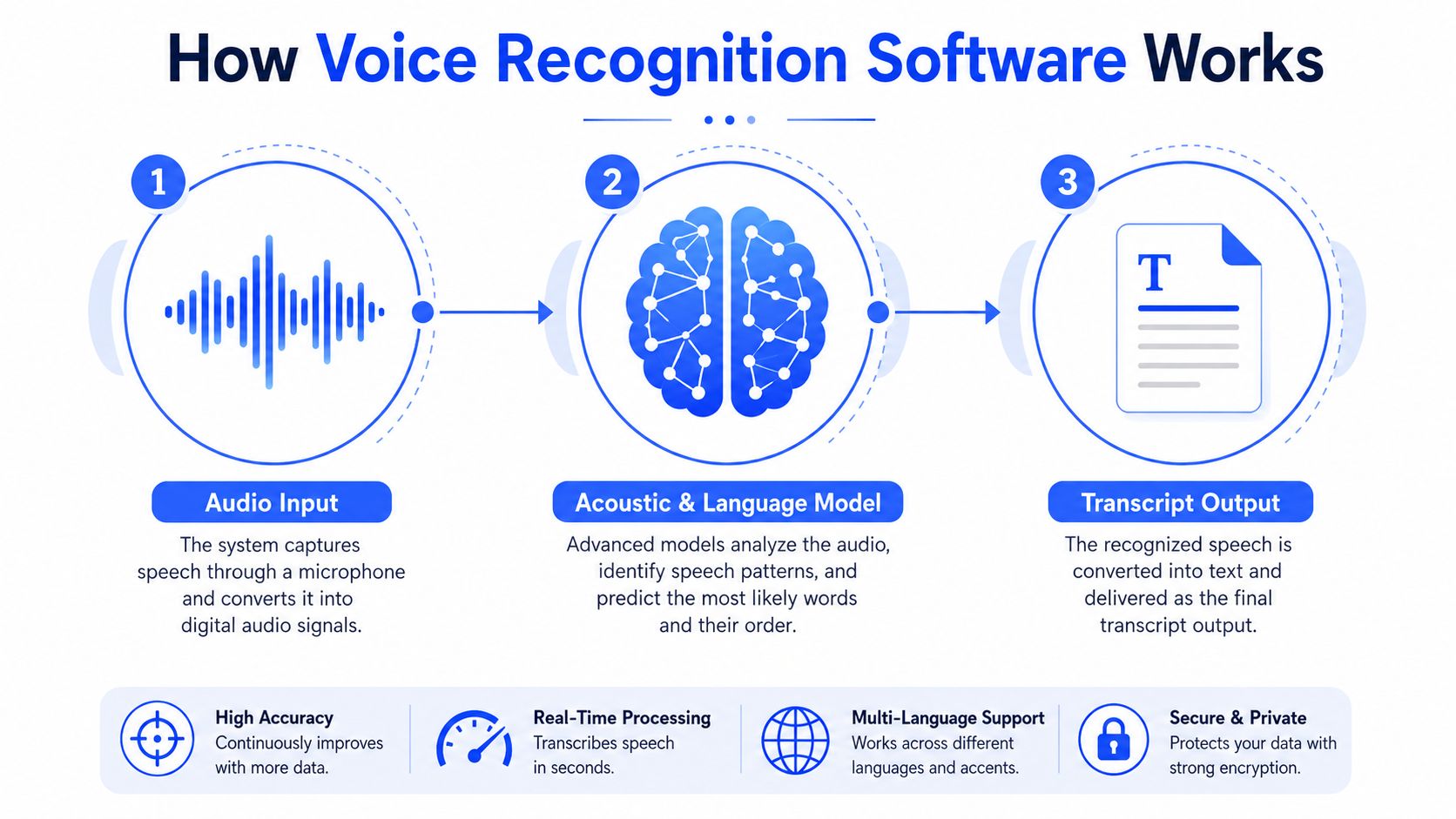
You speak, the software listens, and text appears a moment later. Behind that simple exchange, automatic speech recognition, or ASR, breaks audio into pieces, compares those pieces with language patterns, and chooses the transcript it thinks fits best.
From legacy pipelines to end-to-end models
Older systems depended on hidden Markov models and separate stages that handled different parts of the job. Newer systems are mostly end-to-end deep learning ASR, with transformer and CNN architectures mapping audio directly to text as described in the technical overview. That shift matters because the model spends less effort shuffling intermediate outputs and more effort learning how speech, wording, and context fit together. In plain English, it gets better at hearing what you meant, not only what your microphone captured.
That is why the experience can feel like a very fast stenographer who has read a huge stack of transcripts. It is listening for syllables, but it is also using word patterns, surrounding phrases, and language structure to decide which sentence is most likely.
Why real-time dictation feels instant
Streaming ASR is what makes live dictation usable. Instead of waiting for a full sentence, the system can emit partial text while you are still speaking, often through hybrid CTC-attention designs in the technical reference. That is why words can appear before you finish the last one. The software keeps revising its guess as more audio arrives.
The trade-off is easy to miss. If the model waits too long, dictation feels slow and you lose momentum. If it guesses too early, you get awkward corrections and have to clean up the transcript afterward. Better products make that balance less visible, so you can stay on the thought instead of watching the screen.
Deployment choice changes the experience in ways buyers notice right away. Cloud systems send audio to remote servers, on-device systems process locally on your machine, and hybrid tools split the work. If you want a practical breakdown of the trade-offs, cloud vs local speech recognition is the question that usually explains the biggest differences in privacy, speed, and language coverage.
For a related workflow, video transcription for creators shows the same conversion problem in a different setting, turning spoken content into editable text that can be reused later.
The Four Numbers That Actually Matter When You Compare Tools
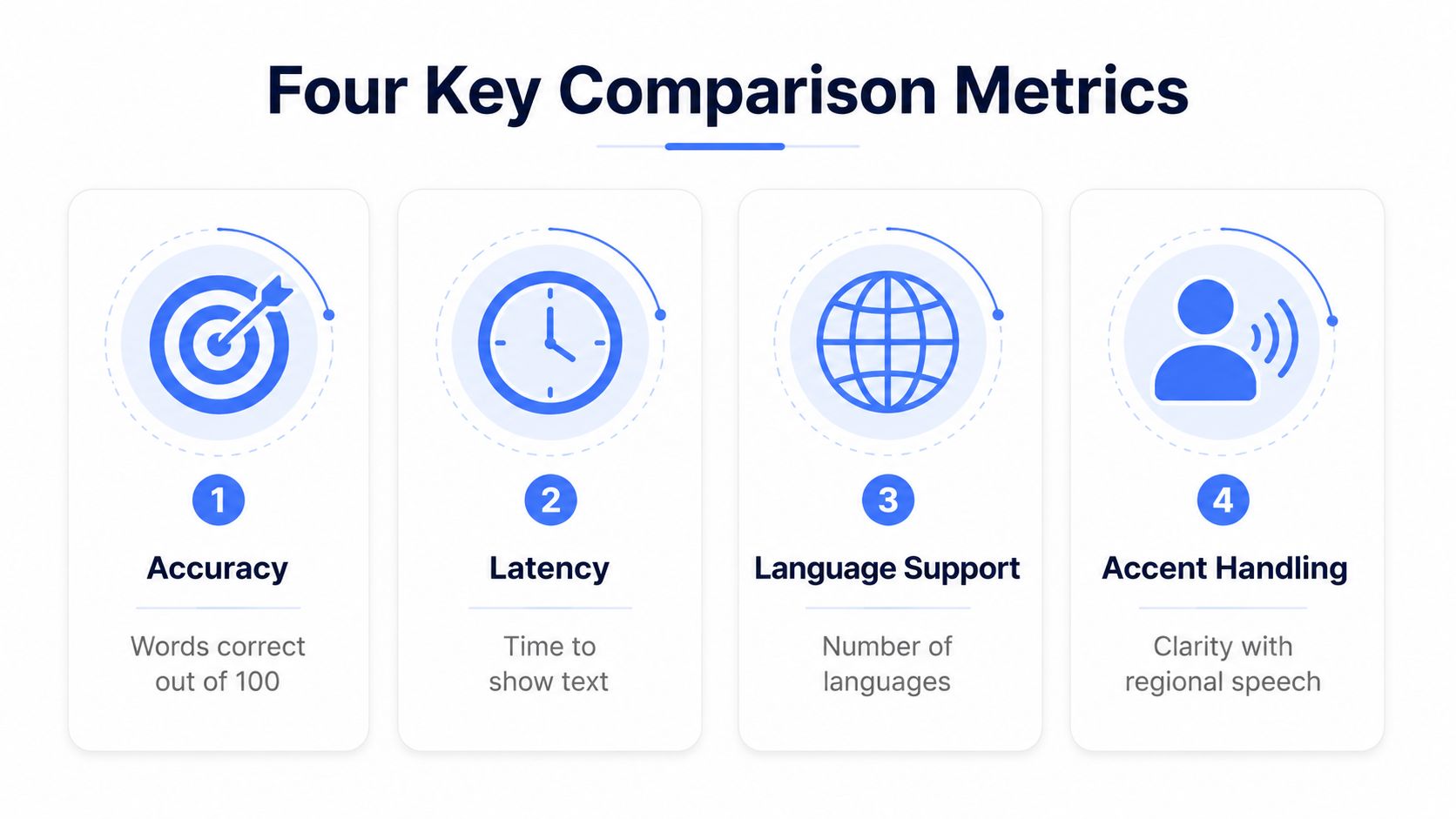
A product page can feel crowded with feature names, but buying decisions usually come down to a small scorecard. The four questions that matter are accuracy, latency, language and accent coverage, and privacy or data handling. If a vendor cannot answer those clearly, the rest of the pitch is decoration.
Accuracy and latency should be tested together
Accuracy is the easiest number to praise and the easiest one to misread. A tool can look excellent in a polished demo and still stumble on your own speech, room noise, or domain terms. In enterprise coverage, analysts noted that commercial speech-to-text systems now reach sub-300 ms streaming latency, and some products moved from roughly 500 to 700 ms average response times in 2023 to under 200 ms by 2025 with optimized edge deployment, quantization, and hardware acceleration in enterprise coverage. The same report says newer systems can deliver English transcription above 95% word accuracy in favorable conditions in enterprise coverage.
Those two numbers move together in real use. A dictation tool that is highly accurate but slow still interrupts your flow. A fast tool that guesses badly makes you repair every sentence, which is why best speech to text workflow for daily writing matters as a practical test, not a slogan. The goal is not perfect transcription, it is drafting that stays out of your way.
Language coverage is not the same as real usability
A vendor may list many languages, but that does not tell you whether the model handles your accent, code-switching, or field-specific vocabulary. A more honest test is simple, ask for a trial on a sample of your own audio in the environment where you will use it. If you work in support, sales, research, or multilingual collaboration, that sample should include the words you use every day, not the words chosen for a marketing demo.
The difference shows up fast. A system can claim broad language support and still struggle the moment a speaker shifts accents, mixes languages, or uses terms from a narrow domain. That is why An infographic titled Four Key Comparison Metrics illustrating voice recognition software evaluation criteria for accuracy, latency, languages, and accents. is useful as a reminder that language coverage and accent handling are separate checks, not one checkbox.
Buyer test: if the transcript looks clean only after heavy editing, the tool is not saving time.
Privacy lives in the deployment choice
Privacy is less about a promise and more about where audio goes. If a product sends speech to a cloud service, you need to know what gets stored, what gets retained, and who can access it. If it processes locally, the trust boundary is smaller. That does not make local processing automatically better, but it does make the trade-off visible before you commit.
The clearest comparison is this, can you explain the product's behavior in one sentence. If not, the architecture is probably doing too much behind the scenes for a casual buyer to judge with confidence.
On-Device Versus Cloud Processing in Plain English
The simplest way to think about deployment is this, on-device is like having a translator sitting next to you, and cloud is like calling one on the phone. Both can work well. They just fail in different ways, and those differences matter more than most comparison pages admit.
What local processing buys you
On-device processing keeps audio on your laptop or phone. That usually means better offline use, less dependency on network quality, and a clearer privacy story. It also tends to fit people who dictate in sensitive contexts, or who want a tool that works even when Wi-Fi doesn't.
The downside is capacity. Smaller local models often have less room for huge multilingual coverage or constantly updated language behavior. They can still be excellent for everyday dictation, but they may not match cloud systems when the task gets broader or more specialized.
What cloud processing buys you
Cloud systems can lean on larger models, broader language support, and faster product updates. That makes them attractive if your team works across regions or wants the vendor to improve the model without requiring a new install. The trade-off is simple, your audio leaves the machine before the transcript comes back.
That trade-off is why hybrid tools keep showing up. A local mode can handle routine dictation, then a cloud mode can access more languages or advanced features when needed. For buyers, hybrid is often the least ideological choice, because it lets the tool match the task instead of forcing one architecture on every situation.
One practical question cuts through the marketing. If the network drops, does the product still help you write. If the answer is yes, the tool is usable in more of your real day.
https://voicecontrol.pro/blog/cloud-vs-local-speech-recognition/
Real Workflows Where Voice Input Changes the Day
Voice input earns its place when it removes a specific kind of friction. It does not need to change every task. It only needs to make a few repeating ones feel lighter, faster, or less mentally expensive. That is why the strongest use cases are ordinary ones, the moments where you already know what you want to say and the keyboard is just getting in the way.
Inbox triage and quick replies
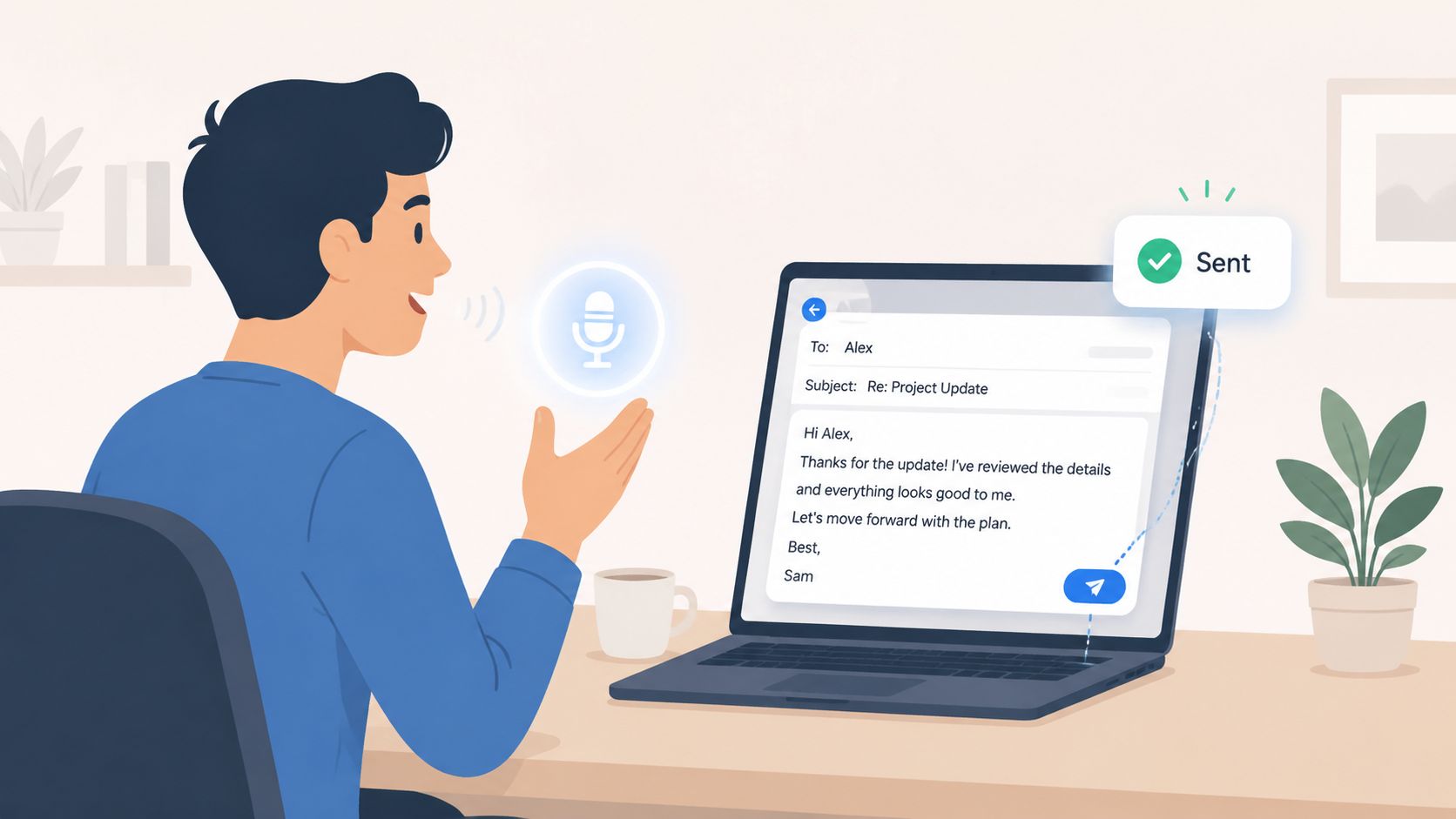
Email is often the first place people feel the difference. A reply that would take several minutes of typing can become a short spoken draft, followed by a quick pass for tone, names, and anything that needs to be precise. The benefit is not only speed, it is continuity. You keep the thought intact instead of losing it each time your fingers slow down.
Long-form drafting
Long documents show a different kind of value. A report, strategy note, or rough outline can start as spoken sections, then be tightened later into cleaner prose. That helps when the bottleneck is not typing speed, but getting past the blank page and preserving the thread of your argument.
Support, sales, and customer-facing replies
Support and sales teams spend a lot of time inside chat tools and CRM fields, where short replies stack up all day. Dictation fits that pattern because the task repeats and the cursor is already where it needs to be. You speak, the text appears, and you move on. On one message the gain is modest, but across a full day it adds up to less friction and fewer pauses.
Notes, prompts, and rough thinking
Students, researchers, developers, and AI prompt engineers often need to catch half-formed ideas before they disappear. Voice works well here because it captures the rough draft in the moment instead of asking you to stop and turn it into polished text first. A tool that inserts text wherever your cursor sits can help, because it avoids the copy-paste loop that breaks concentration. Voice Control Pro's daily writing workflow guide is useful if you want a practical view of how that kind of cursor-first dictation fits into everyday writing.
The best workflow is usually the one that stays close to the app you already use, rather than sending you into a separate note system and back again.
Zilo AI transcription guide is useful if you want a broader look at how speech gets turned into usable text across different transcription workflows.
The Accuracy Problem Most Reviews Quietly Skip
A voice tool can sound impressive in a demo and still miss the mark in your day-to-day work. That gap shows up fast when you dictate in a noisy room, switch between languages, or speak with an accent that was not common in the training data. Average accuracy hides those differences, which is why a buying decision based on a vendor's headline number can go wrong.
Independent studies found that five commercial ASR systems misunderstood Black speakers about twice as often as white speakers on identical phrases through Stanford's Fair Speech research. A student study in the same research collection reported 15 to 20 percentage points higher error rates for some underrepresented accents and creoles compared with well-represented groups. The practical lesson is simple. A tool can look strong on a generic benchmark and still create extra cleanup for the people you need to support.
If a vendor only shows you average accuracy, ask who was included in the test set.
Low-resource languages expose the same problem from a different angle. Research on development impact says adoption is held back by infrastructure, digital literacy, privacy, and motivation, and it points to missing speech corpora, local accent coverage, and consent-sensitive data collection as barriers to quality in LMICs in the Gates Open Research paper. That matters because speech systems are only as useful as the speech they have seen before. If a model has mostly learned from dominant markets, it can struggle when the user base speaks differently.
The buyer test should happen in the same conditions where the tool will live. Use your own voice, in your usual room, with your actual terminology. Then check what happens when the system mishears a term, whether you can add vocabulary, and whether improvement applies to your group or only to the average user. For a practical way to pressure-test those cases, use Speech-to-text accuracy tips against your real speech, not a clean demo script.
A Short Buyer Checklist Before You Install Anything
The quickest way to avoid regret is to turn product pages into plain yes-or-no checks. A short checklist forces the decision to match the way you will use the tool, not the way a vendor describes it.
Start with where the audio goes. If a system sends everything to the cloud by default, that affects privacy, latency, and whether it still works when the network is weak. If it keeps speech on-device, the trade-off is usually tighter control, though you may need to confirm how much accuracy you give up, if any.
Then test it with your own voice before you pay. A demo script can sound polished and still miss the rough edges that matter in real use, like your terms, your pace, and the room you work in. Try the same phrase several times and see whether the tool recovers cleanly when it mishears a word.
Pay attention to where text lands after dictation. If the tool behaves like a keyboard replacement, it should place text at the cursor in the apps you already use, not trap it inside a separate window that adds copy and paste work. That detail sounds small, but it decides whether voice input feels like part of your workflow or another place to manage content.
The first test should be cheap. A free mode or a local trial gives you a way to build the habit before you ask anyone to commit budget or change process. You are not buying a feature in the abstract, you are checking whether the first few sessions feel worth repeating.
Language and accent support need the same scrutiny. A label on a feature page does not tell you whether the system handles the people on your team, so verify with real speakers instead of assuming coverage from the marketing copy. If you want a practical way to compare speech tools, the Zilo AI transcription guide is a useful reference for judging direct insertion, editing, and workflow fit.
A strong starting point is any tool that behaves like an input layer, not a separate destination. The less you have to change apps, the less friction you create each time you speak instead of type.
Making Voice Input a Habit That Lasts
The best reason to adopt voice recognition software is not novelty. It's the compound effect of shaving friction off tasks you already do every day. A cleaner first draft in email. A quicker note in a meeting. A less annoying way to capture a thought before it disappears.
The four checks stay the same, accuracy, latency, language and accent coverage, and privacy. If a tool gets those right for your voice and your workflow, it stops being a feature and starts being part of how you work. That matters for accessibility too, and for anyone who wants to reduce repetitive strain without giving up speed.
This category is now a core layer across consumer devices, customer service, and enterprise automation, so the tool you choose today is unlikely to feel obsolete tomorrow. Pick one that fits how you speak, how you store data, and where you write.
If you want a tool built around direct insertion at the cursor, local processing options, and cross-platform dictation, visit Voice Control Pro and see how it fits your workflow. It's designed for people who want to speak naturally, insert polished text anywhere they type, and keep moving without breaking focus.