
You're probably already using a natural language interface today, even if you don't call it that. Maybe you dictated a message on your phone, asked a chatbot to summarize a long thread, or told a search box what you wanted instead of learning another menu path. That's the shift behind natural language interface examples, they've moved from demos to everyday work, and they're showing up wherever people need to speak, type, or dictate once and move on.
What matters now is not whether NLIs are interesting, it's which kind fits the job. A voice assistant is great for quick commands, dictation is better for drafting, and conversational AI shines when the task is open-ended and iterative. For teams building products, the design choice is just as important, because the wrong interface can create ambiguity, while the right one can remove friction across desktop, mobile, and enterprise workflows. For a broader product context, the Hire-a.dev AI developer guide is a useful companion read.
Table of Contents
- 2. Google Workspace Voice Typing
- 3. Microsoft Copilot Voice Integration
- Why the integration matters
- 3. Microsoft Copilot Voice Integration
- Why the integration matters
- 4. Apple's Siri Voice Assistant
- What Siri does well and where it stops
- 5. Otter.ai Professional Transcription
- Why transcription-first wins in high-stakes work
- 6. Slack Voice Messaging and Transcription
- Why async voice works in teams
- 7. Dragon NaturallySpeaking Professional
- Why precision workflows need stricter language
- 8. Hugging Face's Whisper Model
- Why open source changes the strategy
- Comparison of Top 8 Natural Language Interfaces
- Choosing Your Interface The Future of Talking to Tech
2. Google Workspace Voice Typing
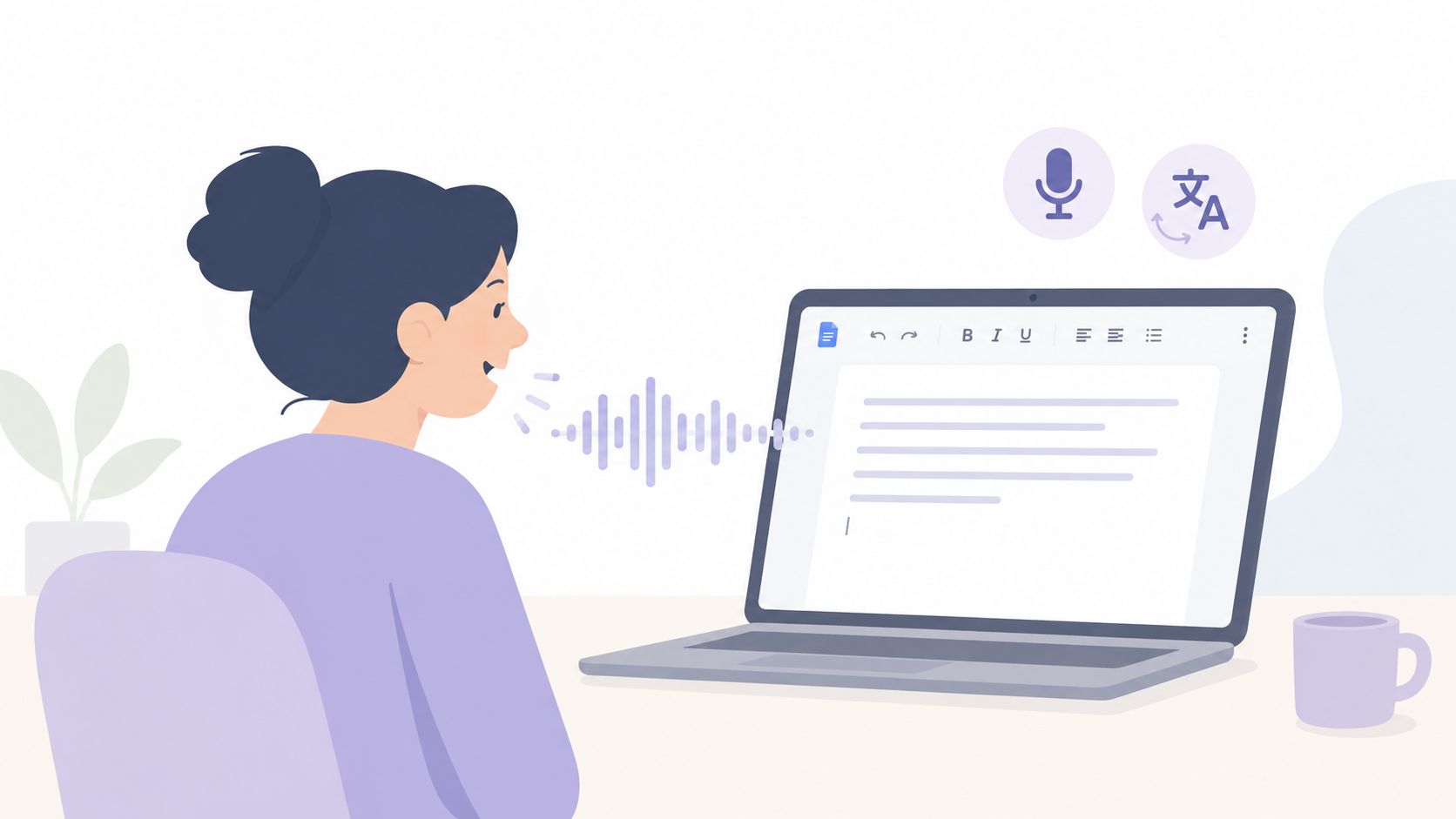
Voice Typing inside Google Docs, Sheets, and Gmail is a clear example of a dictation-based natural language interface because it keeps the job narrow. It does not try to act like a companion or advisor. You speak, it becomes text inside the app people are already using. That narrow scope is a strength for users who want speed without adopting a separate workflow, and it also makes the trade-off easier to judge.
The practical value shows up in everyday work. A person can draft an email in Gmail while moving between meetings, a student can capture lecture notes in Docs, and a team can build a shared report without typing every sentence by hand. In collaborative settings, that matters because voice entry shortens the gap between thinking and recording. For users comparing top voice typing tools, this is the kind of built-in option that wins when the goal is quick capture inside Google apps.
A second advantage is predictability. Voice typing works well when the input task is straightforward, and Google's own support for voice punctuation commands keeps the editing burden manageable if users learn a small command vocabulary. For people who want structured output, that is often the right balance, speaking naturally while still controlling formatting.
A product strategist would still treat this as a specialized tool, not a universal one. It is strongest when the user already knows what the text should say, because the interface is built for capture and light cleanup, not open-ended conversation. That is the key trade-off in dictation tools. They reduce friction for drafting, but they do little to help with reasoning, revision, or task switching. If a team wants a direct comparison between Google's built-in approach and a dedicated dictation product, this overview of Voice Control Pro vs Google Docs Voice Typing is a useful reference.
3. Microsoft Copilot Voice Integration
A manager can ask Copilot to summarize a thread while reviewing a deck, a support rep can check product details while answering a customer, and a developer can ask about code without leaving the browser. Copilot's voice integration sits between dictation and assistant, which makes it a more context-aware natural language interface than a plain voice recorder. That screen-aware behavior matters in enterprise software, where work rarely happens in a single blank document.
The practical benefit is reduced window hopping. Copilot is most useful when the user needs a spoken command or question to act on what is already visible, so the interface stays tied to the task instead of forcing a switch to another app. That saves time in workflows where context changes quickly and attention is already divided.
Why the integration matters
Copilot's value comes less from novelty and more from placement. It lives inside Windows, Microsoft 365, and Edge, so the user does not need to rebuild habits around a separate assistant. For large organizations, that lowers adoption friction because the tool rides alongside existing workflows instead of asking people to learn a new one.
The trade-off is control. Once a voice assistant starts interpreting on-screen context, the quality of the interaction depends on how clearly the system understands the current task, document, or application state. If that context is incomplete, users get generic responses that feel useful at first and then slow them down. Builders should treat that as a design constraint, not a minor edge case, because context errors are easy to notice in office work and hard to ignore.
There is also a citation angle for teams using Copilot in research or content workflows. If the assistant helps draft material that needs source tracking, teams should pair it with a process for verification and attribution, including guidance like how to get AI cited. That keeps the interface useful for drafting without letting attribution quality slip.
For users, the right expectation is clear. Copilot works best when the task is already defined and the on-screen context is strong. For builders, the lesson is equally direct, voice becomes more valuable when it can read the surrounding work, but that value depends on reliable context, predictable behavior, and a clean handoff from question to action.
3. Microsoft Copilot Voice Integration
Copilot's voice integration sits in the middle ground between dictation and assistant. It's useful because it can react to what's on screen, which turns it into a more context-aware natural language interface than a plain voice recorder. That screen-aware behavior is important in enterprise software, where people rarely work in a single blank document.
A support agent can ask about product details while replying to a customer. A manager can query Excel by voice while reviewing a spreadsheet. A developer can ask contextual questions about code without leaving the browser or switching tools. In each case, the interface reduces window hopping, which is often the productivity drain in office work.
Why the integration matters
Copilot's value comes less from novelty and more from placement. It lives where work already happens, inside Windows, Microsoft 365, and Edge, so the user doesn't need to rebuild habits around it. That's a major strategic advantage for large organizations, because adoption is easier when the assistant rides alongside existing workflows instead of demanding a new one.
The trade-off is control. Once a voice assistant starts interpreting on-screen context, the quality of the interaction depends on how clearly the system understands the current task, document, or application state. If that context is incomplete, users get generic responses that feel impressive for a moment and then slow them down. Builders should treat that as a design constraint, not an edge case.
Copilot works best when the workflow is already document-heavy, and the user needs quick assistance rather than deep authoring. That's why it's often a fit for teams that live in Microsoft tools all day. It's not the purest dictation experience, but it's one of the most practical examples of voice-based work inside a large software ecosystem.
4. Apple's Siri Voice Assistant
Siri is still one of the clearest public examples of a voice command NLI because it focuses on hands-free interaction across Apple devices. People use it to launch apps, set reminders, dictate messages, and pull quick information without opening a separate interface. That makes it especially relevant for mobile-first behavior, where speed and convenience often beat complex control.
For students, Siri can handle quick note capture on iPad. For professionals, it can help with calendar management or short voice messages while walking between meetings. For macOS users, it can become a lightweight launcher for common tasks. The value is not depth, it's immediacy.
What Siri does well and where it stops
Siri is strongest when the request is short and the intent is obvious. Consistent phrasing helps, and custom Shortcuts can extend it into more useful routines for repeat actions. For privacy-sensitive work, Apple's on-device processing is part of why many users still trust it for smaller tasks where a cloud-heavy workflow would feel unnecessary.
But Siri is not the right tool for complex dictation or multi-step reasoning. Users who expect a long, structured conversation often run into friction because Siri was designed more for commands than for open-ended collaboration. That distinction matters for product teams. A command NLI should be optimized for reliability and speed, not for pretending to be a deep conversational partner.
Build for the shortest reliable path. If a voice assistant can complete a task in one phrase, don't bury that task behind conversation.
The strategic lesson is straightforward. Siri is best when the job is quick, local, and low-friction. It becomes less compelling when people need rich formatting, detailed revision, or long back-and-forth instruction.
5. Otter.ai Professional Transcription
Otter.ai is a different category entirely. It's not trying to be a general assistant, it's a transcription-first natural language interface built for meetings, interviews, and lectures. That focus is exactly why it works for professionals who care about documentation, searchable archives, and clean meeting records.
Researchers use tools like this to capture qualitative interviews. Lawyers use them for meeting documentation. Sales teams use them for call follow-up. Support teams use them for training and review. In each case, the key value is not conversation, it's reliable capture after the conversation happens.
Why transcription-first wins in high-stakes work
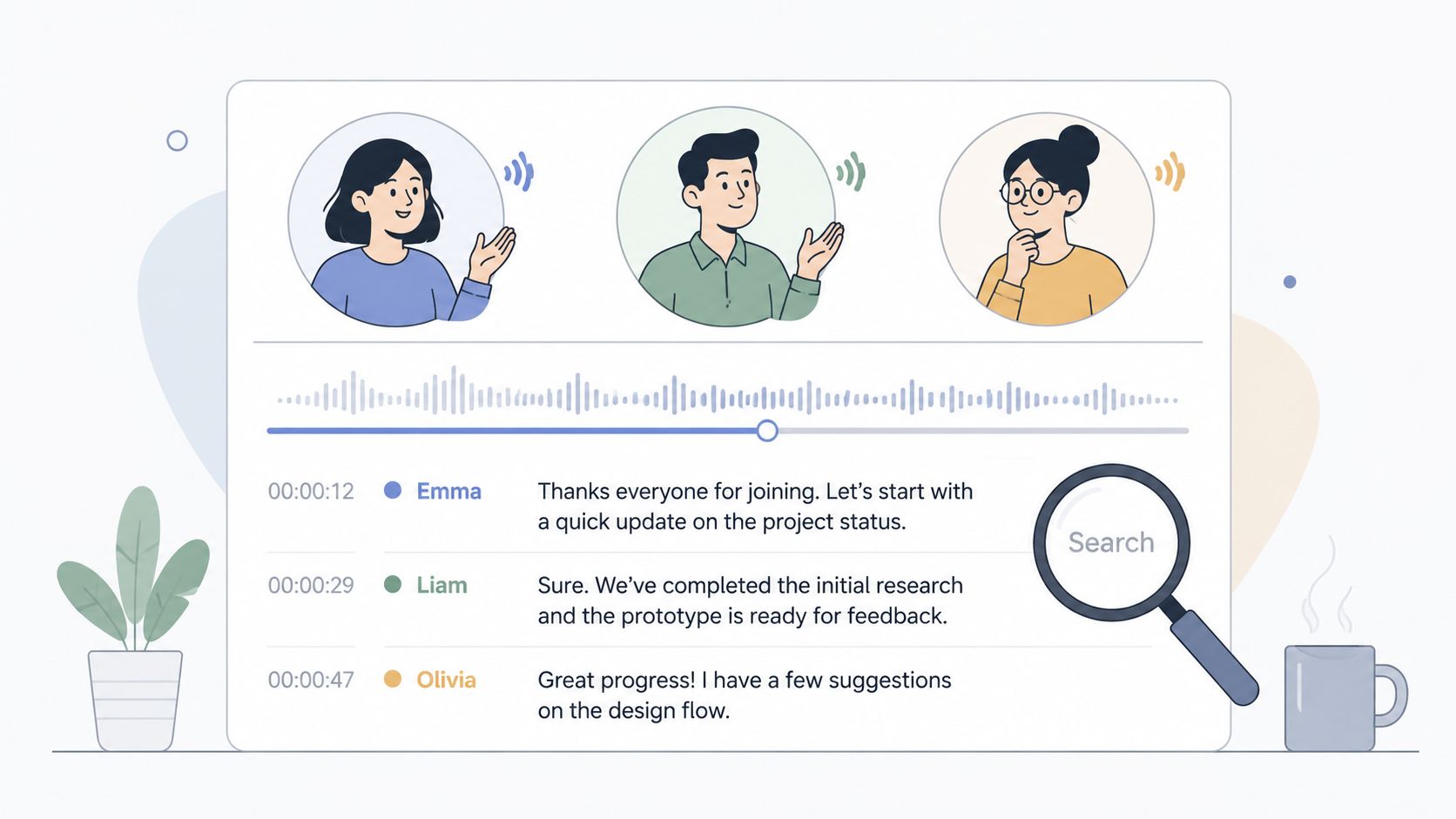
The product design is smart because it keeps the user anchored in a single job. You record speech, the system turns it into text, and the transcript becomes a durable artifact that can be reviewed later. That makes Otter.ai more suitable than a general chatbot for work where the record matters as much as the interaction.
If you need to inspect a transcript quickly, speaker separation and searchability are the workflow features that matter. They help people find decisions, follow-ups, and action items without replaying entire meetings. In that sense, Otter.ai supports a very practical kind of productivity, one based on retrieval rather than generation.
The main trade-off is obvious. Transcription tools can capture speech well, but they still need review when jargon, accents, or domain-specific terms are involved. That's why custom vocabulary and post-editing matter so much in practice. If your workflow depends on records, the right interface is the one that minimizes correction work after the fact.
For implementation-minded readers, Voice Control Pro vs Otter AI is a relevant comparison because it separates live dictation from meeting transcription, which are related but not interchangeable jobs.
6. Slack Voice Messaging and Transcription
Slack's voice messaging is one of the more underrated natural language interface examples because it preserves tone in async work. A short voice note can carry nuance that text strips away, especially when someone needs to explain a customer issue, a handoff, or a complex support update. The automatic transcription layer makes that voice content searchable, which keeps it from becoming a hidden side channel.
Remote teams benefit the most when the message needs context, not a polished paragraph. A developer can record a quick code review comment, a sales rep can send a product walkthrough note, and a support lead can explain the shape of an urgent ticket without drafting a long message. The transcription creates a bridge between spoken nuance and team visibility.
Why async voice works in teams
Slack works because it doesn't force a false choice between voice and text. Voice gives the sender speed and tone, while the transcript preserves accessibility and later retrieval. That combination is useful in distributed teams where everyone doesn't share the same working hours or communication style.
It also fits a sensible communication hierarchy. Use voice for context, emotion, and explanation. Use text for specs, decisions, and anything that needs exact wording. Teams that get this right usually end up with better norms around when voice is helpful and when it's just noisy.
A clean way to think about it is this.
- Use voice for context: Explain the situation, the reason for a change, or the rough shape of a problem.
- Use text for precision: Send numbers, deadlines, links, and final decisions in written form.
- Use transcripts for retrieval: Make sure important voice messages can be found later.
That balance matters because not every natural language interface should try to collapse into a single mode. Slack shows that hybrid communication often beats pure voice, especially in operational teams that need both speed and accountability.
7. Dragon NaturallySpeaking Professional
Dragon NaturallySpeaking Professional is the most serious dictation tool in this list, and that seriousness is the point. It's built for users who need high-control speech recognition with custom vocabularies, command structures, and application-level editing. In other words, it behaves more like a professional input system than a casual assistant.
Medical staff use it for patient notes. Legal professionals use it for contracts and briefs. Accessibility users rely on it to reduce dependence on keyboard and mouse input. Technical writers use it when hands-free drafting needs to stay accurate across long sessions. This is the category where natural language input becomes operational infrastructure.
Why precision workflows need stricter language
Dragon's strength is that it asks the user to learn the tool well enough to get consistent output. That sounds demanding, but in precision-heavy environments it's often the right trade. A bounded command set and custom vocabulary reduce ambiguity, and that matters when the work is sensitive or repetitive.
Best fit: long-form dictation with repeated terminology and a need for strong editing control.
The trade-off is setup and discipline. Users need time to train profiles, maintain microphone quality, and learn the command language that drives efficient editing. For teams, that means Dragon is better as a serious workflow tool than as a casual productivity add-on. It pays off where the cost of errors is high and the vocabulary is stable.
This is also where product strategy gets more nuanced. A broader NLI is not always better. In some domains, the winning interface is the one that narrows the language enough to increase reliability. That's why Dragon still matters. It proves that the best example of a natural language interface is sometimes the one that is least conversational.
8. Hugging Face's Whisper Model
Whisper is one of the most important open-source speech-to-text natural language interfaces because it gives builders a flexible foundation for voice products. Teams can deploy it locally or through other applications, which makes it especially relevant when privacy, custom deployment, or infrastructure control matter. For builders, that changes the economics of adding voice.
A healthcare provider can keep transcription on-premise. A research team can build a custom voice interface around sensitive material. A developer can use Whisper as the speech layer inside a private productivity app. In each case, the model is not the product, it's the infrastructure that lets another product speak and listen.
Why open source changes the strategy
Whisper gives product teams more control over how speech data moves, where it is processed, and how much of the stack stays under their ownership. That matters in regulated environments and in enterprises that want tighter data boundaries. It also gives developers room to add post-processing, custom routing, or domain-specific cleanup on top of raw transcription.
The main challenge is that deployment choices are part of the product decision. A local model can support privacy, but teams still have to validate accuracy against their own audio conditions, accents, and terminology. That's where many voice products succeed or fail, not in the model itself, but in the surrounding workflow.
For a practical comparison of implementation options, Voice Control Pro vs OpenAI Whisper helps clarify the difference between a foundation model and a finished product experience. The important lesson is that open source is only half the story. The other half is how well the interface wraps the model in a reliable user flow.
Comparison of Top 8 Natural Language Interfaces
| Solution | Implementation & Complexity 🔄 | Resource Requirements ⚡ | Expected Outcomes 📊 | Ideal Use Cases 💡 | Key Advantages ⭐ |
|---|---|---|---|---|---|
| OpenAI's ChatGPT Voice Mode | Low, client-ready; relies on cloud APIs | Internet, subscription for advanced features, cloud compute | Natural, contextual conversational answers; strong ideation support ⭐ | Brainstorming, quick verbal Q&A, accessibility, drafting | Natural dialog flow; interruption support; cross-device sync |
| Google Workspace Voice Typing | Very low, built into Docs/Sheets/Gmail | Google Workspace account, internet, browser mic | Accurate real-time transcription inserted into docs 📊 | Dictation into Docs/Gmail, collaborative editing, note-taking | Native integration; 125+ languages; seamless document insertion |
| Microsoft Copilot Voice Integration | Low–medium, integrated in Windows/M365 ecosystem | Windows 11 / M365 subscription, internet, auth | Context-aware voice actions with screen analysis 📊⭐ | Cross-application workflows, on-screen queries, enterprise tasks | Deep Office integration; task execution; strong context awareness |
| Apple's Siri Voice Assistant | Very low, preinstalled on Apple devices | Apple device, optional on-device processing | Reliable for commands, device control, basic dictation 📊 | Quick tasks, device control, reminders, accessibility | On-device privacy options; seamless ecosystem control; ubiquity |
| Otter.ai Professional Transcription | Low, cloud service with integrations | Subscription, internet, meeting platform access | High-accuracy transcripts, speaker ID, searchable archives ⭐📊 | Meetings, interviews, legal/research documentation | Exceptional transcription accuracy; meeting summaries; platform integrations |
| Slack Voice Messaging & Transcription | Very low, native Slack feature, adoption needed | Slack workspace, internet, user adoption | Fast asynchronous voice + searchable transcripts; preserves tone ⚡📊 | Remote team updates, async context sharing, quick responses | Native workflow, threaded context, reduces app switching |
| Dragon NaturallySpeaking Professional | High, local install, custom training, configuration 🔄 | Licensed software, local compute, significant user training | Industry-grade dictation and editing control; very high accuracy ⭐📊 | Medical/legal documentation, heavy dictation, accessibility workflows | Extensive customization; command-based editing; best-in-class accuracy |
| Hugging Face Whisper (Open Source) | High, ML deployment, integration, ops 🔄 | Compute for chosen model size, engineering resources | Accurate multilingual transcription with privacy-first local options ⭐📊 | On-premise transcription, privacy-sensitive apps, custom voice solutions | Open-source; no vendor lock-in; multilingual & customizable |
Choosing Your Interface The Future of Talking to Tech
The best natural language interface depends on the job, not the trend. If someone wants fast cross-app dictation, a dedicated tool like Voice Control Pro is relevant because it inserts cleaned-up text directly where the cursor is and supports a voice assistant for rewriting, contextual questions, and app launching. If the work lives inside a specific ecosystem, tools like Copilot or Siri fit better because they stay close to the user's operating environment. If the need is documentation, transcription-first products like Otter.ai are stronger because they preserve the record instead of improvising around it.
The strategic pattern is consistent across all these natural language interface examples. Dictation works best when the user already knows the message. Command-based voice works best when the task is short and clear. Conversational AI works best when the user needs help thinking through an answer, not just entering one. And in high-stakes workflows, bounded language or UI-assisted patterns can outperform free-form natural language because they reduce ambiguity and improve reliability, which is exactly why the older, stricter interface approaches still matter alongside newer AI systems.
Accessibility makes this even more important. The W3C's accessibility guidance treats NLIs as broader than voice alone, spanning text chat, dictation-enabled chat, and IVR, while also noting that speech-only systems can exclude people with hearing or speech-related disabilities. That means the future of NLIs is not just smarter models. It's better multimodal design, where keyboard, text, speech, and screen-reader workflows all work together instead of competing for the same user.
For builders, the next decision is simple to state and hard to execute. Start with the workflow, choose the narrowest interface that solves it well, and only expand the interaction model when the user needs more flexibility. That's how NLIs become useful products instead of impressive demos.
If your team is trying to reduce typing without losing control, take a closer look at Voice Control Pro. It combines dictation, contextual assistance, and app launching in one cross-platform voice interface, so it fits the same practical category as the examples above. Visit the site to see how a cursor-level voice workflow can speed up drafting, messaging, and AI prompting without breaking your flow.