
The investor call ended, but the work hasn't. A product manager in Berlin has one recording, an English-speaking founder, a German team waiting for notes, two mid-call language switches, mobile-network distortion, and a ringing phone in the background. The summary is due before morning.
A standard speech-to-text demo rarely reflects that situation. Multilingual audio transcription has to identify changing languages, separate speakers, cope with accents and noise, and preserve technical terms while producing text someone can use. The difficult part isn't recognizing more words. It's making the entire data and deployment pipeline match the way people speak at work.
Table of Contents
- Speaking Two Languages to a Deadline
- The recording is the real test
- What Multilingual Audio Transcription Actually Means
- Coverage has several dimensions
- The Pipeline That Turns Speech Into Text
- Five stages, one example
- Why Multilingual Transcription Breaks in the Real World
- Different errors answer different questions
- Measuring Quality When Languages Mix
- Build a test that resembles your users
- Where Multilingual Transcription Pays Off in Practice
- Content localization needs a reviewable batch flow
- On-Device vs Cloud and How to Choose
- Use four questions before choosing
- Watch for quality overstatement
Speaking Two Languages to a Deadline
The product manager uploads the recording and expects a clean transcript. Instead, the system starts confidently in English, misses the founder's shift into German, and then treats a German product name as an English phrase. The ringing phone creates a false fragment, while the mobile connection removes the consonants that would have helped the recognizer distinguish similar sounds.
By the time the transcript arrives, the English summary is usable only after review. The German notes contain missing phrases, inconsistent names, and no indication of where the language changed. The team can still recover the meeting, but the promised time savings have disappeared into manual correction.

The recording is the real test
This kind of file combines several conditions that teams often test separately:
- Mixed languages: The speaker changes language without stopping the recording.
- Accent variation: English spoken by a German or Spanish speaker may not match the speech used to train a clean English benchmark.
- Imperfect capture: Phones, conference software, cafés, and meeting rooms introduce different noise and compression patterns.
- Work vocabulary: Names, product codes, legal terms, and internal shorthand rarely appear in general training material.
- Time pressure: A transcript that arrives late or needs extensive editing may fail the workflow even if its average accuracy looks respectable.
Research has moved toward testing this broader reality. One benchmark includes 680 hours of human-annotated in-the-wild audio, combining 12 low-resource languages, 6 Chinese dialects, 6 English accents, domain terminology, and age variation across older adult and child speech in its benchmark description. That design matters because production audio is rarely clean, monolingual, and predictable.
Practical rule: Treat the recording environment and language mixture as part of the product requirement, not as edge cases discovered after launch.
The capability that could have rescued that Friday is straightforward to describe: one system listens for multiple languages, detects when the speaker changes, transcribes each segment in the correct language, and returns text with enough context for a person to trust and edit it.
What Multilingual Audio Transcription Actually Means
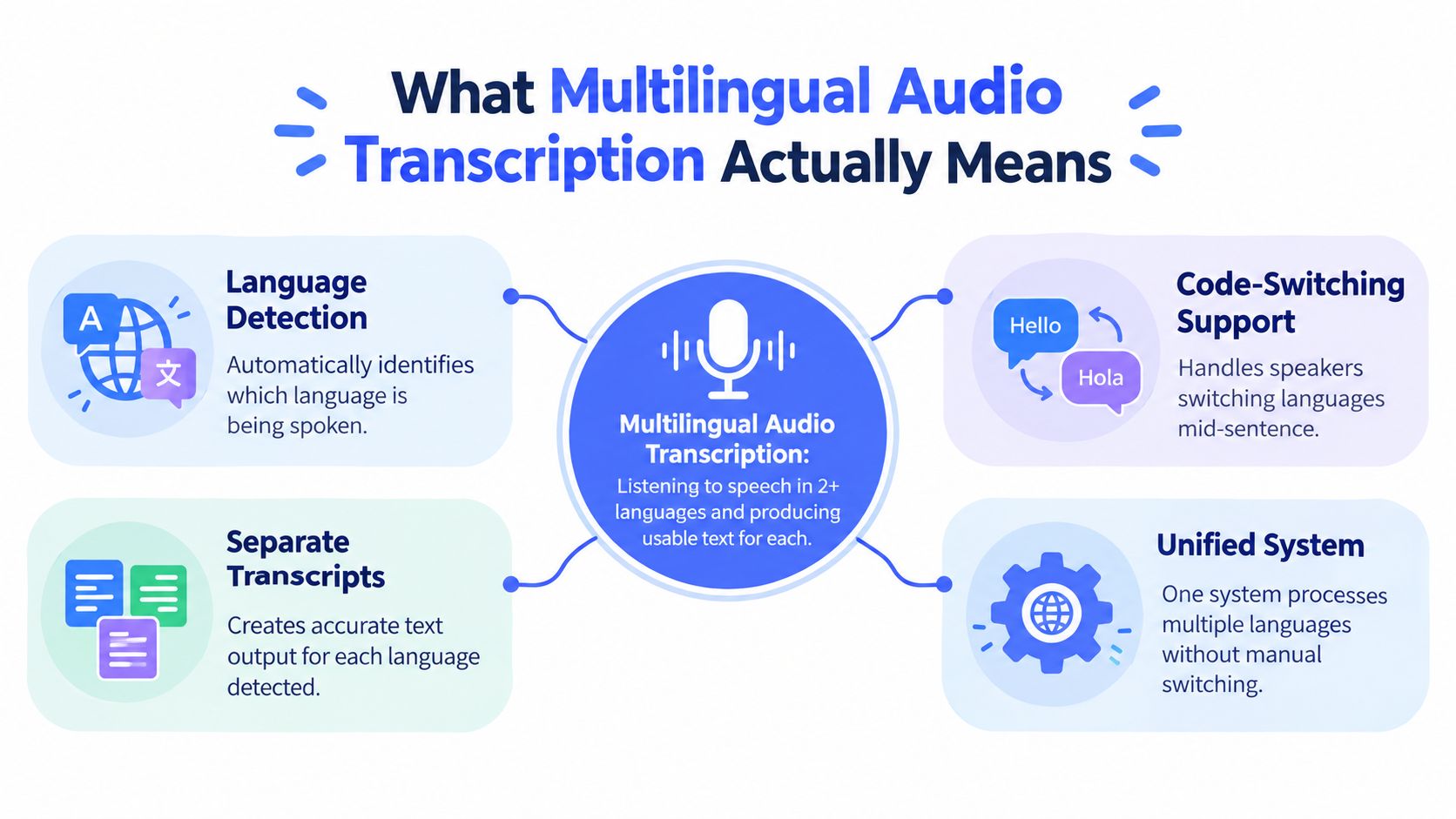
Multilingual audio transcription is a speech system's ability to process speech in two or more languages and produce usable text for each language. The output might be one document with language labels, separate transcript files, or a transcript paired with translated text.
That definition leaves out two common misunderstandings.
Transcription isn't translation. If someone says, “We need to ship the report by Friday,” transcription aims to preserve that English sentence in written form. Translation would convert it into another language. A system can perform both tasks, but they're different operations with different failure modes.
Multilingual transcription isn't automatically a monolingual recognizer plus a translation tool. A pipeline can transcribe English, translate the result into German, and still lose a German phrase that was spoken in the original recording. The system must first recognize what was said, including the language and its pronunciation, before translation can help.
Coverage has several dimensions
When a provider says it supports many languages, ask what “supports” means in practice:
- Language breadth: Which languages can the system recognize and output?
- Per-language quality: Does it perform consistently across languages, or are some much weaker?
- Language detection: Can it identify the spoken language automatically, or must a user select one?
- Code-switching: Can it follow a speaker who changes language inside a sentence?
- Output control: Can it preserve the original wording, add language labels, or produce separate outputs?
- Domain fit: Does it recognize the names and vocabulary used in your field?
A simple running example makes the distinction concrete:
- English: “We need to ship the report by Friday.”
- Spanish: “Hay que enviar el informe antes del viernes.”
A multilingual system should recognize both sentences as speech, identify their languages, and preserve their meaning in the appropriate written forms. A translation layer might then create an English version of the Spanish sentence, but that would be an additional output, not the transcription itself.
The Pipeline That Turns Speech Into Text
A useful mental model is an assembly line. Each stage prepares evidence for the next, and a weakness near the beginning can limit every later stage.
The first stage is capture and front-end processing. The system receives microphone or file audio, then may resample it, normalize volume, reduce noise, and detect where speech begins and ends. Voice activity detection is especially important because silence, music, and background conversations shouldn't be treated as spoken content. If the recording is clipped or buried under noise, the acoustic model doesn't get a fair chance.
Five stages, one example
Suppose the recording contains the English sentence, followed by the Spanish sentence.
- Capture and front-end processing: The system cleans and segments the waveform while preserving speech sounds.
- Language identification: A short audio fingerprint helps estimate whether each segment is English, Spanish, or another language.
- Acoustic modeling: The model maps sound patterns to likely phonemes and words. It isn't reading letters from the waveform. It's matching learned relationships between sound and language.
- Language modeling: The system scores likely word sequences. “Ship the report” is more plausible in this context than a sequence of similarly sounding but unrelated words.
- Decoding: A search procedure combines acoustic and language scores, then selects the most plausible final text.
The multilingual behavior can live in different designs. A shared multilingual encoder learns speech representations across languages. Language-specific output heads can specialize the final prediction layer. Other systems use separate language stacks, while some combine shared components with language-specific decoding resources.
This architecture choice has measurable consequences. In a 51-language benchmark covering 100 to 1,100 hours per language and more than 16,000 hours in total, joint multilingual training produced a 20.9% relative WER reduction versus monolingual baselines, while multi-head modeling achieved a 28.8% relative WER reduction in the reported benchmark. The figures don't mean every language benefits equally. They show why model structure and training balance matter.
For practical guidance on reviewing generated text after conversion, teams can use Taja AI transcript review as a resource for examining transcript quality and editing workflows. If you're comparing the broader mechanics of voice capture and text output, this guide to transcribing voice to text provides useful background.
Why Multilingual Transcription Breaks in the Real World
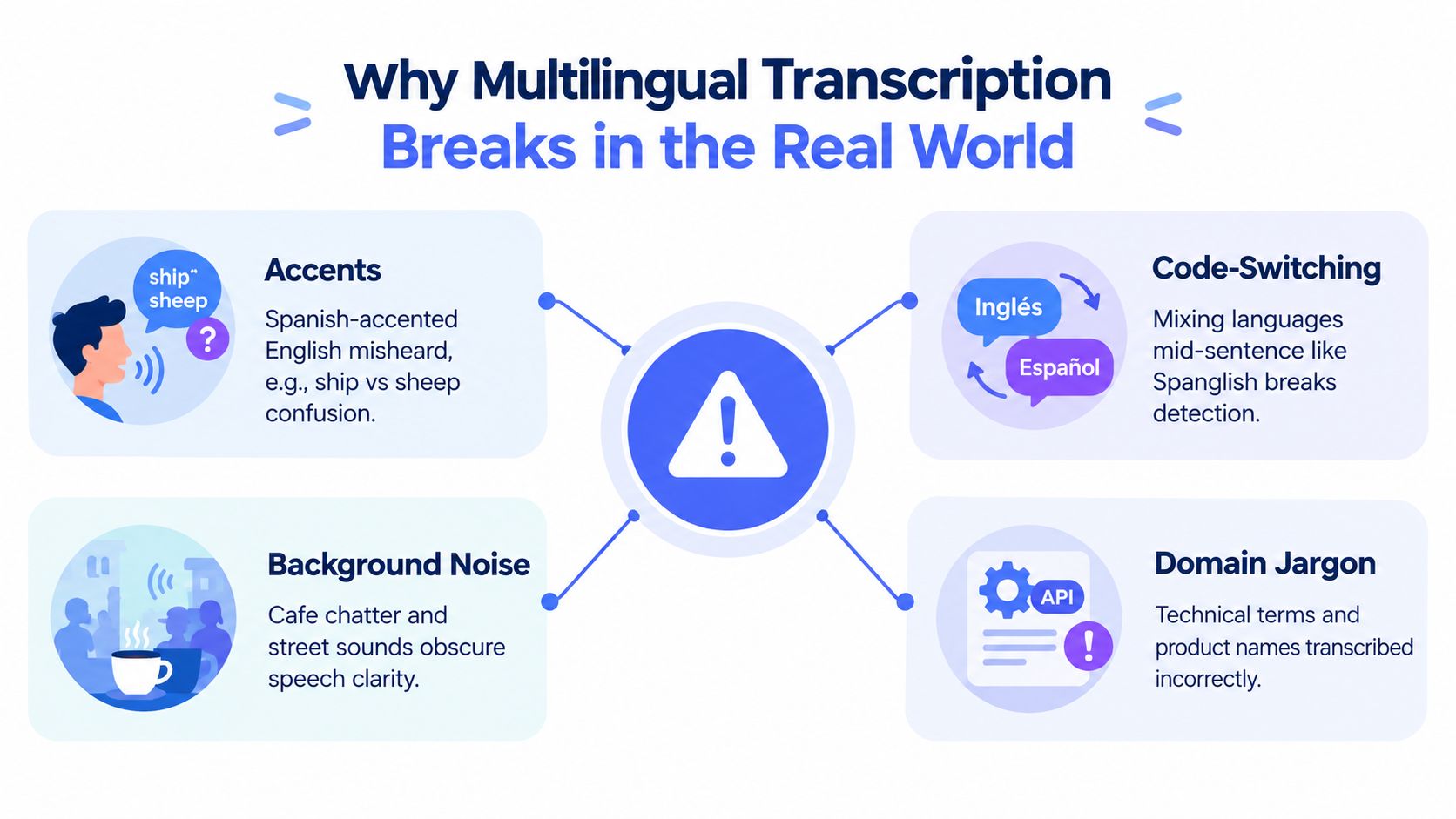
A system can pass a clean test and still disappoint users because the data doesn't resemble the deployment environment. Four mismatches appear repeatedly.
Accents change the acoustic evidence. A Spanish speaker using English may pronounce vowels and consonants differently from the speakers represented in an English-heavy training set. A strong regional accent can make a familiar phrase look acoustically unfamiliar, especially when the call quality is poor.
Code-switching interrupts simple language detection. A clinician might explain a symptom in English, insert a Mandarin medical term, and return to English in the same sentence. A recognizer that assigns one language to an entire recording may force the foreign phrase through the wrong vocabulary and sound system.
Noise hides distinctions the model needs. Café chatter, street sounds, keyboard clicks, and VoIP compression can obscure short consonants or word endings. A clean broadcast benchmark doesn't tell you how the system behaves when a speaker's microphone is several feet away.
Domain jargon changes what “likely” means. Product identifiers, medication names, legal phrases, and internal acronyms may be rare or absent in general language data. The language model then favors a common word that sounds plausible instead of the term the speaker used.
Different errors answer different questions
WER, or Word Error Rate, asks how many word-level substitutions, deletions, and insertions separate the transcript from a reference. It works naturally for a sentence such as “We need to ship the report by Friday,” but it can treat a harmless filler-word error and a critical product-name error as equivalent.
CER, or Character Error Rate, compares characters rather than words. It can be more useful for languages and scripts where word boundaries aren't represented in the same way as English.
Code-switching WER evaluates mixed-language speech specifically. It asks whether the system recognized both sides of a language change, rather than averaging performance over isolated monolingual clips.
Language coverage measures breadth, not quality. A long list of supported languages says little about accents, dialects, terminology, or mixed-language behavior.
Research on code-switched ASR found that fine-tuning multilingual self-supervised representations with n-gram language models reduced absolute word error rates by up to 20% on code-switched data versus baselines in the CALCS research collection. The operational lesson is simple: code-switching needs targeted data and evaluation.
Measuring Quality When Languages Mix
A vendor's single accuracy headline can't tell you whether your transcript will work. You need measurements that match the decisions your team makes after the audio is processed.
| Metric | What it measures | Best for | Limitation |
|---|---|---|---|
| WER | Word substitutions, deletions, and insertions | Single-language text with clear word boundaries | Can hide the importance of individual errors |
| CER | Character-level differences | Scripts and languages where character accuracy is more informative | Doesn't always reflect whether a sentence is useful |
| Code-switching WER | Errors across mixed-language speech | Conversations that change languages mid-sentence | Requires representative mixed-language test data |
| Language coverage | The breadth of languages a system can process | Early vendor comparison and market planning | Doesn't prove comparable quality across languages |
Build a test that resembles your users
Start with recordings from your actual workflow, using permissioned and appropriately protected data. Include the languages, accents, microphones, connection types, speakers, and terminology your users will encounter. Keep a reference transcript created by a qualified human, and score each language separately instead of pooling everything into one average.
Ask providers for:
- Per-language results: Request language-by-language measurements, not only a global score.
- Domain examples: Test names, codes, technical vocabulary, and common phrases from your work.
- Mixed-language clips: Include natural switching, not just separate files for each language.
- Confidence information: Use word or segment confidence where available to route uncertain text to review.
- Output behavior: Check language labels, timestamps, speaker separation, punctuation, and handling of untranslated terms.
Large multilingual systems have expanded the possible coverage. Google's Massively Multilingual Speech work reported a model covering 1,107 languages, and another analysis found only a 0.3% performance drop when expanding from 126 to 4,017 languages on FLEURS, with no drop on VoxLingua-107 in the published study. The same work reported that about 85% of the 1,107 languages met its CER quality threshold. Those results establish an important foundation, but they don't remove the need for your own per-language and domain tests.
Where Multilingual Transcription Pays Off in Practice
The right deployment shape depends on what happens after the words leave the model.
Global customer support usually benefits from a cloud pipeline. A support organization can route recordings through models with broad language coverage, centralize terminology updates, and send uncertain segments to quality review. The trade-off is that audio travels to remote infrastructure, so the team must address privacy, retention, residency, network reliability, and recurring processing costs.
Field research interviews create a different priority. Researchers may record sensitive conversations in locations with unreliable connectivity, making on-device capture and local transcription attractive. The device can preserve the original audio locally and continue working without a network, although a smaller model may provide weaker coverage or accuracy for underrepresented languages.
Accessibility and live captioning place latency near the top of the list. On-device inference can reduce the delay between speech and captions and avoid sending personal conversations to a remote server. Teams still need to test battery use, thermal limits, accent variation, and whether the chosen local model supports the required languages.
For a broader discussion of why multilingual speech features matter in desktop workflows, see why multilingual speech recognition matters on desktop.
Content localization needs a reviewable batch flow
Podcast and video teams often prefer cloud batch processing for long recordings, multiple speakers, timestamps, and post-editing handoff. A cloud workflow can separate transcription, translation, subtitle creation, and human review, which keeps each quality decision visible. The cost is less about immediate caption delay and more about infrastructure, data handling, and the volume of audio being processed.
A practical starting map looks like this:
- Choose cloud first when language breadth, centralized tuning, and batch throughput matter most.
- Choose on-device first when privacy, offline operation, or immediate captions dominate.
- Use a hybrid when routine speech can stay local but rare languages or high-stakes recordings need a stronger remote model.
On-device and cloud systems aren't interchangeable versions of the same product. They expose different compromises to the user, especially when language coverage is uneven.
On-Device vs Cloud and How to Choose
Cloud transcription sends audio to remote servers, where larger or frequently updated models can process it. That approach often supports broader language coverage and gives a team more room for language-specific tuning, but it introduces network dependence, transmission latency, a privacy surface, and usage-based infrastructure costs.
On-device transcription keeps processing on a phone or computer. It can work offline and limit where sensitive speech travels, but local hardware usually supports a smaller, curated model set. Teams may need to accept lower performance for low-resource languages, less frequent model updates, or tighter limits on long recordings.
| Dimension | On-Device | Cloud |
|---|---|---|
| Privacy | Audio can remain on the device | Audio is sent to remote infrastructure |
| Connectivity | Can continue offline | Requires a reliable network connection |
| Latency | Local response can feel immediate | Depends on upload, processing, and response time |
| Language coverage | Usually a smaller selected set | Often broader and easier to expand |
| Model updates | Tied to application releases or downloads | Provider can update centralized models |
| Cost model | Device compute, battery, and storage | Service, transfer, and processing costs |
| Control | Stronger local data boundary | More centralized monitoring and tuning |
Use four questions before choosing
How sensitive is the speech? A journalist recording confidential interviews in Spanish and Vietnamese should start by asking whether the audio can leave the device at all. If the answer is no, local processing is the safer default, provided the required languages and quality are verified.
How many languages must work? A support team handling conversations across 40 languages may prioritize cloud breadth and routing flexibility over fully local processing. That team should still request per-language evidence, because broad support doesn't guarantee equal performance.
How much delay can users tolerate? Live captions and quick dictation need a different architecture from overnight archive processing. A batch workflow can wait for centralized processing, while an interactive tool must return text during the conversation.
What cost is acceptable at your volume? Compare the full operating picture, including processing, storage, review, device resources, and failed or reprocessed audio. Don't evaluate a model only by its per-minute price if human correction consumes the savings.
Watch for quality overstatement
A provider's language list is a starting point, not a guarantee. Be cautious when a vendor:
- Publishes only one global score: Ask for separate results by language, accent, and recording condition.
- Uses clean read speech only: Request spontaneous calls, meetings, interviews, or field recordings.
- Avoids code-switching tests: Mixed-language speech should appear in your evaluation set.
- Offers no confidence signal: Uncertainty becomes harder to route into human review.
- Treats translation as transcription: Confirm whether the output preserves the original spoken language.
- Hides data handling details: Clarify retention, access, residency, deletion, and whether audio trains later systems.
A hybrid design often works well. A lightweight local model can handle everyday dictation and sensitive routine speech, while the cloud handles rare languages, demanding terminology, or recordings where accuracy justifies remote processing. For a practical look at local processing choices, review this guide to on-device speech recognition.
Voice Control Pro supports voice-to-text input across applications, with local processing available through Fly Mode and a free local dictation mode, while its Max plan adds broader language support, automatic detection, cleanup controls, custom vocabulary, and transcription history. If multilingual dictation is part of your daily work, visit Voice Control Pro to compare the local and cloud workflows and test which deployment shape fits your privacy, language, and latency requirements.