
You've probably got an audio file open right now, one hand on the keyboard, the other hovering over pause and rewind. A speaker mumbles through a key sentence, someone interrupts from across the room, and what should have been a simple transcript turns into an hour of stop-start work.
That's the part most advice misses. If you want to learn how to transcribe faster, typing speed matters, but it's not the whole job. Slow transcription usually comes from a chain of friction points: messy audio, bad playback settings, too much window switching, weak first drafts, and an editing process that catches errors late instead of early.
The fastest transcriptionists don't just type quickly. They run a cleaner workflow from audio prep through final review.
Table of Contents
- Beyond Typing Speed The Real Bottlenecks in Transcription
- Where time actually disappears
- What works and what doesn't
- The Pre-Transcription Ritual for Maximum Efficiency
- Start with the audio, not the keyboard
- A practical prep routine
- Why this prep pays off
- What not to overdo
- Mastering Your Tools and Foundational Techniques
- Use playback speed deliberately
- Keep your hands on text, not controls
- Build a stable manual workflow
- Why these skills still matter in an AI workflow
- The AI Advantage Using Voice-to-Text Workflows
- Two workflows side by side
- Where voice dictation fits in real transcription work
- What to look for in a tool
- The trade-off professionals should care about
- Accelerating Your Editing and Cleanup Process
- Proofread in a way your brain can't cheat
- A faster cleanup sequence
- Take breaks before accuracy drops
- Use AI carefully in editing
- Measuring Your Gains and Building Sustainable Speed
- Use a small benchmark first
- Compare yourself to professional targets
- Build speed that lasts
Beyond Typing Speed The Real Bottlenecks in Transcription
Most beginners treat transcription like a typing test. That's why they plateau early. They chase words per minute, but lose time in the places that slow a transcript down: poor audio, repeated rewinds, unclear speaker changes, terminology lookups, and cleanup after the draft is done.
Manual transcription is slow by nature. The average professional needs about 4 hours to transcribe 1 hour of audio, which sets a baseline 4:1 ratio for manual work according to Rev's guide to transcription timing. That benchmark isn't a sign that professionals are inefficient. It reflects what transcription really involves: listening, typing, pausing, correcting, and checking context.
Where time actually disappears
A slow session usually breaks down like this:
- Audio friction: You can't hear a phrase cleanly, so you replay it several times.
- Control friction: Your hands keep leaving the keyboard to manage playback.
- Context friction: You stop to verify names, jargon, or who's speaking.
- Editing friction: You leave obvious cleanup for the end, where it piles up.
If you only work on typing speed, you improve one piece of a much larger system.
Practical rule: Treat transcription as a workflow problem, not a keyboard problem.
That shift changes how you work. Instead of opening an audio file and starting cold, you prepare the source, set up playback correctly, choose whether to type or dictate your review, and build an editing pass that catches errors in fewer sweeps.
What works and what doesn't
A few habits consistently slow people down:
| Habit | What happens |
|---|---|
| Starting immediately without checking audio | You discover quality issues after you're already deep into the file |
| Transcribing at default playback | You pause more often than necessary |
| Using mouse controls for every rewind | You break rhythm constantly |
| Doing one long final proofread | You spend too much time fixing preventable errors |
What works is less glamorous. Clean the audio first. Set playback intentionally. Keep your hands in position. Build a draft quickly. Edit with a method.
That's how professionals get faster without letting accuracy collapse.
The Pre-Transcription Ritual for Maximum Efficiency
The biggest speed gain often happens before the first word is typed.
Most guides jump straight to pedals, shortcuts, and typing drills. Those matter, but they assume the audio is already workable. In practice, many transcripts stall because the recording is weak: uneven volume, room echo, traffic noise, cross-talk, or a speaker who drifts off mic. If the audio is hard to hear, every other productivity trick underperforms.
Start with the audio, not the keyboard
Recent analysis notes that AI-powered noise cancellation can reduce manual editing time by up to 40% for low-quality recordings, yet many guides still focus on user-side tools instead of the audio-first approach, as noted by SpeakWrite's transcription tips.
That tracks with day-to-day work. A cleaner source file creates fewer missed words, fewer false starts, and fewer judgment calls later. It also makes any speech-to-text system behave more predictably.
A practical prep routine
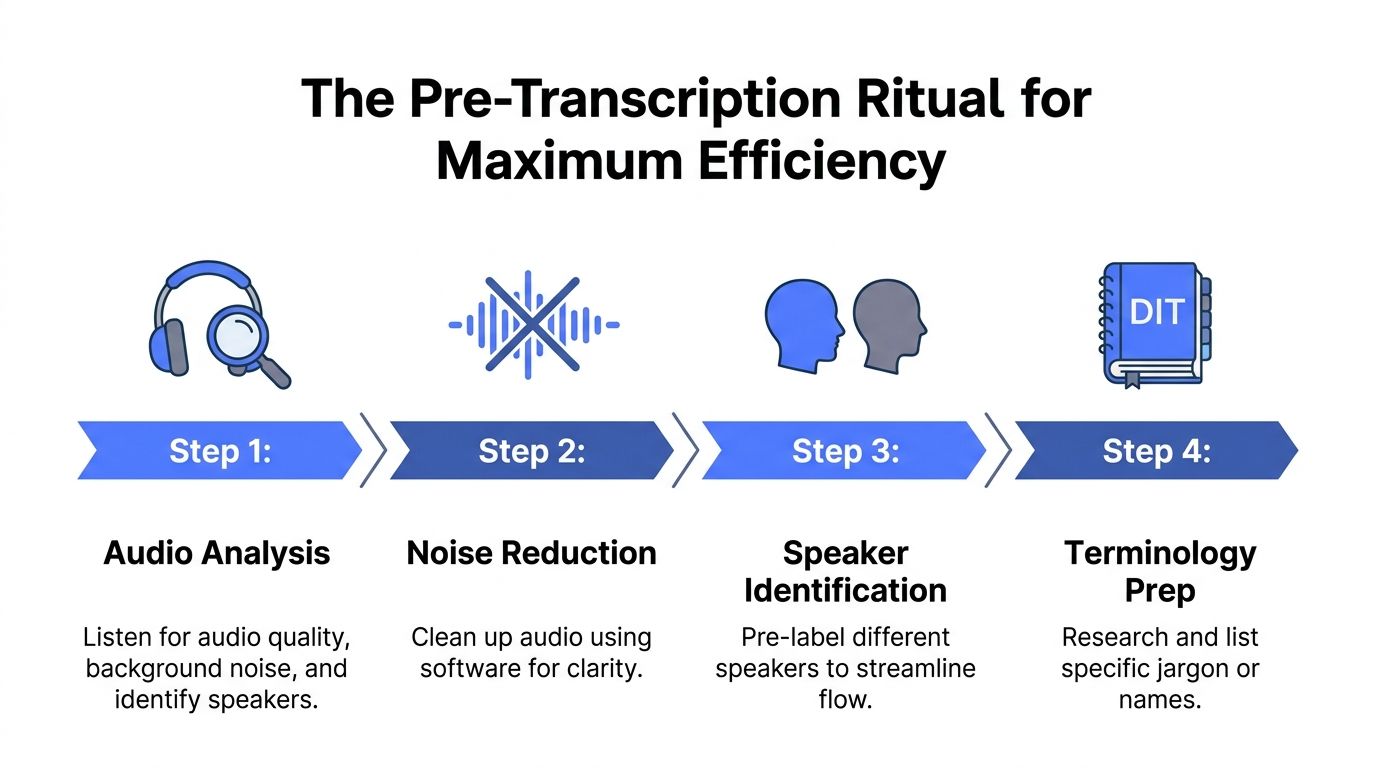
Before transcribing, run through this short ritual:
- Listen once without typing. Check for background noise, clipped speech, heavy accents, and places where speakers overlap.
- Clean obvious noise. In Audacity, basic noise reduction and volume normalization are usually enough for rough recordings.
- Mark speaker identities early. If two speakers sound similar, decide on your labels before the main pass.
- Build a terms list. Product names, surnames, acronyms, and industry jargon cost time when you look them up mid-stream.
If the recording is bad, the transcript won't become fast by force. It only becomes frustrating.
Why this prep pays off
Audio cleanup feels like overhead when you're in a rush. It isn't. It changes the rest of the session. A stable volume level means you're not adjusting your ears every few seconds. Reduced hiss means consonants separate more clearly. Speaker prep means you won't stop later to untangle who said what.
There's also a tool setup angle here. If you work from a desk for long stretches, a dedicated dictation or transcription environment helps reduce friction before the job even starts. A strong example is a desktop dictation setup for 2026, especially if you regularly move between transcripts, notes, and final documents.
What not to overdo
Don't turn audio prep into a production project. You're not mastering a podcast. You're making the file easier to process.
Focus on the changes that improve intelligibility:
- Reduce steady background noise
- Normalize inconsistent volume
- Trim dead air if it's excessive
- Note difficult sections in advance
Skip perfectionism. If a file still has crosstalk after cleanup, accept that and plan for slower review in those segments. The point is to remove avoidable friction before it compounds.
Mastering Your Tools and Foundational Techniques
Once the audio is workable, speed comes from mechanical control. Such control allows experienced transcriptionists to separate smooth output from chaotic output. They don't just hear and type. They control pace, playback, and hand movement so the session stays continuous.
Use playback speed deliberately
The average benchmark for manual transcription is still the 4:1 ratio, and one of the clearest ways to improve on it is to stop treating playback speed as fixed. Rev notes that adjusting playback to 1.25x for slower speakers or slowing to 0.75x to 0.8x for rapid speakers, combined with a foot pedal, can reduce wasted stop-start actions in the workflow, according to Rev's breakdown of transcription speed.
That sounds simple, but it changes the entire rhythm of a job.
Use this rule of thumb:
| Audio type | Better setting |
|---|---|
| Slow, clear speaker | Slightly faster playback |
| Fast, dense speaker | Slightly slower playback |
| Muffled or accented speaker | Slow enough to preserve comprehension |
| Multi-speaker overlap | Slow down and shorten review loops |
The mistake is forcing every recording through the same speed. Faster isn't always faster if it increases rewinds.
Keep your hands on text, not controls
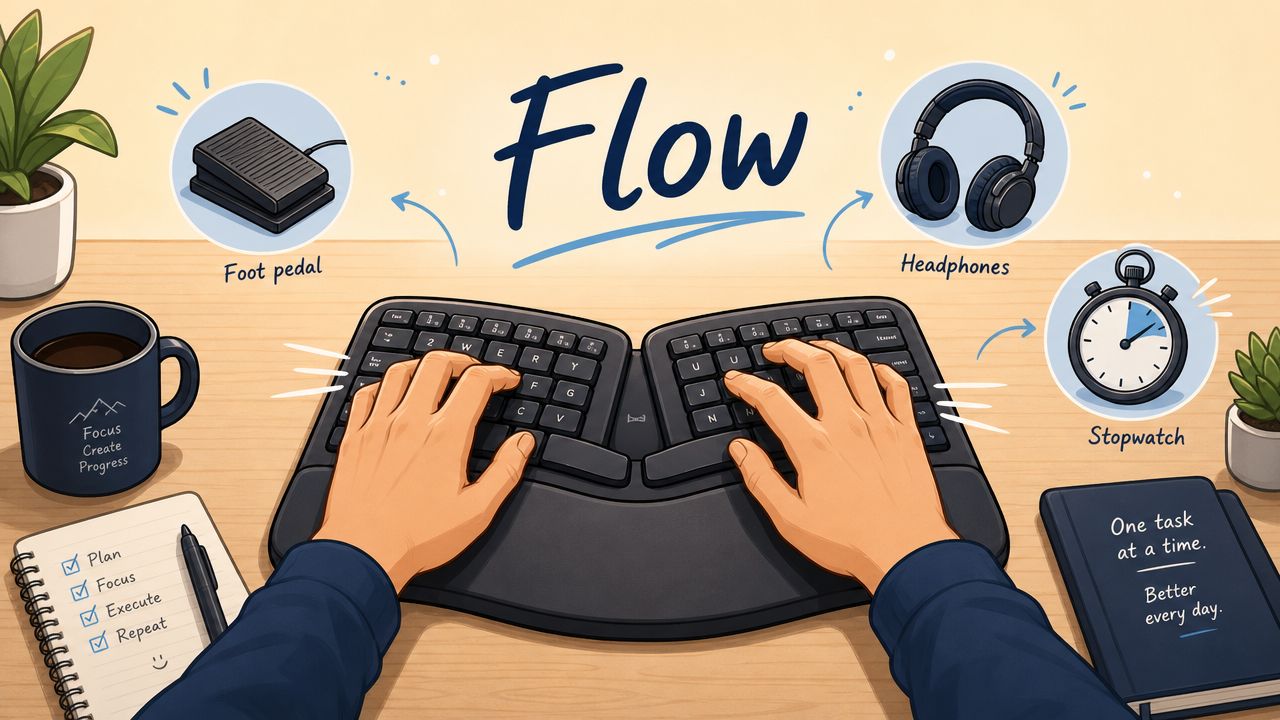
A transcription foot pedal still matters because it removes tiny interruptions that wreck momentum. Tapping play, pause, and rewind without leaving the keyboard position keeps your hands where they belong. Over a long session, that's not just ergonomics. It's rhythm.
If you don't use a pedal, at least map playback controls to keys you can hit without looking down. The mouse is usually the worst option because it adds travel, repositioning, and visual distraction.
The best tool is the one that lets you stay inside the sentence you're hearing.
Build a stable manual workflow
Foundational technique isn't flashy, but it wins:
- Preload your template: Speaker labels, timestamps if needed, and formatting should be ready before audio starts.
- Set rewind behavior: Short rewinds are usually better than large jumps because they preserve context.
- Type for continuity first: Get the sentence down cleanly enough to move on, then fix small style issues in review.
- Protect posture: A cramped setup slows your hands long before you notice it.
Why these skills still matter in an AI workflow
Even if you rely on AI for a first draft, manual skill still matters in review. You still need to hear what's wrong, catch omissions, and move through disputed sections efficiently. Playback control, accurate listening, and clean input habits don't become obsolete when AI enters the process. They become the difference between a useful draft and a messy one.
A fast transcription workflow still rests on old fundamentals. The tools changed. The mechanics didn't.
The AI Advantage Using Voice-to-Text Workflows
The old workflow is simple and slow. You listen, type what you hear, pause, rewind, repeat. That method works, but it forces your fingers to do every bit of text production.
Modern voice-to-text changes the job. Instead of building the transcript entirely by hand, you generate a first draft quickly and spend your attention on correction, structure, and wording. For many professionals, that's the first real leap in learning how to transcribe faster.
Two workflows side by side
Here's the practical difference:
| Older approach | AI-assisted approach |
|---|---|
| Type every word while listening | Generate a draft, then review and correct |
| Constant keyboard load | More attention goes to listening and cleanup |
| More friction moving text between apps | Text can go directly where you're already working |
| Accuracy depends entirely on live typing | Accuracy depends on good audio plus smart review |
Tools designed for direct insertion are particularly useful. Instead of transcribing in one app and pasting into another, you can dictate or refine text where your cursor already is. That cuts out a surprising amount of friction in emails, reports, notes, and support systems.
Where voice dictation fits in real transcription work
One effective method is shadow dictation. You listen to the speaker and repeat what you hear into a voice-to-text tool, especially when the source audio is clear enough that repeating it is faster than typing it. That approach can work well for interviews, lecture notes, and internal recordings where perfect verbatim formatting isn't required.
Some teams also use voice-to-text after an automated draft exists. They play back the audio, speak corrections aloud, and insert cleaned text directly into the final document instead of editing every phrase by keyboard.
For accessibility work around screenshots and scanned material that often accompanies transcripts, a tool like this free ai alt text generator can also help document supporting visuals without forcing another manual writing pass.
What to look for in a tool
The useful features aren't marketing features. They're workflow features:
- Local processing options: Important when recordings contain private client, medical, legal, or internal business material.
- Global shortcut support: You can insert text without changing windows.
- Custom dictionary controls: Essential for names, acronyms, and domain-specific terms.
- Language flexibility: Helpful if your work crosses regions or multilingual teams.
One option in this category is Voice Control Pro's guide to transcribing video to text, which reflects the broader workflow shift from pure manual entry to draft-plus-review.
A short demo makes the workflow easier to picture:
The trade-off professionals should care about
AI doesn't remove the need for judgment. It changes where judgment is used.
If you need strict verbatim transcription with sensitive speaker distinctions, you'll still spend time reviewing. If you need usable text fast for internal documentation, support follow-ups, meeting notes, or research summaries, AI-assisted drafting can remove the slowest part of the job: producing every line from scratch.
That's the key advantage. You stop spending your best attention on raw text entry and use it on accuracy, meaning, and final polish.
Accelerating Your Editing and Cleanup Process
Fast drafting doesn't help if cleanup turns into a slog. Many people give their time back during this stage. They rush the first pass, then edit in a vague, linear way that misses obvious problems and forces multiple rereads.
A better cleanup pass is selective. You listen for likely failure points, use shortcuts for repeated fixes, and proofread in a way that breaks the brain's habit of seeing what it expects instead of what's on the page.
Proofread in a way your brain can't cheat
Reading a transcript backward sounds awkward, but it works. Reading transcripts backward to isolate individual words can improve detection of typographical errors by 35%, and taking a 90-second mental reset every 20 minutes can reduce fatigue-related errors by about 18%, according to TranscribeThis on transcription speed and accuracy.
That tells you two things. First, proofreading needs a method. Second, fatigue is part of the accuracy problem.
A faster cleanup sequence
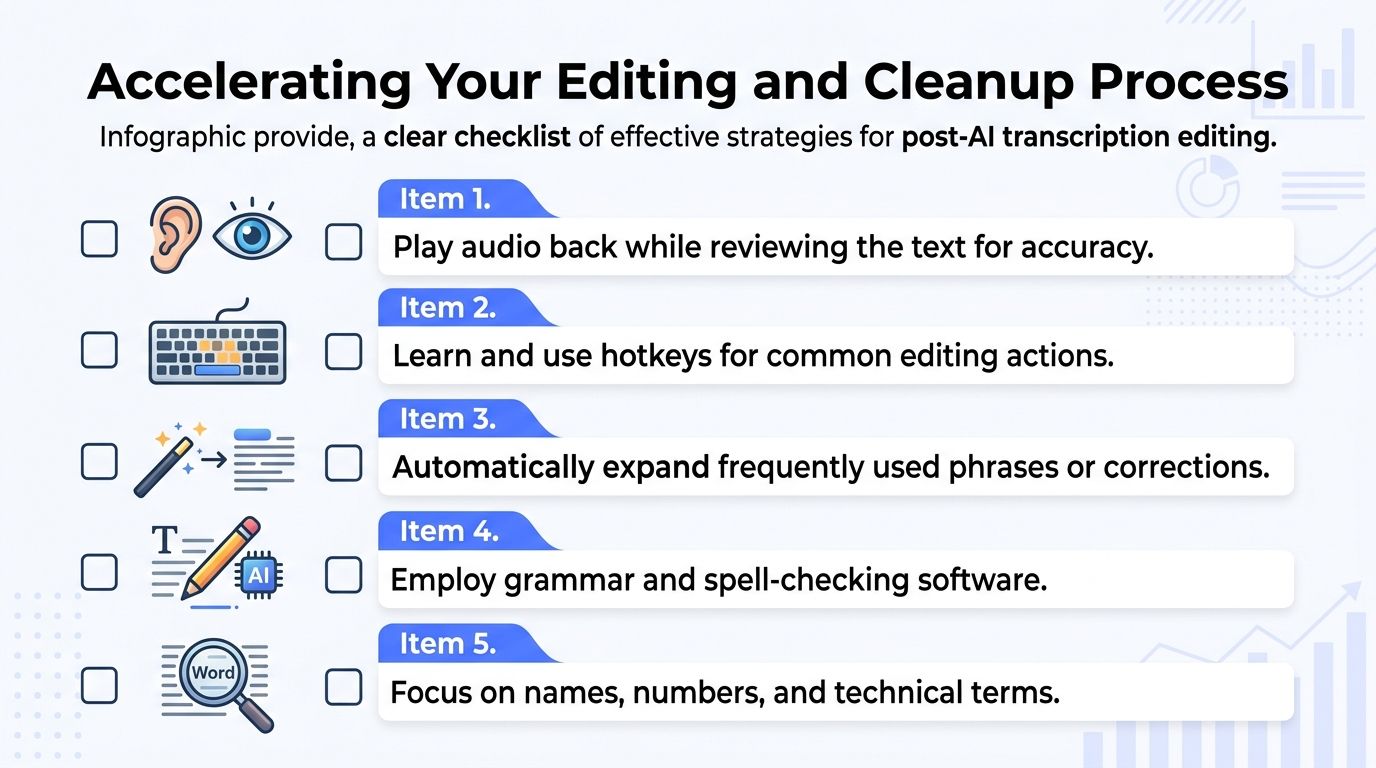
Use a staged review instead of one long read-through:
- Pass one for omissions: Listen while reading and catch dropped words, speaker swaps, and obvious mistranscriptions.
- Pass two for repeated corrections: Apply text expanders or search-replace for recurring names, boilerplate phrases, and terminology.
- Pass three for typo isolation: Read backward in chunks when the transcript is mostly clean.
- Pass four for final sense check: Read normally for flow, formatting, and consistency.
If you work with recurring jargon, text expanders save more time in cleanup than people expect. They're especially helpful for medication names, product names, legal phrases, support macros, and repeated company terminology.
Take breaks before accuracy drops
Many transcriptionists push through fatigue because stopping feels slower. In practice, tired review causes missed mistakes, and missed mistakes create rework later.
Stop before your attention blurs. A short reset is faster than fixing the same paragraph twice.
Short mental resets work best when they're scheduled, not improvised. Step away briefly, then return for the next pass with a narrower focus.
Use AI carefully in editing
AI can help rewrite awkward phrasing, standardize grammar, or tidy non-verbatim transcripts. It's most useful after the core wording is already correct. It's least useful when you ask it to guess what a poor recording said.
For sharper review habits and cleaner source handling, these speech-to-text accuracy tips are useful as a companion to the editing stage.
Cleanup gets faster when you stop treating it as one job. It's really a series of smaller jobs, each with its own best method.
Measuring Your Gains and Building Sustainable Speed
If you want lasting improvement, track the ratio between audio length and work time. That number tells you more than a typing test ever will.
I like to think of it as the audio-to-work hour ratio. If a short recording takes far longer than expected, you can inspect the cause. Was the audio poor? Did speaker overlap slow you down? Did editing eat more time than drafting? Once you measure that accurately, speed stops feeling mysterious.
Use a small benchmark first
Take a 10-minute audio clip and run your full process on it: prep, drafting, review, and final cleanup. Time the whole session from start to finish. Then note what slowed you down.
Track these points in a simple log:
| Metric | What to note |
|---|---|
| Audio length | Keep the sample length consistent |
| Total work time | Start when prep begins, stop at final review |
| Audio quality | Clear, noisy, overlapping, accented, technical |
| Workflow used | Manual, AI draft, shadow dictation, mixed |
| Biggest slowdown | Playback issues, terminology, speaker confusion, editing |
Do that across several jobs and patterns appear quickly. Some people discover their bottleneck is bad audio. Others find they're quick on the draft and slow in final proofing.
Compare yourself to professional targets
Professionals aim for a continuous 65 to 70 WPM, and that level is associated with optimized playback at 1.25x to 1.4x plus tools like text expanders. In that workflow, a 1-hour audio task can come down from 5 to 6 hours to 3 to 4 hours, according to Qualabear's guide to faster transcription.
That benchmark is useful, but don't treat it like a commandment. Sustainable speed matters more than one heroic sprint. A transcriptionist who works cleanly for hours will outperform someone who starts fast and fades into correction-heavy work.
Build speed that lasts
A sustainable workflow usually has these traits:
- You prep audio before it becomes a problem
- You control playback without breaking hand position
- You choose the right drafting method for the job
- You edit in passes instead of one blur
- You measure the full process, not just typing speed
Sustainable speed comes from fewer interruptions, not more pressure.
That's the heart of how to transcribe faster. Not by forcing your hands to move harder, but by removing the friction that makes transcription drag in the first place.
If you want a faster way to turn spoken words into usable text across documents, email, notes, and other apps, Voice Control Pro is worth a look. It lets you dictate directly where your cursor is, supports local processing options for privacy, and fits neatly into a draft-then-edit workflow when typing everything manually isn't the best use of your time.