
A small team can lose an entire morning without anyone making an obvious mistake. A proposal sits in one document, the latest client question arrives in Slack, follow-ups live in someone's inbox, meeting actions remain in handwritten notes, and a CRM record needs manual updates. Add slow typing, repeated copy and paste, and constant window switching, and the business feels busy without moving faster.
The best productivity software for small business depends on the bottleneck, not the most popular brand. Your existing ecosystem, collaboration habits, privacy requirements, offline needs, budget tolerance, and willingness to administer another system all matter. A browser-first company may prefer Google Workspace, while a team dependent on desktop Office files may work better in Microsoft 365. A support team might gain more from faster cross-app input than from another project dashboard.
This list organizes tools by the job they solve. It weighs use-case fit, practical limits, integrations, setup effort, pricing tiers, usage-based charges, and migration risk, with an emphasis on reducing duplicated work rather than collecting features. For a broader framework on designing less fragmented operations, see this workflow productivity playbook.
Table of Contents
- 1. Voice Control Pro for faster input across every app
- Where the assistant helps
- Plans and limitations
- 2. Microsoft 365 Business for an established desktop workflow
- What to watch before choosing
- 3. Google Workspace for browser-first collaboration
- Collaboration without heavy maintenance
- 4. Notion for knowledge, SOPs, and flexible work hubs
- Flexibility needs governance
- 5. Slack for fast team communication
- The cost of speed
- 6. Asana for accountability and project visibility
- Strong control, careful budgeting
- 7. ClickUp for broad consolidation
- Breadth creates an adoption problem
- 8. Airtable for structured internal tools
- Model the data before building the interface
- 9. Zapier for connecting a fragmented stack
- Automate the handoff, not the whole business
- 10. Calendly for scheduling and lead routing
- Keep the booking experience controlled
- Top 10 Small-Business Productivity Tools Comparison
- Build the Smallest Stack That Works
1. Voice Control Pro for faster input across every app
Voice Control Pro addresses a bottleneck that most productivity suites barely touch: the time spent physically entering and revising text. Hold a global shortcut, speak naturally, and the tool inserts polished transcription wherever the cursor is active, including Gmail, Slack, documents, CRM fields, browser forms, and code editors. The claimed speed can reach up to four times faster than typing, although real results depend on speech habits, microphone quality, language, and the amount of editing required.
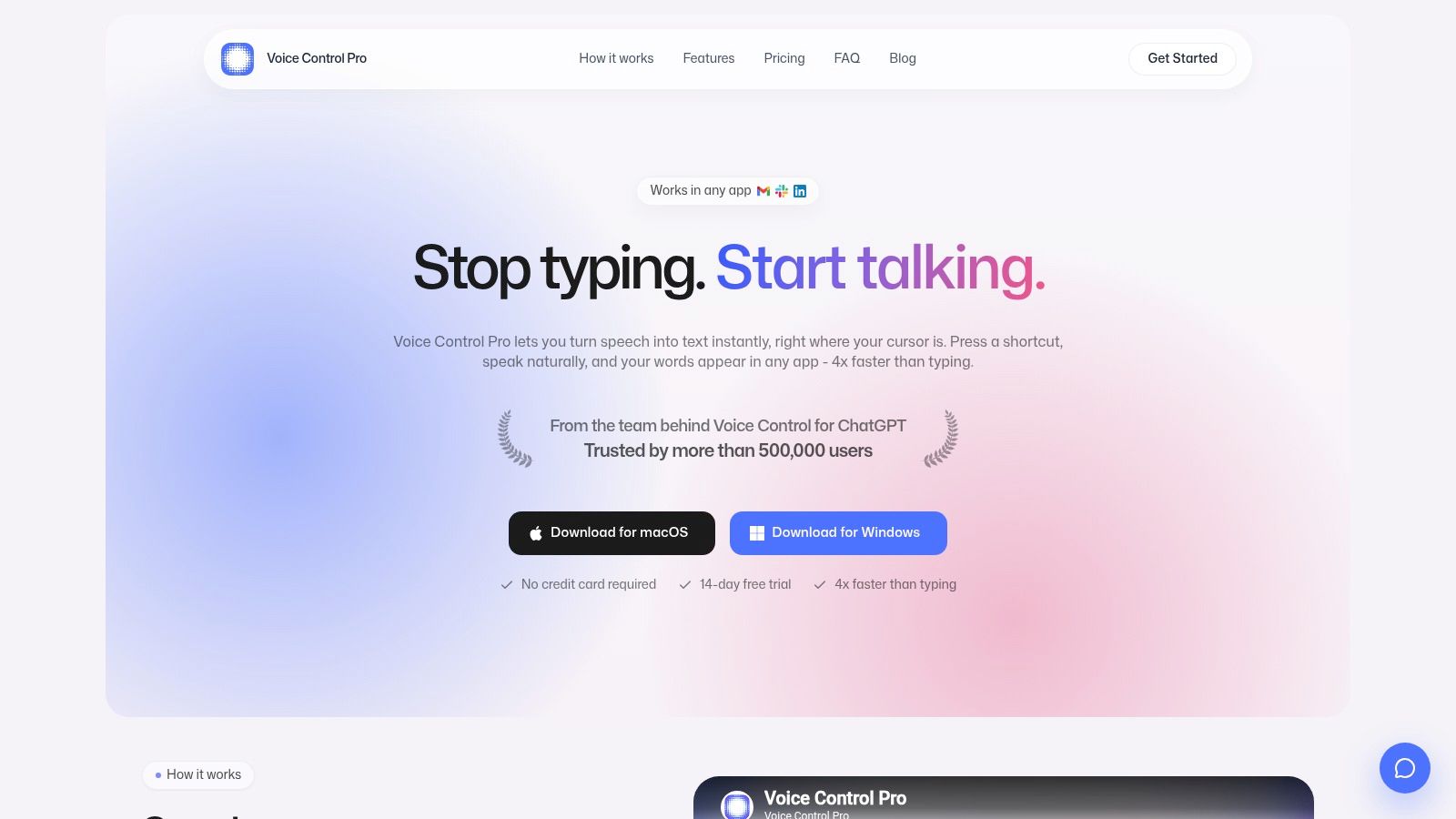
That system-wide behavior is the important distinction. You don't need to open a separate transcription window, copy a rough transcript, and paste it into the CRM. A salesperson can dictate a follow-up, a support agent can draft a response, and an owner can capture an idea inside the document already open. The practical workflow is covered in this guide to using voice to text.
Where the assistant helps
Hey Max extends dictation beyond speech capture. It can rewrite selected text, answer contextual questions about what's on screen, and launch installed apps by voice. Those actions are useful when the problem isn't just typing speed but the repeated interruptions involved in refining a message or finding the next application.
Privacy controls deserve close attention for small firms handling customer, financial, or regulated information. Fly Mode pauses cloud features and processes locally, while a local on-device mode supports offline dictation. Cloud-powered refinements, screen questions, backups, and some Hey Max functions require cloud processing, so teams should decide which workflows can use those features before deployment.
Plans and limitations
The free tier lists a 2,000 weekly-words limit, while the Max plan lists $9 per month for unlimited usage. Product information also describes unlimited local dictation, so check the current documentation or support guidance to understand exactly how cloud and offline limits apply. Max adds 99+ languages, cleanup levels, a custom dictionary, transcription history, cloud backup, and the full Hey Max toolset. A free tier and a 14-day trial without a credit card lower the barrier to testing.
Voice Control Pro isn't a replacement for email, project management, or a CRM. It's an input layer. Choose it when your team already has workable systems but loses time drafting, replying, documenting, or switching windows.
Practical rule: Test dictation inside the apps where work already happens. A tool that saves steps in Gmail and the CRM is more valuable than one that performs well only in a separate notes app.
Direct site: Voice Control Pro
2. Microsoft 365 Business for an established desktop workflow
Microsoft 365 Business is the safer starting point for teams that live in Word, Excel, PowerPoint, Outlook, and desktop file formats. It combines business email through Exchange, calendars, Teams meetings and chat, OneDrive storage, SharePoint, and identity controls under one vendor. For a small business, that consolidation can simplify procurement and reduce the number of separate accounts staff need to understand.

The strongest argument is practical familiarity. Employees can keep using full desktop applications, work offline more comfortably than in a browser-only environment, and exchange files with clients who expect Microsoft formats. Outlook, Teams, SharePoint, and OneDrive also create a reasonable foundation for communication, meetings, document storage, and internal knowledge.
Business plans that include the relevant storage provide 1 TB of OneDrive storage per user, while Business Premium adds stronger security, compliance, and device-management capabilities. Those capabilities are valuable when the company needs controlled access, managed devices, or clearer separation between personal and business data. They can also create administrative work that a very small owner-managed firm may not be ready to handle.
What to watch before choosing
Licensing can be confusing because Microsoft offers plans with different app, security, and Teams combinations. Confirm whether each employee needs desktop applications, business email, Teams, advanced device controls, or only web access. Don't assume the cheapest license covers the workflow you intend to standardize.
The admin center is powerful but can feel excessive for a lean team. Someone still needs to establish naming conventions, shared storage rules, permissions, retention settings, and account offboarding. Without those decisions, SharePoint and OneDrive can become another layer of scattered folders.
Microsoft 365 fits best when the existing business already uses Office files, Outlook calendars, or Windows devices. If most work happens in browsers and real-time document collaboration matters more than offline desktop depth, Google Workspace may be easier to operate.
Direct site: Microsoft 365 Business
3. Google Workspace for browser-first collaboration
Google Workspace suits distributed teams that want email, documents, calendars, meetings, and file storage to work primarily in a browser. Gmail, Calendar, Drive, Docs, Sheets, Slides, Meet, and Chat share a common account environment, so a new employee can usually start working without desktop deployment or complicated local configuration.
Google Docs, Sheets, and Slides are especially strong when several people need to edit the same material at once. Live co-editing, comments, version history, and shared drives make it easier to keep a proposal or operating document current without emailing attachments around. The trade-off is that teams must adopt shared-drive discipline. Personal My Drive folders can easily recreate the same ownership and retrieval problems that Workspace was meant to solve.
Collaboration without heavy maintenance
Workspace usually has a gentler onboarding path than a desktop-heavy suite. Staff can work from different devices, and administrators don't need to manage a large collection of local Office installations. Meet and Chat cover meetings and messaging, while Gmail and Calendar remain tightly connected to everyday scheduling.
Offline editing is less capable than a full desktop suite, particularly for teams that regularly work without reliable connectivity or need advanced spreadsheet and document features. Higher tiers also add more advanced security and administration, so the headline plan isn't always the plan that satisfies compliance or governance requirements.
Teams evaluating Google Workspace should review how they handle sensitive information, external sharing, account recovery, and document ownership. AI features such as Gemini are plan-dependent, so treat them as optional capabilities rather than a reason to ignore the underlying collaboration model. For a practical writing workflow inside the platform, see how to dictate in Google Docs.
If Gmail is central to customer communication, deliverability deserves its own operating process. This guide on how to stop email from going to spam in Gmail is relevant when productivity depends on messages reaching clients reliably.
Choose Workspace when browser collaboration, simple deployment, and distributed access matter more than deep offline desktop functionality.
Direct site: Google Workspace
4. Notion for knowledge, SOPs, and flexible work hubs
Notion is strongest when the business needs a shared place for procedures, project context, meeting notes, and lightweight task tracking. It combines documents, databases, teamspaces, wikis, templates, and public pages, allowing a small team to build an internal operating hub without commissioning a custom application.
A useful Notion workspace might hold a client onboarding playbook, a content calendar, a product launch hub, and a searchable company wiki. Databases support filters, relations, and rollups, so a project page can connect to clients, owners, deadlines, and status views. That flexibility helps teams model their work around actual processes instead of forcing every activity into a rigid project template.
Flexibility needs governance
Notion's biggest strength is also its main risk. Anyone can create a page, database, or teamspace, and soon the company may have several competing versions of the same SOP. Search can locate information, but search doesn't decide which page is authoritative. Assign an owner to each critical knowledge area, archive outdated material, and publish a clear home for current procedures.
Permissions and page history help teams manage change, while public sharing and simple site publishing support external resources. Integrations with tools such as Slack and Drive extend the workspace, but integration isn't the same as a single source of truth. Decide whether Notion owns the process, links to the source system, or merely documents it.
Notion's AI and custom agent capabilities can add useful assistance for summarization, retrieval, and drafting. Advanced AI features may involve usage-based credits, so include those charges in the operating budget rather than treating AI as an invisible bonus.
Notion is a good choice for a documentation-heavy business with a clear owner for information architecture. It is a weaker fit when the team needs strict project controls, deep accounting workflows, or a tool that works perfectly without an agreed structure.
Direct site: Notion
5. Slack for fast team communication
Slack works best as a communication layer, not as the company's permanent filing cabinet. Channels separate projects, customers, departments, and recurring topics, while direct messages handle short conversations. Huddles, screen sharing, clips, Slack Connect, Workflow Builder, and a large app directory let teams move quickly without scheduling a formal meeting for every question.
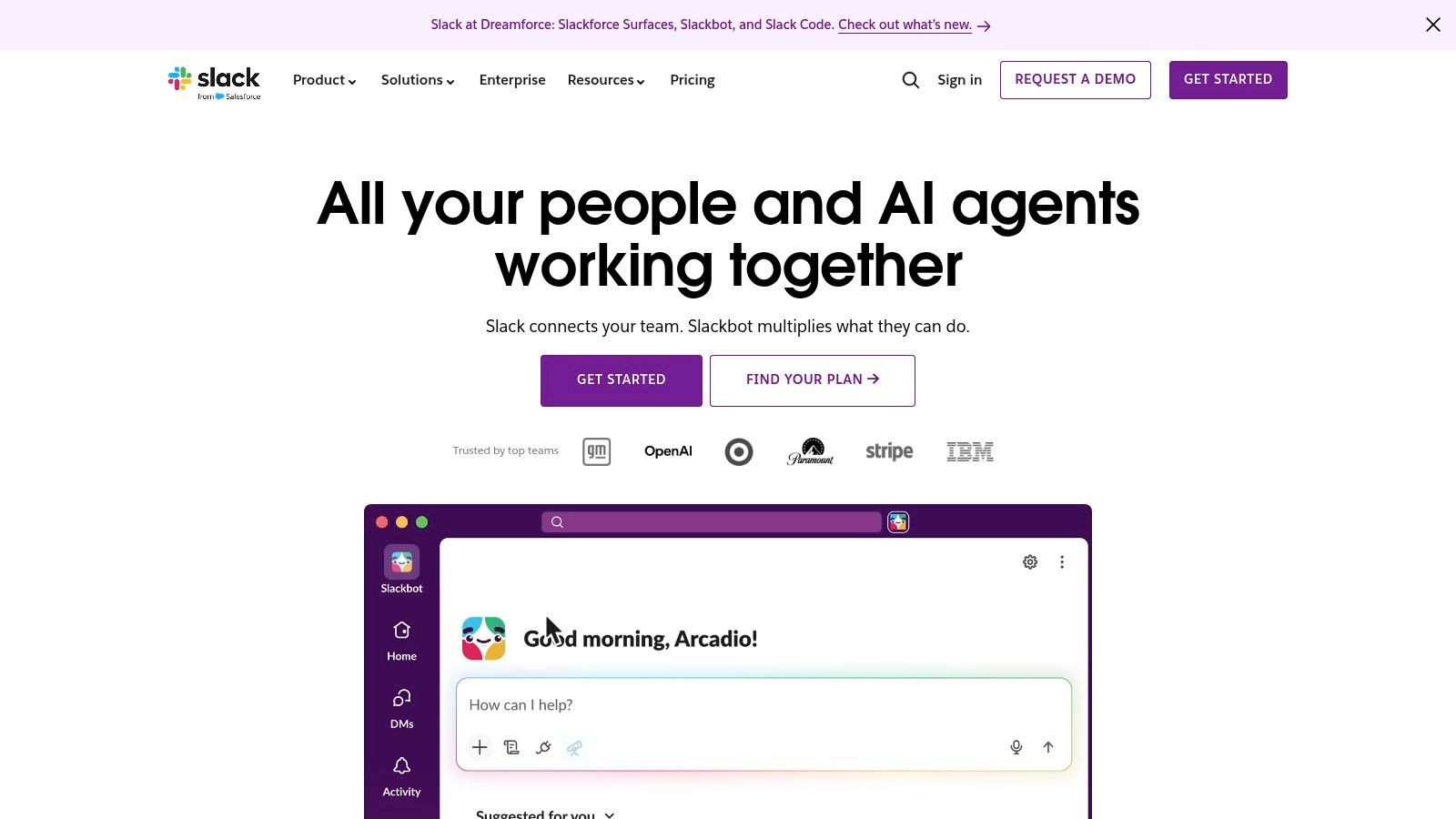
A support or sales team can connect Slack to a CRM, project tracker, calendar, and incident workflow. Notifications can bring a new lead, a failed automation, or a customer escalation into the channel where the responsible people already work. Search and channel history then provide useful context, assuming staff put decisions in channels instead of hiding them in private messages.
The cost of speed
Slack can reduce internal email, but it can also create a faster stream of interruptions. Without channel naming rules, notification expectations, and a policy for recording decisions, the platform turns into an always-on inbox. Teams should define which messages require a task, which belong in a document, and which need no response.
Paid plans matter for businesses that need broader message history, advanced administration, security controls, or built-in AI features. Review those limits before migrating important conversations. Export and retention rules can differ from what staff casually assume, and an archive full of unstructured messages isn't a knowledge base.
The right communication standard is more important than the number of channels. Establish a small set of purpose-driven channels, encourage threads, and summarize decisions in the relevant project system. This distributed team communication guide pairs well with Slack adoption because it focuses on how people communicate, not just where they click.
Slack earns its place when the team needs fast coordination across many tools. It shouldn't become a substitute for project ownership or durable documentation.
Direct site: Slack
6. Asana for accountability and project visibility
Asana is built for teams that need clear ownership, deadlines, dependencies, and progress reporting. Projects can use list, board, timeline, workload, and form views, while dashboards, portfolios, goals, and reporting give managers visibility across multiple initiatives.
That structure solves a common small-business failure: everyone knows a task exists, but nobody knows who owns it or what “done” means. Assigning a person, due date, brief, and dependency turns a conversation into accountable work. Forms can standardize requests from sales, support, or internal teams, reducing the number of incomplete tasks that arrive through informal messages.
Strong control, careful budgeting
Asana is a good fit for marketing calendars, client delivery, product launches, and cross-functional operations. Rules and automations can move work, assign owners, or update fields, while templates help repeatable projects start consistently. Its reporting capabilities are useful when the owner needs a portfolio view rather than a collection of personal to-do lists.
The licensing model deserves close review because there isn't a true single-seat paid plan, and seat step-ups can affect a small team's total cost. Advanced features, AI Studio capabilities, Timesheets, and Budgets may also add to the bill. Calculate the cost using the number of people who need editing rights, not only the number of project managers.
Asana can feel heavy if the team only needs a simple shared checklist. It also won't solve poor prioritization by itself. Create a small number of project templates, define required fields, and decide which work belongs in Asana rather than Slack or email.
Use Asana when accountability and roll-up visibility are the bottleneck. Skip it when the team has no owner for workflow maintenance or when a suite already provides adequate task management.
Direct site: Asana
7. ClickUp for broad consolidation
ClickUp targets businesses that want one Work OS for tasks, docs, whiteboards, dashboards, chat, goals, forms, and time tracking. It supports list, board, calendar, Gantt, and timeline views, so different teams can work from the same underlying records without buying separate applications for every activity.
The appeal is feature density. A small agency might keep client tasks, briefs, meeting notes, time entries, and dashboards in one environment. A service team could use forms for intake, templates for recurring work, and dashboards for delivery status. That consolidation can reduce the number of systems staff must open, provided the company retires the replaced tools.
Breadth creates an adoption problem
ClickUp's downside is not a lack of capability. It is the number of choices. Spaces, folders, lists, statuses, custom fields, views, dashboards, and permissions require an owner who can make decisions and keep the workspace coherent. Without that governance, every department builds its own version of the platform.
ClickUp Brain, AI features, and Super Agents use separate credit or usage models, so treat them as paid extensions. The base workspace may look inexpensive compared with buying several specialized products, but the total cost includes configuration time, training, integrations, and premium automation.
Start with one department and one workflow. Don't import every historical task, create every possible status, or enable every view on day one. Define a naming convention, a standard task template, and one reporting view before inviting the whole business.
ClickUp is attractive for a small company that wants consolidation and can assign an internal administrator. It isn't automatically more productive than a simpler stack. A tool with fewer features often wins when staff can understand it without constant coaching.
Direct site: ClickUp
8. Airtable for structured internal tools
Airtable sits between a spreadsheet and a lightweight relational database. It gives non-developers tables, linked records, forms, automations, multiple views, interfaces, and integrations for building internal tools around structured information.
That makes it useful for workflows that don't fit a traditional task board. Teams can build a content calendar linked to authors and channels, an applicant tracker linked to interview stages, an inventory register, a simple CRM, or a client intake system. Interfaces can present the same underlying records in a cleaner role-specific view, which is helpful when not everyone should work directly in the base.
Model the data before building the interface
Airtable works well when the business can define the records, relationships, owners, and status changes clearly. It works poorly when people treat it as an unlimited spreadsheet and keep adding columns to compensate for an unclear process. Decide what counts as a customer, project, request, or deliverable before creating forms.
Tier limits can apply to records, attachments, automations, and other resources. Advanced security and governance are available on higher tiers, while complex applications may eventually need scripting or developer support. An attractive prototype can become expensive or fragile if every exception requires another automation.
The migration question is straightforward: import only active, clean records. Remove duplicates, standardize date and status values, and decide which historical information belongs in an archive. Don't reproduce an obsolete spreadsheet structure just because it already exists.
Airtable is one of the better options for a small business that needs a custom operational tool without building software from scratch. It shouldn't replace a full CRM, accounting system, or project platform unless the workflow is simple enough to govern inside the base.
Direct site: Airtable
9. Zapier for connecting a fragmented stack
Zapier is the connective tissue for businesses that already use several good tools but still move information manually between them. It connects thousands of applications and supports multi-step workflows, branching, webhooks, code actions, forms, tables, chatbots, and agents.
A practical automation might create a task when a qualified form arrives, notify a Slack channel when a CRM stage changes, add a new client to an onboarding checklist, or place a meeting registrant into a follow-up sequence. These workflows reduce repetitive entry without forcing the business to replace every existing system.
Automate the handoff, not the whole business
The strongest Zapier use cases have a clear trigger, a predictable action, and an owner who can inspect failures. If a form creates a CRM record and a project task, document what happens when the contact already exists, a required field is missing, or the destination app is unavailable.
Pricing is task-based, so costs rise with volume and with the number of steps a workflow runs. AI features, agents, tables, and chatbots should be evaluated separately from basic app-to-app automation. Monitoring also matters. A workflow that fails without alerting you can create stale leads, duplicate records, or missed customer commitments.
Start with one manual process that happens often and has low ambiguity. Measure whether it removes a real handoff, then add error alerts and a simple owner review. Don't automate a broken approval process before deciding who has authority to approve.
Zapier is especially useful when a business has chosen Google Workspace or Microsoft 365, a CRM, Slack, Calendly, and a project tool but lacks native integration between them. It may be unnecessary when an all-in-one platform already handles the same handoff reliably.
Direct site: Zapier
10. Calendly for scheduling and lead routing
Calendly removes the back-and-forth that consumes email threads before a meeting even exists. Booking links connect to availability, while round-robin, pooled scheduling, routing forms, reminders, workflows, and payment options support both internal and customer-facing appointments.
For a sales or consulting team, the value goes beyond a link in an email. A visitor can answer qualifying questions, route to the right person, and receive the appropriate meeting type. CRM and marketing integrations can then preserve the context instead of leaving the meeting as an isolated calendar event.
Keep the booking experience controlled
Calendly is easy to deploy, but teams should establish event-type ownership before everyone creates their own links. Define standard durations, buffers, working hours, intake questions, confirmation messages, and cancellation rules. Otherwise clients may encounter inconsistent booking experiences and staff may create overlapping policies.
Advanced AI capabilities, including scheduling assistance or meeting recaps, may be add-ons or limited by plan. Enterprise security features such as SSO, audit controls, and data-loss protections also sit at higher tiers. Price the tool according to the customer journey it supports, not only the number of individual links.
Calendly won't fix a calendar full of unnecessary meetings. Use it to make essential conversations easier to schedule, then create rules for when a written update, shared document, or async recording is better. For sales teams, connect booking data to the CRM so follow-up ownership doesn't depend on memory.
Choose Calendly when scheduling delay blocks revenue, support, hiring, or client delivery. If the business rarely schedules external meetings, the calendar and booking features inside its existing suite may be enough.
Direct site: Calendly
Top 10 Small-Business Productivity Tools Comparison
| Product | Core features | Unique selling points | Target audience | Price & value | Rating |
|---|---|---|---|---|---|
| Voice Control Pro 🏆 | Cross‑app dictation (global shortcut); Hey Max assistant; Fly Mode/local on‑device AI | ✨ Inserts polished text anywhere; offline/local processing; screen Q&A & rewrite tools; 99+ languages | 👥 Writers, devs, SMBs, privacy‑focused users | 💰 Free tier + Max $9/mo (unlimited cloud); free local on‑device mode | ★★★★★ |
| Microsoft 365 Business | Word/Excel/PowerPoint, Exchange, Teams, OneDrive | ✨ Enterprise identity/device/data protection; strong desktop apps & integrations | 👥 SMBs needing familiar desktop apps + security | 💰 Per‑user plans (varies); comprehensive enterprise value | ★★★★☆ |
| Google Workspace | Gmail, Drive, Docs/Sheets/Meet; real‑time co‑editing | ✨ Cloud‑first collaboration; Gemini AI features (plan‑dependent) | 👥 Remote/distributed teams, cloud‑centric SMBs | 💰 Simple per‑user pricing; good value for collaboration | ★★★★☆ |
| Notion | Notes, docs, databases, templates, teamspaces | ✨ Highly customizable workspace; AI agents (usage credits) | 👥 Startups, knowledge teams, SOPs & playbooks | 💰 Free tier; paid plans + AI credit costs | ★★★★☆ |
| Slack | Channels, DMs, huddles, search, integrations | ✨ Vast app ecosystem; AI summaries & Slackbot agent | 👥 Teams needing real‑time messaging & integrations | 💰 Free tier; paid for full history & advanced AI | ★★★★☆ |
| Asana | Projects, tasks, timelines, reporting, automations | ✨ Portfolio views, workload reporting & AI Studio | 👥 PMs, cross‑team projects, ops leaders | 💰 Tiered per‑seat pricing; add‑ons can raise cost | ★★★★☆ |
| ClickUp | Tasks, docs, whiteboards, time tracking, dashboards | ✨ All‑in‑one Work OS; high feature density per $ | 👥 SMBs wanting tool consolidation | 💰 Generous free + paid tiers; AI features via credits | ★★★★☆ |
| Airtable | Relational tables, interfaces, automations, API | ✨ Non‑dev app builder; custom UIs & templates | 👥 Ops, content, product teams needing structured data | 💰 Free tier; limits lift with paid plans | ★★★★☆ |
| Zapier | No‑code automations, multi‑step workflows, webhooks | ✨ 9,000+ app ecosystem; agents & AI orchestration | 👥 Teams automating repetitive cross‑app tasks | 💰 Task‑based pricing; costs scale with volume | ★★★★☆ |
| Calendly | Booking links, round‑robin/team routing, workflows | ✨ Payments, reminders, Notetaker & AI scheduling assistant | 👥 Sales, support, customer‑facing teams | 💰 Free tier; paid features & AI add‑ons | ★★★★☆ |
Build the Smallest Stack That Works
The best productivity software for small business isn't the suite with the longest feature list. It's the smallest combination that removes the bottleneck without creating another place for work to disappear. Start by identifying the delay that costs the team the most attention: scattered knowledge, unclear ownership, manual data entry, scheduling loops, slow writing, or disconnected applications.
Digital adoption is already broad among small and medium-sized businesses, but full integration remains uncommon. A 2025 CFIB report found that 92% of SMEs use digital tools, while only 10% are fully digitalized, and it reports that 55% see a return on investment within two years. The same research reports an average 29% productivity gain and $1.60 returned for every $1 spent, with digital leaders reaching 34% productivity improvement and $2.40 returned per $1 invested. Those figures support a practical conclusion: software pays off more reliably when it becomes part of a workflow rather than another isolated point solution. Read the CFIB digital transformation report.
Tool sprawl makes that decision more urgent. Reporting summarized in 2025 and 2026 says workers switch between apps roughly 1,200 times per day, spend nearly 9% of work time reorienting after switches, and knowledge workers spend about 60% of their time on work about work. The same reporting says 22% of workers lose at least two hours per week to tool fatigue, while the average loss is about 51 minutes per week. Review the small-business automation research. You don't need to add another dashboard to solve a switching problem. Sometimes the right answer is better integration, a stricter system of record, or a faster input layer such as Voice Control Pro.
Use this selection and migration sequence:
- Name the bottleneck: Write down the specific repeated task that delays work, who performs it, and where the information currently lives.
- Choose one system of record: Decide whether active work belongs in Microsoft 365, Google Workspace, Notion, Asana, ClickUp, Airtable, or another primary system. Don't let Slack or personal notes become the unofficial database.
- Map required integrations: Confirm that email, calendar, CRM, documents, forms, payments, and messaging can exchange the fields your workflow needs.
- Calculate the full tier cost: Include required seats, storage, message history, automation tasks, AI credits, security controls, add-ons, and likely growth. A low entry price can become expensive when usage rises.
- Test permissions and privacy: Review external sharing, administrator access, retention, cloud processing, local modes, offline behavior, backups, and account removal before importing sensitive work.
- Clean before migration: Export legacy data, remove duplicates, normalize names and statuses, archive obsolete records, and preserve a read-only copy of the old system.
- Pilot one workflow: Move one repeatable process, such as client onboarding or lead follow-up, and observe where staff still switch tools or re-enter information.
- Set team conventions: Define project names, channel purposes, document ownership, notification rules, task statuses, and where decisions must be recorded.
- Review after adoption: Check usage, missed handoffs, duplicate records, support questions, and subscription consumption after the team has had time to use the workflow. Remove tools that no longer solve a distinct problem.
Small-business software adoption is fragmented, not absent. One 2026 report says 82% of SMBs use at least one digital tool, while 59% use two to four distinct tools, and 68% cite efficiency and productivity as a primary reason for adopting technology. See the small-business digital adoption report. That pattern favors focused stacks. Use Microsoft 365 or Google Workspace as the communication and document foundation when one already fits the team, then add Asana, Notion, ClickUp, Airtable, Zapier, or Calendly only when each has a clearly owned job.
AI deserves the same discipline. SBE Council's 2025 survey found that 58% of small businesses actively deploy AI tools, with common uses including content creation, email marketing automation, social media management, customer support, and financial management. Read the SBE Council survey. Those use cases point toward embedded assistance inside existing workflows, not a collection of disconnected chat windows. Establish rules for sensitive data, human review, and approved accounts before staff use AI with customer or company information.
Privacy and continuity should shape the shortlist from the start. A cloud-first suite may be ideal for distributed collaboration, while local processing and offline operation matter more for regulated work, accessibility needs, or unreliable connectivity. The NFIB technology survey provides relevant background for businesses assessing technology adoption and operational change. Test the failure mode before you need it: turn off connectivity, restrict cloud AI, revoke a user, restore a file, and confirm that essential work can continue.
Finally, select the tool that matches the ecosystem your team already understands. Add Voice Control Pro when the measurable constraint is slow, repetitive input across email, chat, documents, CRM fields, or prompts. It doesn't require replacing the rest of your stack, which makes it a focused option for reducing typing and window switching while the business keeps its existing system of record. For businesses evaluating software beyond office tools, this guide to the best software for lawn businesses reinforces the same principle: choose around the work, not around a generic popularity ranking.
Voice Control Pro inserts polished voice-to-text directly into the app where your cursor is active, helping small teams draft emails, update CRMs, write documents, and capture ideas without switching windows. Its local and Fly Mode options also give privacy-conscious teams more control over cloud processing. Visit Voice Control Pro to test whether faster hands-free input can remove one of your team's most persistent productivity bottlenecks.