
You may be here because a child has outgrown a walker, because typing has become exhausting, or because a teacher, therapist, or employer asked what support would help. That moment can feel strangely hard. There are many devices, many opinions, and not enough plain-language guidance about what fits real life.
Adaptive technology for cerebral palsy works best when you stop thinking of it as a gadget list and start thinking of it as a path. The path usually begins with assessment, moves through funding and trial use, and only then becomes part of daily routines at home, school, or work. When the match is right, the goal isn't to make someone look “less disabled.” The goal is to remove friction so effort goes into living, learning, communicating, and working.
Table of Contents
- What Is Adaptive Technology for Cerebral Palsy
- Three useful ways to sort adaptive technology
- The main functions these tools support
- The Benefits and Realities of Using Assistive Devices
- What benefits often look like in real life
- The parts people don't say out loud enough
- How to Assess Needs and Customize a Technology Plan
- What a thorough assessment usually covers
- How customization happens in practice
- Questions families and adults should ask
- Exploring Key Types of Adaptive Technology
- Mobility and Positioning Tools
- Communication Tools
- Computer and Digital Access Tools
- Daily Living Tools
- How to Fund and Obtain Adaptive Technology
- Common funding paths
- What strengthens a funding request
- Practical Tips for Successful Implementation
- What helps a new tool stick
- A simple workday example
- Future Trends and Frequently Asked Questions
- FAQ
- Will AI and robotics matter more in the future
- What if my child resists a new device
- Are low-tech options still worth using
- How often should a technology plan be reviewed
- Is adult-focused adaptive technology different from pediatric support
What Is Adaptive Technology for Cerebral Palsy
Adaptive technology is any tool that helps a person do something more safely, more independently, or with less effort. For someone with cerebral palsy, that might mean moving across a classroom, speaking to a doctor, using a laptop, buttoning a shirt, or writing a work email without hand pain.
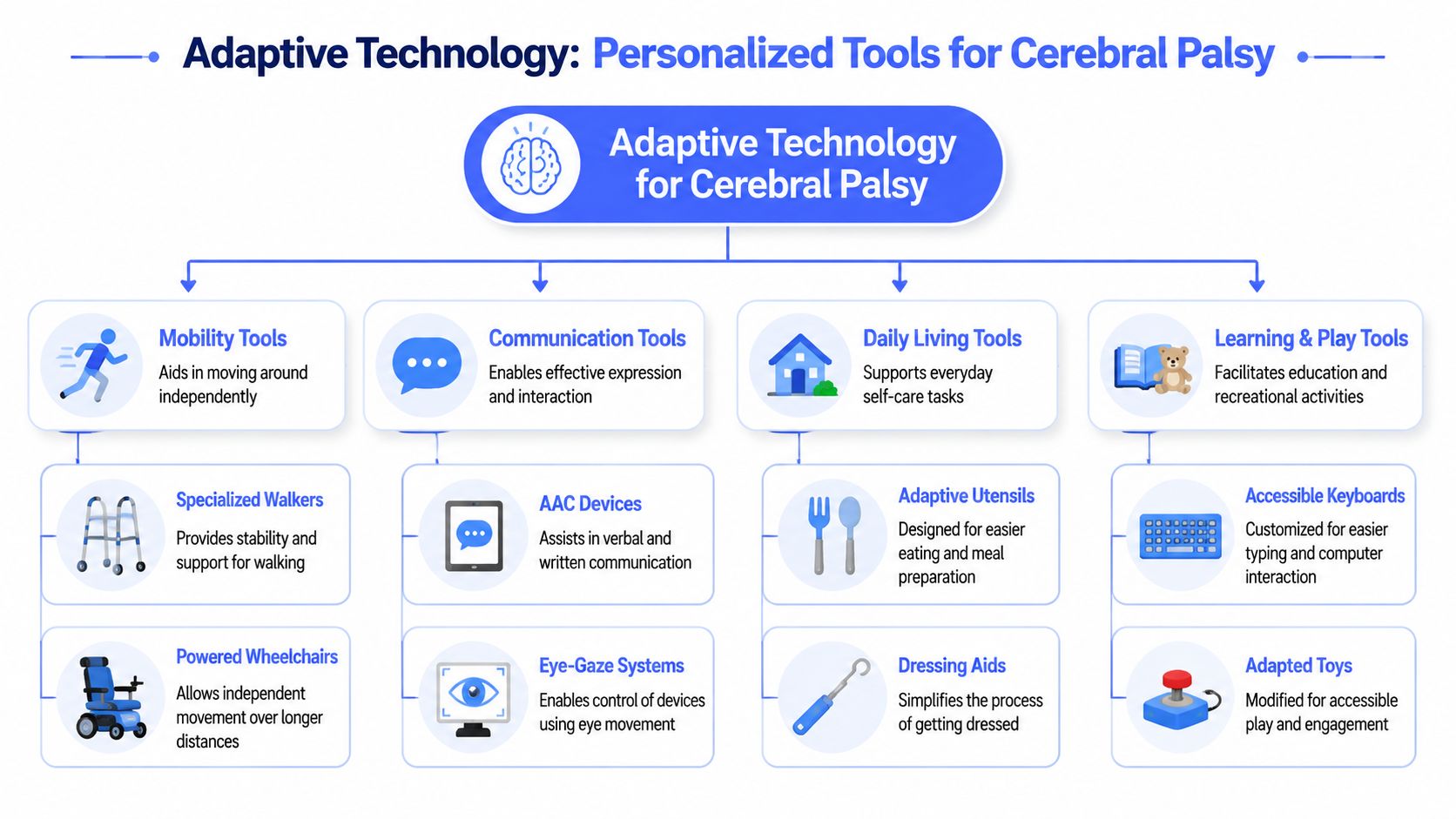
A simple way to picture it is this. Adaptive technology is like a ring of keys. One key may enable mobility. Another may facilitate communication. A third may assist with daily tasks that many individuals do without thinking. No single key opens every door, and that's why two people with the same diagnosis may need very different support.
Three useful ways to sort adaptive technology
Families often get overwhelmed because “adaptive technology cerebral palsy” covers a huge range of tools. It helps to sort them in two ways: by complexity and by function.
| Type | What it usually looks like | Example |
|---|---|---|
| Low-tech | No batteries, simple design | Pencil grips, dressing aids, built-up utensils |
| Mid-tech | Some electronics, limited programming | Simple switches, basic electronic communicators |
| High-tech | Software-driven, customizable systems | Speech-generating devices, eye-gaze systems, advanced computer access tools |
That low-tech to high-tech scale isn't a ladder where “higher” always means “better.” A pencil grip that gets used every day can matter more than an expensive device left on a shelf.
The main functions these tools support
Most adaptive technology for cerebral palsy falls into four everyday job descriptions:
- Mobility support: Walkers, gait trainers, standers, and wheelchairs help with movement, endurance, and positioning.
- Communication support: Picture boards, AAC devices, and speech-generating systems help a person express wants, thoughts, humor, and opinions.
- Learning and computer access: Alternative keyboards, switches, and voice-based input tools help with schoolwork, writing, and digital participation.
- Daily living support: Adaptive cups, button hooks, bathing equipment, and modified utensils reduce barriers in self-care routines.
Practical rule: Start with the task, not the tool. “Needs help joining class discussion” is clearer than “needs a device.”
That shift matters because the same challenge can be solved in different ways. A child who struggles to write may need a slant board, a keyboard, word prediction, or speech input. The best answer depends on what their body can do consistently, where they'll use the tool, and what matters most to them.
For readers exploring digital access in particular, this plain-language guide to voice-to-text tools and AI writing support can help you understand one growing category without getting buried in technical jargon.
The Benefits and Realities of Using Assistive Devices
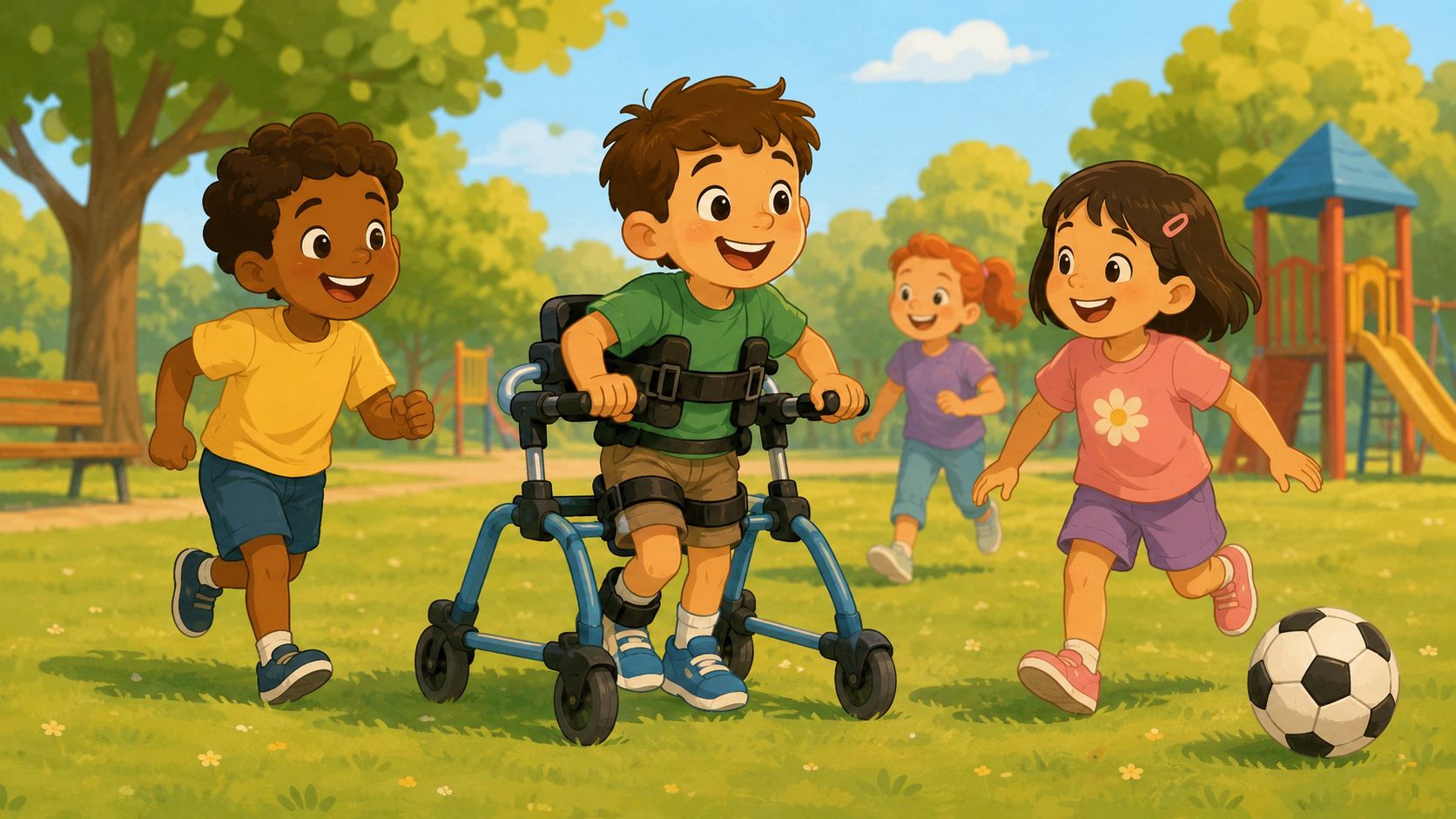
The right device can change the feeling of a day. A child who usually waits for adults to guess their needs may suddenly tell a joke on a communication system. A student who tires quickly may stay engaged longer with better seating and access tools. A teen may cross campus with less help and more confidence.
Those outcomes aren't rare in spirit, even though they look different from person to person. Research involving 130 children and their families found that users employed a median of 2.5 assistive devices, and the majority of parents reported significant benefits for caregiving and the child's functioning in this PubMed study on assistive devices in young children with cerebral palsy.
What benefits often look like in real life
The biggest gains are often practical, not dramatic. They show up in small moments that add up.
- More participation: A child can answer questions in class instead of watching others participate.
- Less physical strain: Better positioning or alternate access can reduce fatigue during school, play, or work tasks.
- More control: A person can choose what to eat, what to say, where to go, or how to complete a task.
- Easier caregiving: Transfers, feeding, and communication can become smoother for families and support staff.
Sometimes the most important benefit is emotional. People often feel calmer when they can act on the world instead of waiting for help with every step.
The parts people don't say out loud enough
Assistive devices help, but they don't usually help instantly. There is often a learning period. Settings may need adjustment. A device that works in clinic may feel awkward at home, school, or the office.
A few realities catch families and adults off guard:
- Training matters: Without coaching, even a well-chosen device can sit unused.
- Fit matters more than features: A powerful tool that doesn't match the user's movement, attention, environment, or goals can be abandoned.
- Maintenance is real: Chargers get lost, mounts loosen, software updates interrupt routines.
- Visibility can feel social: Some users love visible tech. Others feel self-conscious and need time and support.
A device isn't failing because it needs adjustment. Fine-tuning is part of the process.
That balanced view matters because families often feel guilty if a device isn't working right away. They shouldn't. Success usually comes from matching, training, and repetition. Not from buying the “best” thing online and hoping for the best.
How to Assess Needs and Customize a Technology Plan
A parent notices that breakfast goes smoothly, but getting ready for work turns into a chain of small roadblocks. A spoon slips. A phone screen times out before a selection is made. A smart speaker responds some days and not others. By afternoon, everyone is tired, and it is still unclear which tool would help. That is why a technology plan starts with daily life, not a shopping list.
The goal is to match the right support to the right task in the right setting. A good plan works like tailoring clothes. Two people may wear the same size on paper and need very different adjustments before the fit is comfortable and useful. Cerebral palsy works the same way. A diagnosis points you in a direction, but it does not tell you exactly which device, setup, training, and backup plan will work at home, at school, or on the job.
The best planning process is collaborative and person-centered. Depending on the goal, the team may include an occupational therapist, physical therapist, speech-language pathologist, teacher, physician, rehab engineer, assistive technology specialist, employer, or vocational counselor. The person with CP should remain at the center of the decision-making process whenever possible, especially when the plan involves adult routines such as work, email, phone access, or voice control.
What a thorough assessment usually covers
A useful assessment looks at three things together: the person, the task, and the environment. Clinicians sometimes call this a “fit” problem. A device can be excellent and still fail if one piece of the fit is off.
The team usually reviews:
- Motor access
Hand use, reach, posture, endurance, head control, fatigue patterns, and consistency of movement affect how someone will control a device.
- Communication and cognitive demands
The team looks at receptive language, expressive communication, attention, memory, initiation, and how many steps a task requires.
- Vision and sensory needs
Screen size, contrast, glare, audio feedback, scanning speed, and switch location can all change whether a tool feels usable or frustrating.
- Real-world environments
A setup that works in a quiet clinic may break down in a crowded classroom, on uneven sidewalks, in a shared office, or in a kitchen with wet hands and background noise.
- Personal goals
“Type faster” is vague. “Send work emails independently,” “join family group chats,” or “order food without help” gives the team something concrete to solve.
For mobility planning, classification systems can help frame questions without replacing individual assessment. The CanChild explanation of the Gross Motor Function Classification System shows how motor function levels describe usual movement patterns across settings and can guide discussion about likely support needs. That kind of framework is useful because it reminds families and clinicians to avoid broad assumptions. Two people with the same label may still use very different combinations of seating, access tools, and communication supports.
How customization happens in practice
After assessment, the next step is building a plan that someone can live with. That means choosing one or two priority problems first, trialing options, and checking what happens outside the evaluation room.
For example, an adult with CP may have enough speech to control lights or open apps by voice, but not enough consistency for long-form typing during work. In that case, the answer may be a mixed setup: voice control for short commands, a switch or touch alternative for backup, and a keyboard alternative for people who need easier computer access for longer tasks. The point is not to force one tool to do everything. The point is to build a system.
That system should include more than the device itself:
- Primary tool: What will handle the target task most often?
- Backup method: What happens if the battery dies, speech is unclear, or the internet drops?
- Positioning support: Does seating, mounting, or arm support need to change first?
- Training plan: Who learns setup, troubleshooting, and day-to-day use?
- Success measure: What result shows the plan is working in real life?
One simple question often clears up confusion: What does success look like on an ordinary Tuesday? If the answer is realistic and observable, the plan is usually on the right track.
Questions families and adults should ask
People often worry that they need expert language during an evaluation. They do not. Plain questions are often the most useful.
Ask things like:
- Which exact task are we solving first?
- Can we trial this in the location where it will be used?
- What body position gives the person the best access?
- What will the user do when this tool is unavailable?
- Who is responsible for training family, staff, or coworkers?
- How will we measure whether this is saving effort, time, or help from others?
Adults planning for work or independent living may also want examples from the broader world of technology for disabled people. That wider view can help people spot patterns, especially when they are comparing tools for mobility, communication, computer access, and home control at the same time.
A good technology plan is rarely a one-time decision. It is a working plan that gets adjusted as goals, environments, and skills change. That is not a sign that the first choice was wrong. It is how good fitting usually works.
Exploring Key Types of Adaptive Technology
A good way to compare adaptive technology is to ask one practical question first: what job does this tool make easier in everyday life? Some devices help with movement. Some make communication possible. Others reduce the physical effort of using a computer, eating a meal, or getting dressed for work. Looking at tools by the task they support keeps the focus on daily life, not just equipment names.
Mobility and Positioning Tools
Mobility and positioning are often grouped together, but they solve different problems. Mobility tools help a person get from place to place. Positioning tools help the body stay stable enough to use the hands, eyes, voice, and attention well. A child may need postural support to participate in class. An adult may need a powered wheelchair to conserve energy for work and community life.
Common examples include:
- Gait trainers: These offer more support than standard walkers and can be useful for supported walking practice.
- Adaptive wheelchairs: Manual and powered chairs can increase access at home, school, work, and in the community.
- Standers: These support upright positioning during parts of the day and can make routines more varied.
- Ankle-foot orthotics: Often called AFOs, these help with alignment and foot positioning during standing and walking.
AFOs are a good example of why the right fit matters. They work like a shoe insert taken several steps further. Instead of just adding comfort, they guide alignment and can make walking less tiring for some people with cerebral palsy. Evidence reviewed in a clinical overview of orthotics in cerebral palsy describes AFOs as a common tool for improving gait mechanics and stability, but the benefit depends on the person's movement pattern, muscle tone, and goals.
Communication Tools
Communication support can be low-tech, high-tech, or a mix of both. A paper board with symbols may be the fastest backup during a busy day. A speech-generating device may open up fuller conversations, school participation, or workplace communication. One option does not cancel out the other. Many people do best with layers, much like having both a smartphone and a written note when one method is not enough.
Here is a simple way to compare common options:
| Tool | Best for | Practical note |
|---|---|---|
| Picture boards | Early communicators or low-tech backup | Durable and easy to carry |
| Simple AAC devices | Users who need basic recorded messages | Useful for repeated phrases |
| Speech-generating devices | Users who need broader language access | Can grow with vocabulary needs |
| Eye-gaze systems | Users with reliable eye control and limited hand use | Requires stable calibration |
Families comparing options for children may also appreciate this practical guide to communication devices for nonverbal kids, especially when deciding whether to start low-tech, high-tech, or both.
Computer and Digital Access Tools
Digital access now shapes school, work, healthcare, banking, and social life. If someone cannot reliably type, click, or swipe, the barrier is not only about technology. It becomes a barrier to participation.
This category includes tools such as:
- Alternative keyboards with larger keys or different layouts
- Switch access for users who can activate one consistent movement
- Speech-generating software for communication and writing
- Voice input and dictation for hands-free text entry
- Shortcut-based access tools that reduce repeated mouse use
Choosing among these tools can be confusing because the most visible option is not always the best one. Eye-tracking gets a lot of attention, and it can be excellent for the right user. For people with less consistent head, eye, or facial control, voice access or switch access may be easier to sustain across a full school day or workday. The Cerebral Palsy Guidance overview of assistive technology gives a useful broad summary of how access methods vary by motor pattern and daily demands.
For adults, this is often where the conversation needs to go further than pediatric equipment lists. A student writing essays, an employee answering messages, or an adult managing bills from home may need a setup that handles long stretches of computer use with less fatigue. This overview of a keyboard alternative for hands-free computer use explains how voice-first access can fit into that kind of routine.
A short demo can make this category feel more concrete:
Daily Living Tools
Daily living tools are often small, but their effect can be large. A built-up utensil can make self-feeding more manageable. A button hook can turn dressing from a long, frustrating task into something a person can finish with less help. A grab bar in the right place can improve safety more than a more expensive device used in the wrong place.
Examples include built-up utensils, non-slip bowls, dressing sticks, button hooks, reachers, adapted toothbrushes, bath seating, grab bars, and cup holders positioned for easier access from a chair or walker.
These tools work like home modifications for the body's day-to-day jobs. They reduce the precision, force, or balance a task demands. That matters because the goal is not to collect gadgets. The goal is to make ordinary routines possible with less strain and more control.
How to Fund and Obtain Adaptive Technology
Cost stops many families and adults before the process even begins. That reaction is understandable. Some equipment is expensive, and the paperwork can feel like a second job. Still, funding is often possible when the request is specific, documented, and tied to function.
The first mindset shift is this: you are rarely asking a system to pay for a “nice extra.” You're documenting a tool that supports mobility, communication, safety, education, or employment. Those are essential areas of life.
Common funding paths
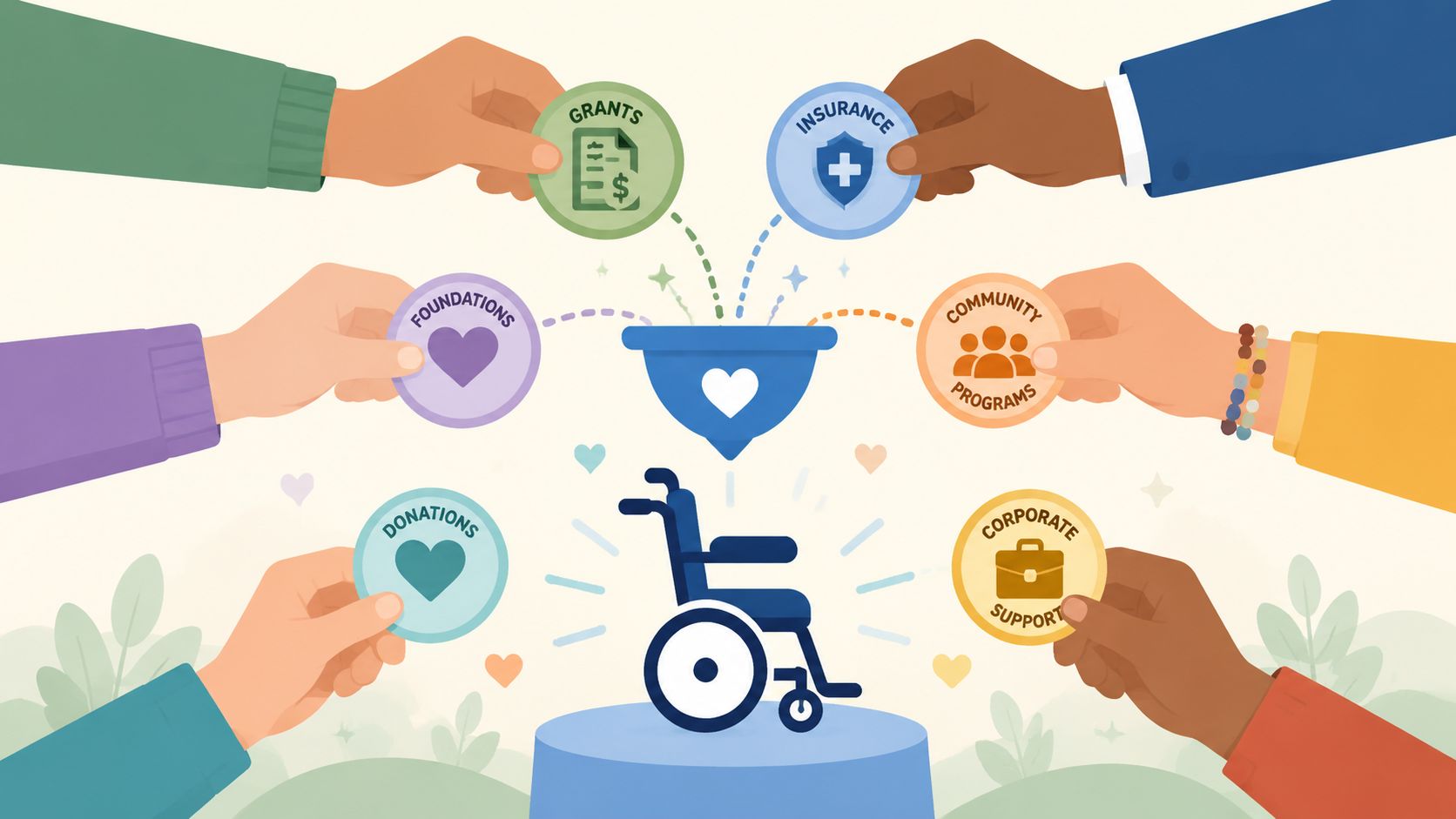
Different systems cover different needs, and people often use more than one source over time.
- Medical coverage: Medicaid, Medicare, or private insurance may fund equipment when medical necessity is well documented.
- Early intervention and school services: Younger children may receive support through early childhood systems or school-based plans when the device is needed for access to education.
- Vocational rehabilitation: Adults entering or staying in the workforce may qualify for help when the technology supports job tasks.
- Nonprofit grants and local programs: Community funding can sometimes fill gaps for items not covered elsewhere.
A major issue for adults is visibility. This article on adaptive and assistive technology for children with cerebral palsy notes that while 1 in 345 U.S. children has CP, a 2023 study found 68% of adults with CP report unmet technology needs for job retention. In practice, that means adults may need to advocate harder for workplace-focused tools than families do for school-based ones.
What strengthens a funding request
A vague letter rarely works well. A functional, specific request has a better chance.
Try to include:
- The task problem: What can't the person do reliably right now?
- The consequence: Does the barrier affect safety, communication, school participation, or work retention?
- Trial results: If the person tested the tool, what improved?
- Why simpler options weren't enough: This helps justify the recommendation.
For readers in Australia, broader disability support systems may shape the process differently, so a primer on understanding NDIS eligibility can help clarify where funding conversations begin.
Keep copies of every evaluation, denial, appeal, and letter of medical necessity. Families who stay organized are better positioned to appeal and reapply.
Practical Tips for Successful Implementation
Getting the device is the middle of the story, not the end. Real success comes when the tool becomes ordinary. It should start to feel less like “special equipment” and more like the glasses you reach for without thinking.
Consider an adult with CP who works in an office role. Typing takes time, repeated keypresses increase strain, and by mid-afternoon the quality of written work drops because the body is tired. The fix may not be a single dramatic change. It may be a combination of speech input for drafting, saved commands for routine text, and a quieter backup option for meetings or shared spaces.
What helps a new tool stick
The people around the user shape success more than most families expect. A great device can fail if teachers don't wait for responses, if coworkers don't understand the setup, or if support staff charge it inconsistently.
A few habits make a big difference:
- Start with one meaningful task: For example, use a communication device first for mealtime choices or a voice tool first for short emails.
- Train the whole circle: Parents, siblings, teachers, aides, and managers all need basic confidence.
- Build repetition into routine: Daily use beats occasional “practice sessions.”
- Expect revisions: Mounts, vocabulary, positioning, and access settings often need small changes.
Speech-based input can be especially helpful when fine motor control limits typing. According to this overview of assistive devices for cerebral palsy, speech-to-text can achieve over 90% accuracy and reduce writing task time by up to 60% compared with manual methods in controlled settings.
A simple workday example
A professional with CP might begin the morning by dictating rough ideas instead of typing from scratch. Later, they may review and edit with keyboard shortcuts or mouse alternatives. During customer follow-up or report writing, voice input can reduce the stop-start rhythm that happens when hands fatigue before ideas do.
For people setting up that kind of workflow, this step-by-step guide on how to set up voice control on your computer gives a practical starting point.
Success usually looks boring after a while. That's a good sign. It means the tool has blended into real life.
Future Trends and Frequently Asked Questions
Adaptive technology keeps moving toward more personalization. Tools are becoming more flexible, more software-driven, and better at meeting users where they are. For people with cerebral palsy, that matters because access needs can differ widely not only between individuals, but across times of day, settings, and life stages.
At the same time, the future isn't only about high-tech devices. It's about better matching. A simple utensil grip, a well-mounted communication system, or a voice-based computer setup can matter more than the newest hardware if it gets used.
FAQ
Will AI and robotics matter more in the future
Yes, but the most useful change may be adaptability rather than novelty. Systems are getting better at adjusting to variable movement, speech differences, and changing routines. Robotics may support mobility and practice. Smarter software may improve communication and computer access with less setup burden.
What if my child resists a new device
Resistance usually means something important. The tool may feel too hard, too slow, too visible, or disconnected from what the child cares about. Start with a motivating activity, keep demands low, and look closely at whether positioning, vocabulary, or timing is getting in the way.
Are low-tech options still worth using
Absolutely. Low-tech tools are often easier to carry, easier to replace, and easier to use during transitions, bath time, outdoor play, or device charging. They also make excellent backups when higher-tech systems aren't practical.
How often should a technology plan be reviewed
Any time the person's body, environment, daily demands, or goals change. Growth, school transitions, new work tasks, pain, fatigue, and changing communication needs can all signal that the setup should be revisited.
Is adult-focused adaptive technology different from pediatric support
Often, yes. Adults may need less emphasis on developmental milestones and more emphasis on endurance, productivity, privacy, workplace compatibility, and task efficiency. The right setup for an office, remote job, college course, or independent living routine may look very different from a school-based plan.
Adaptive technology for cerebral palsy isn't one decision. It's a living process of matching tools to real goals, testing them in real environments, and adjusting without shame when something doesn't fit. That's not a setback. That's how good support is built.
If writing, computer access, or workplace communication has become the hardest part of the day, Voice Control Pro is worth a look. It's designed for hands-free text input across apps, which can help adults with cerebral palsy draft emails, notes, reports, and messages with less physical strain and a more natural flow.